
Consulting Reports of Master Data Parts
You can see reports with specific details about the master data parts.
- Go to Quick Reports page.
-
Click the Filter icon in the
top toolbar, then click Report Title and enter
%Master%.
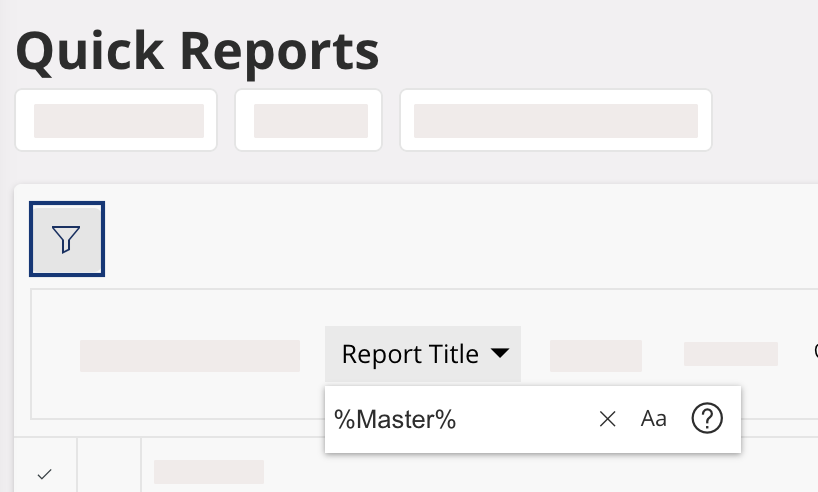
Two types of reports are listed:- Master Part – Sales Part – SFPP Analysis: sales and supplier details about the parts.
- Master Part – Existing Site Parts: to know if a part is is a sales part, purchase part or inventory part.
-
Click the three dots in front of the type of report you want to see, and click
View Report.
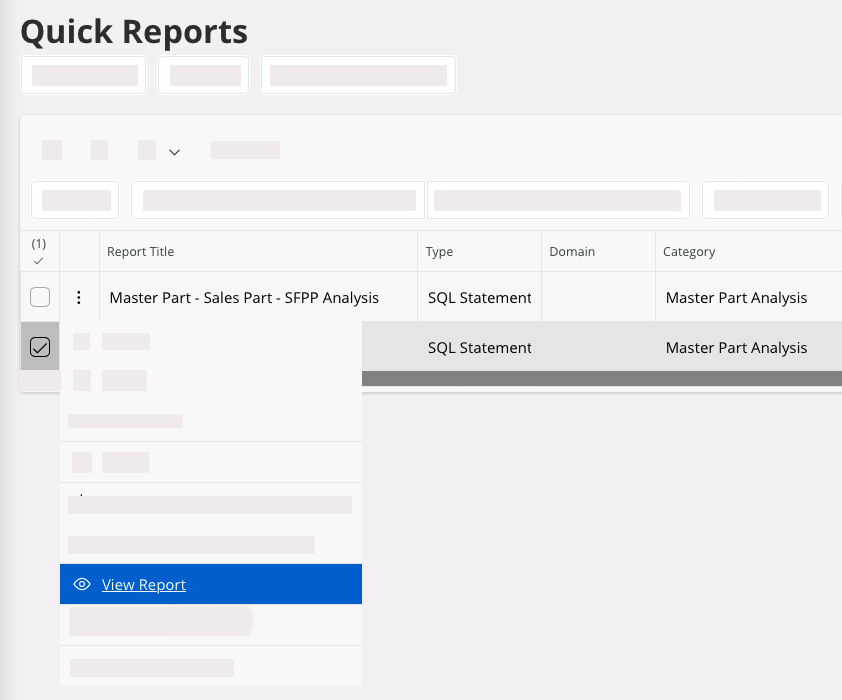
-
In Quick Report
Parameters, select a
site and a part number, or enter % to display all the
parts.

- Click Execute.
- The part information is displayed. Use Column Chooser tool to add additional information.