
Extracting Manufactured Part Product Structures
Extract the product structures of manufactured parts.
- Go to the Quick Reports page.
- Click the filter icon in the top toolbar, then select Report Title and enter All Product Structure Component NEW WAY.
-
Select the report, then click the three dots
 and
View Report.
and
View Report.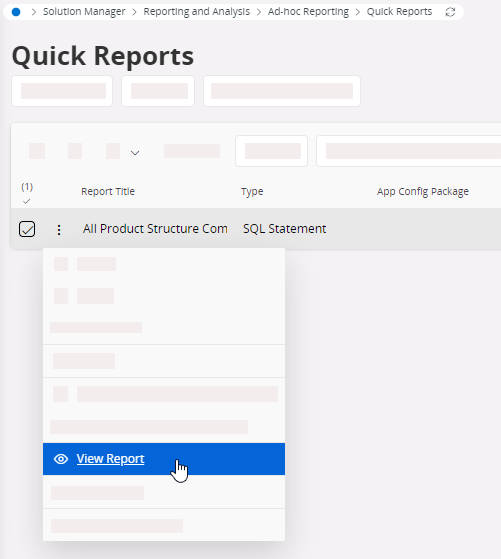
-
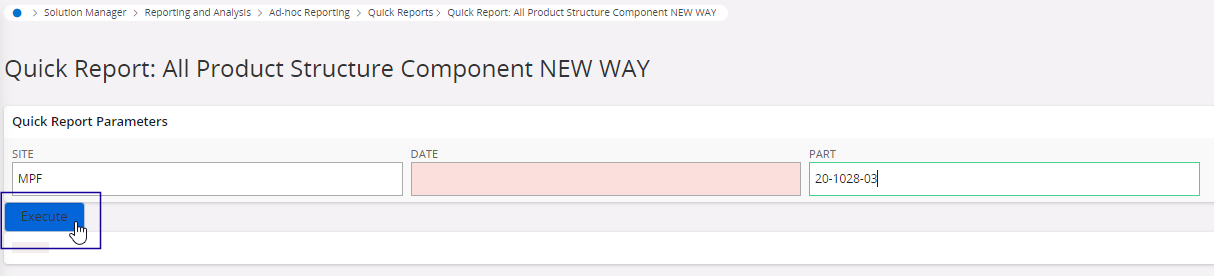
Set the following filters:
- Site (mandatory)
- Date: (optional) get only active product structures from the specified date, using the format: YYYYMMDD. If empty, the current date is applied.
- Part: (optional) filter with the first characters of the part (for example NFS%) or put a specific part number.
-
Click Execute.
-
To export the data to an Excel file click Export
 > Export All Rows, then Visible Columns
Only or All Columns.
> Export All Rows, then Visible Columns
Only or All Columns.