
Creating a Global New Part
Create a new inventory part that can be used by Airmar and the other Marport entities. These parts have to be created as a master data by an admin master data.
Important:
A master part is shared between all the Marport entities, you must
follow a specific naming convention. If you need more information, contact your
IFS Cloud
admin.
- Go to .
-
Select the part type you want to create.
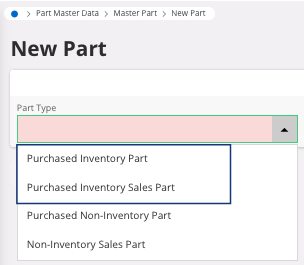
Remember:- Inventory part: the part will be stocked.
- Non-inventory part: the part is not necessarily physical and does not have a serial number.
- Purchased part: the part can be purchased.
- Sales part: the part can be sold.