
Supplier Address Configuration
You can see and update the supplier's address details from this page.
Click Address in the menu below the supplier name.
- The header provides the following information:
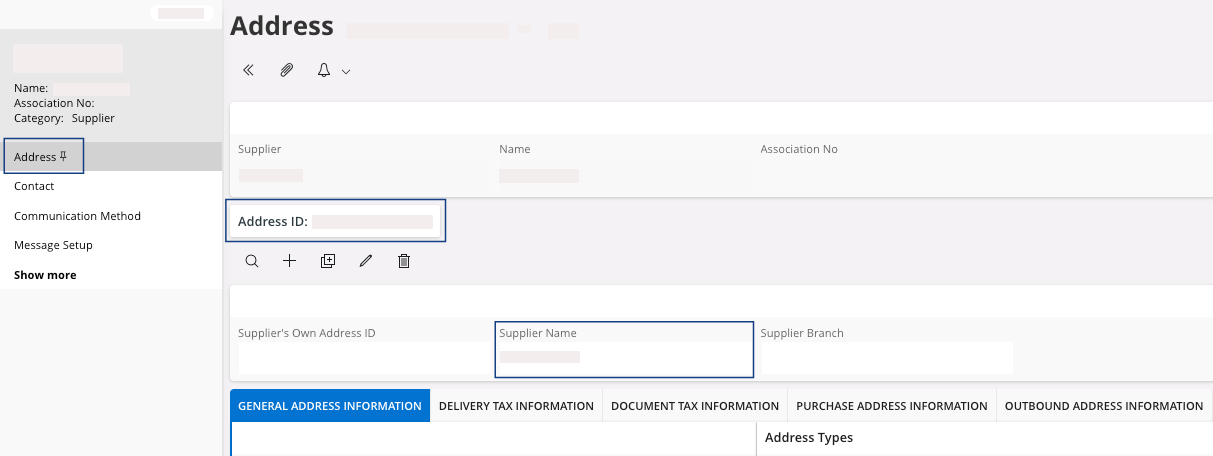
Field Description Mandatory Example Address ID Address codification. Yes SMPA0231-002 Supplier Name If the address name is different from the company name. No
Below the header, different tabs contain additional information:
- General Address
Information:
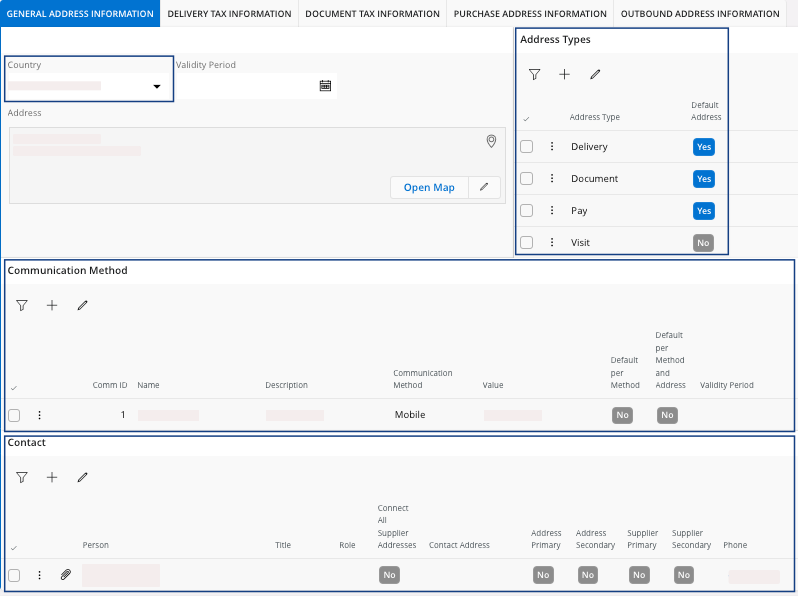
Field Description Mandatory Example Country Address country Yes FRANCE Address Address details Yes N° street XXXX City postcode, COUNTRY
Address Types Select the type of action(s) linked to this address (delivery, document, payment...) No Communication Method Add contacting information related to this address. This data will be used for each document created for this supplier address. No Contact Specific and identified person registered in IFS Cloud. No - Document Tax
Information: those
details are used if you need to register a tax ID for your supplier. They are
linked to the supplier's address.
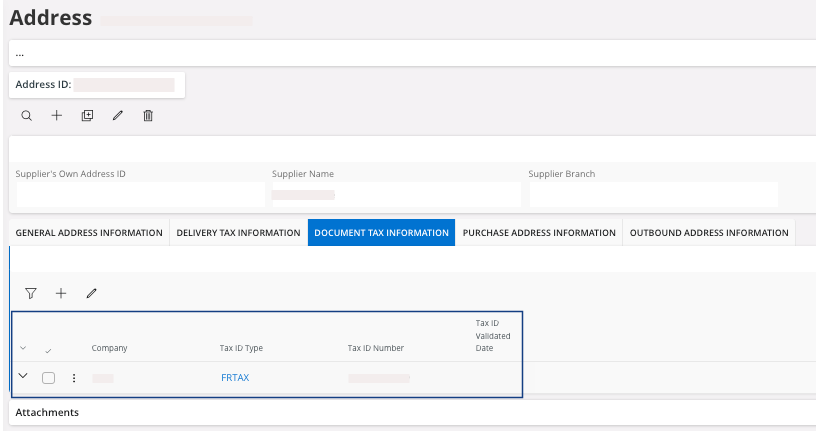
Field Description Mandatory Example Company Your company. Yes MPF Tax ID Type Type of Tax ID. Yes FRTAX Tax ID Number Tax ID number of the supplier. Yes FR######### - Purchase Address
Information:
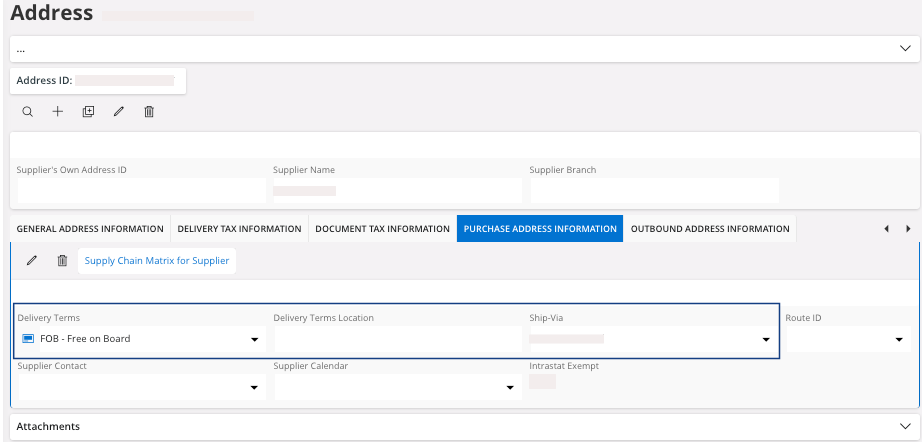
Field Description Mandatory Example Delivery Terms Use the INCORTERMS code. Yes EXW Delivery Terms Location Define the specific location of delivery terms. No Port du Havre Ship-via Method used to send the order to the customer. Yes AIR