
Supplier Invoice Configuration
You can see and update the supplier's invoicing details from this page.
Click Invoice in the menu below the
supplier name.
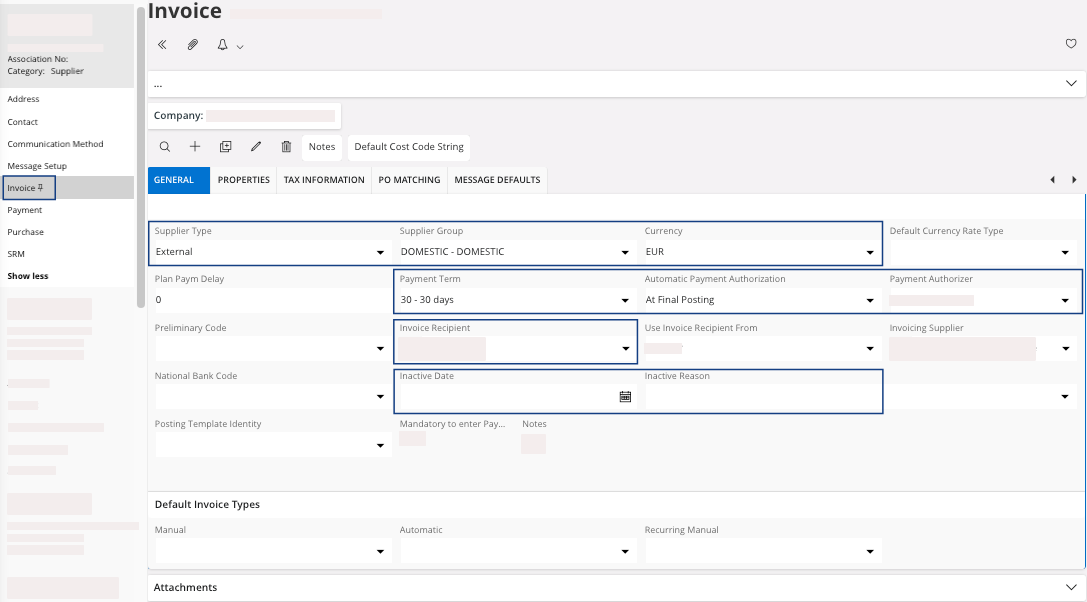
| Field | Description | Mandatory | Example |
|---|---|---|---|
| Supplier Type | External or internal, in case this is an Airmar or Marport offices using IFS Cloud. | Yes | External |
| Supplier Group | Specify if the supplier is external or a specific supplier from a group. | Yes | DOMESTIC |
| Currency | The currency for supplier invoicing. This is the default value that can be modified in a specific order or invoice. | Yes | EUR |
| Payment Terms | This is used to calculate the due date of invoices. This is the default value that can be modified in a specific invoice. | Yes | 30 - 30 days |
| Automatic Payment Authorization | After the invoice posting, choose if the invoice should be automatically in PostedAuth status. | Yes | Yes/No |
| Payment Authorizer | Person identified to authorize this supplier invoices payment. | No | Person ID |
| Invoice Recipient | The recipient of the invoices for the supplier. | Yes | Person ID |
| Inactive Date | End date for use of this supplier. | No | 01/01/2021 |
| Inactive Reason | Inactive reason. | No |
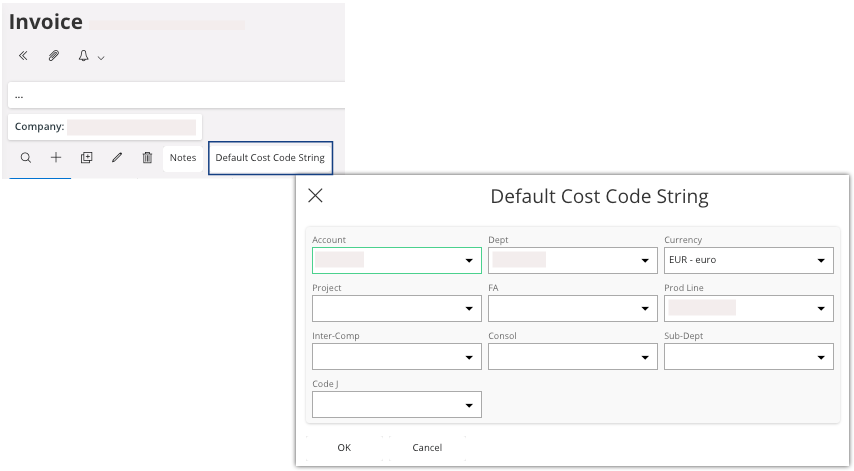
You can use the Default Cost Code
String
feature to automatically retrieve the supplier information entered here ( Account, Dept, Prod Line, etc.) when creating documents such as
invoices. Read Assigning a Default Cost Code String to a Supplier for a practical example.
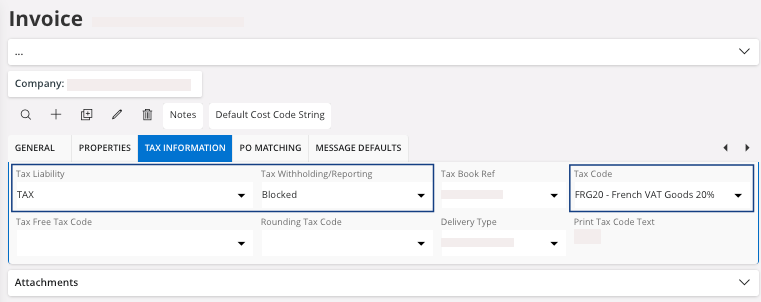
Go to the Tax
Information tab:
| Field | Description | Mandatory | Example |
|---|---|---|---|
| Tax Liability | TAX or EXEMPT | Yes | TAX |
| Tax Withholding/Reporting | In case your company is subject to withholding tax. Always Blocked if it is out of scope. |
Yes | Blocked |
| Tax Code | By default, this tax code is only used in manual supplier invoices without link to orders and sales parts. | No | EXP |