Supplier Contact and Communication Method
You can see and update the supplier's contacting and communication method details from this page.
Note:
If your activity requires to have a specific and
identified person as point of contact, enter the contact information in the
Contact page. If not required,
we recommend to use only the Communication
Method page.
Communication Method
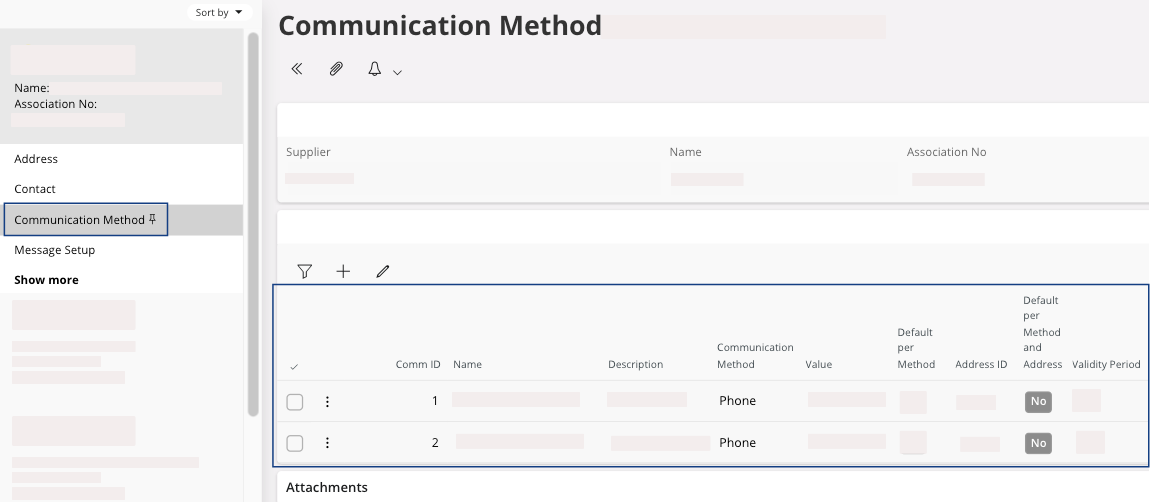
| Field | Description | Mandatory | Example |
|---|---|---|---|
| Comm ID | Automatic numbering from the system. | Yes | 1 |
| Name | Record name. | No | Arnold Accounting |
| Description | Record description. | No | Arnold is responsible for accounting. |
| Communication Method | Type of communication method. | Yes | |
| Value | Communication method value. | Yes | ArnoldAcc@test.com |
| Default per Method | Select the default communication method per type. | No | Yes/No |
| Address ID | Address ID in case the communication method is linked to a
specific address. It can be attached directly from the Address tab. |
No | Address ID from the system. |
| Default per Method and Address | Select the default communication method per method and address. | No | Yes/No |
| Validity Period | Valid From date - To date | No | 01/01/2020 - 02/02/2020 |
Contact
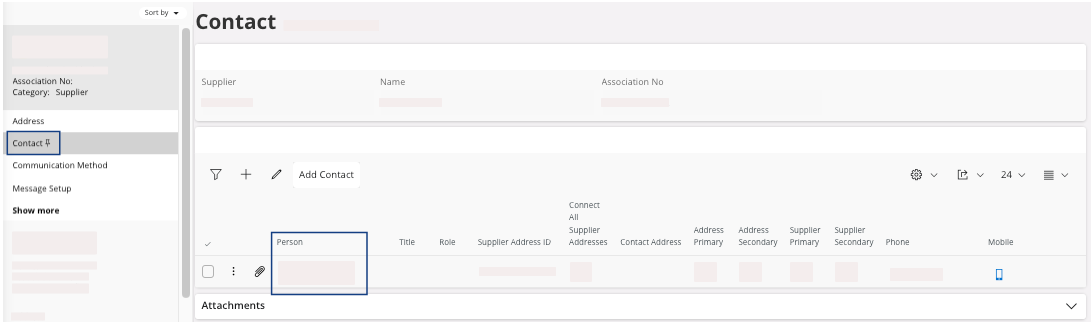
- If you want to add a new person, click New + and in the Person field select a person from the list. The other fields should filled automatically.
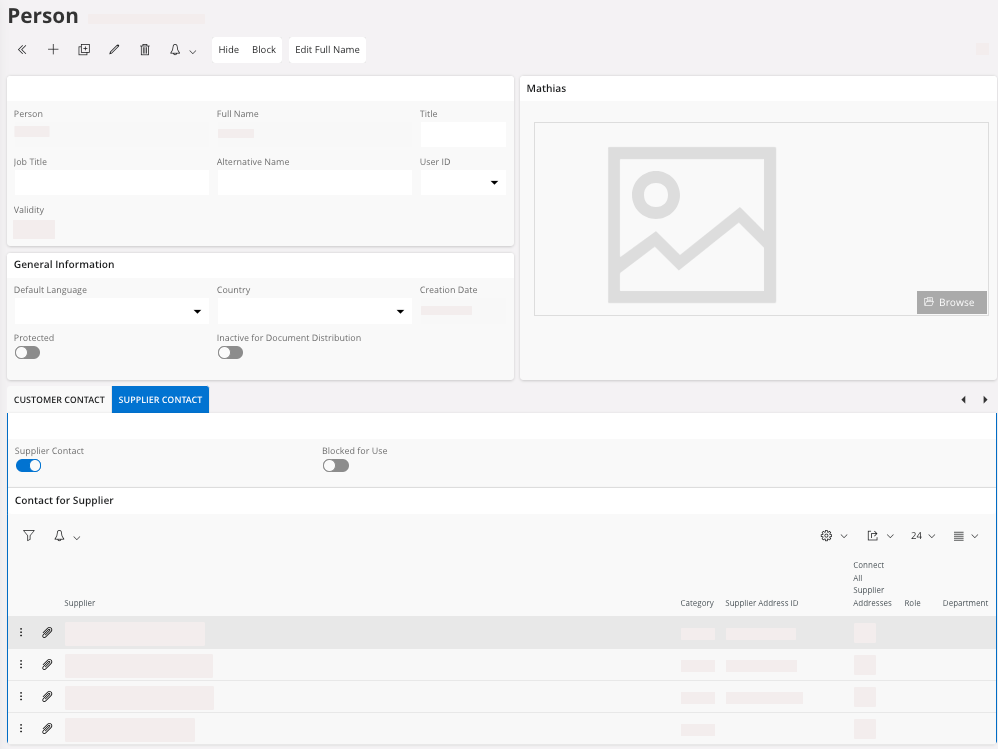
- Each person is configured in the page . They are assigned to one or multiple supplier(s).