
Consulting Quick Reports
Access simplified reports with the data needed.
Note:
If you need a new Quick Report, contact the IT team via
tickets on Sharepoint: provide the page to base the
report on and the fields or information you want.
- Go to .
-
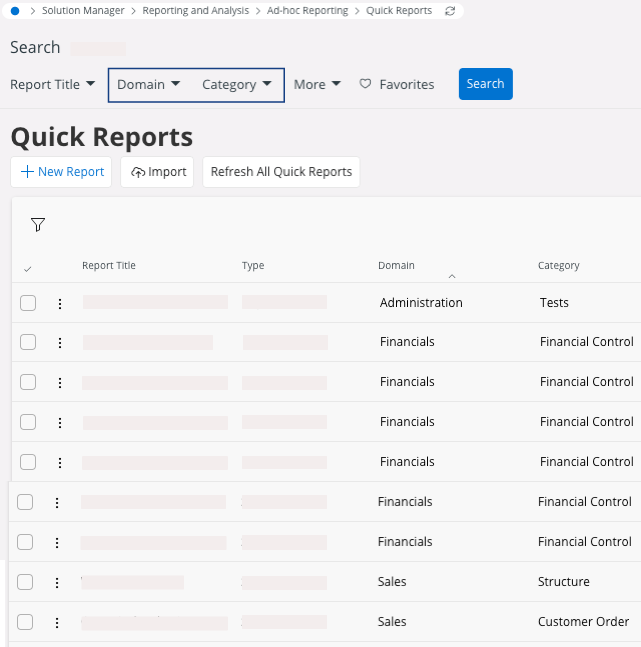
To search for your report(s), filter your page with the fields Domain and Category:
- Domain is more general and describes the area of the business that the report refers to.
- Category details the specific function described in the report.
-
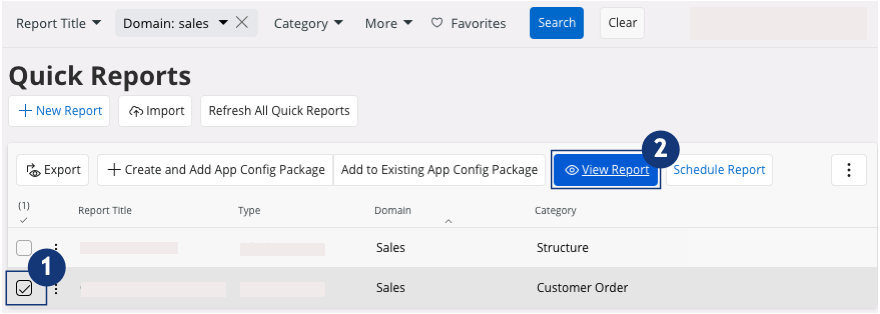
Once you have found your report:
- Click the checkbox to select your line.
- Click View Report.
Note:According to your role, data in reports may be restricted: contact the IT team for more information.