Sending an Email
You can send emails of reports to customers, suppliers, and to users.
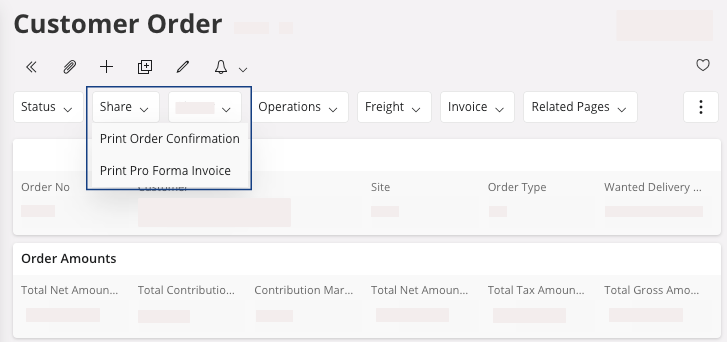
- Search for a report that you want to print or email to someone. For example on the Customer Order page, to find the report, click Share.
-
Choose the form that you want to print.
-
You can get a dialog regarding the form that will be printed, click OK.
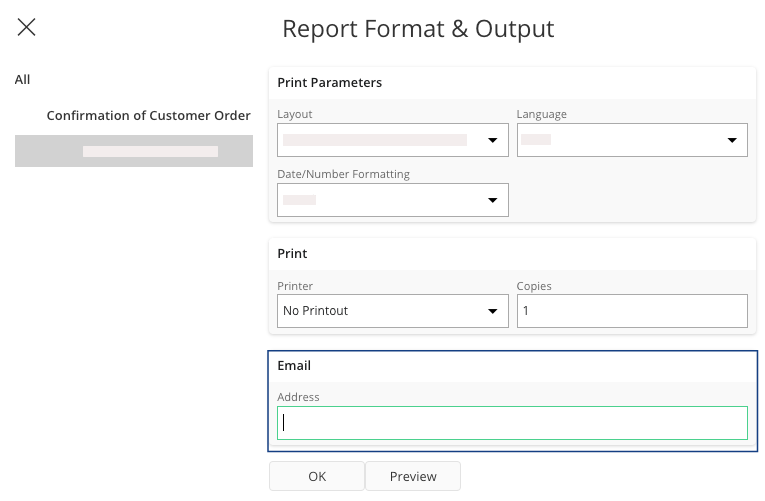
The Report Format & Output pane appears.
-
To send the email of your report, make sure that the email address is correctly
filled out, then click OK.