
Customizing the Column Display
Organize your data according to which fields you want to see.
In a List View, decide which column you want to display to see the data needed.
Add one or multiple column(s):
-
Click the List settings icon
 at the top right corner and choose Column Chooser.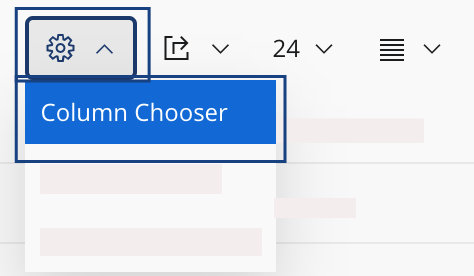
-
Select Configure columns
manually
 .
.
-
In the Available box on the
left side, select the contents that you want to display
 :
:
- Drag and drop it in the Selected for display box on the right side.
- Or click the arrow pointing to the right between the two boxes
 .
.
-
Click OK
 .
.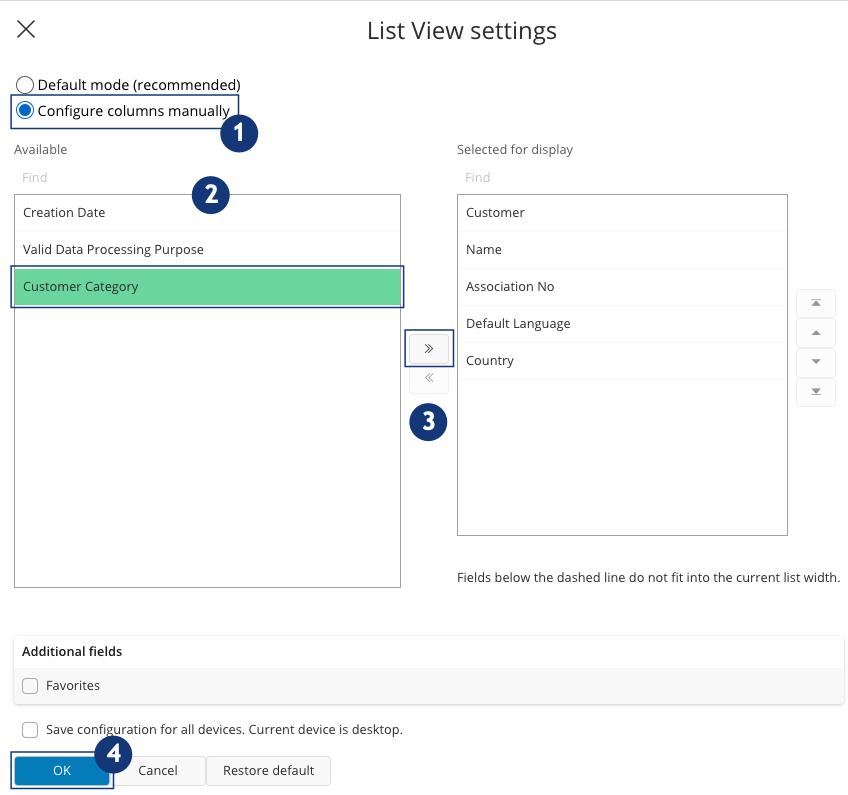
Note:Use the arrow pointing to the left to remove data from the view.