
Displaying Records
The same records can be displayed through different views based on what you want to see or achieve.
Displaying Records in a List View
The List View is helpful
to have an overview of all your records in a list. One line is a record.
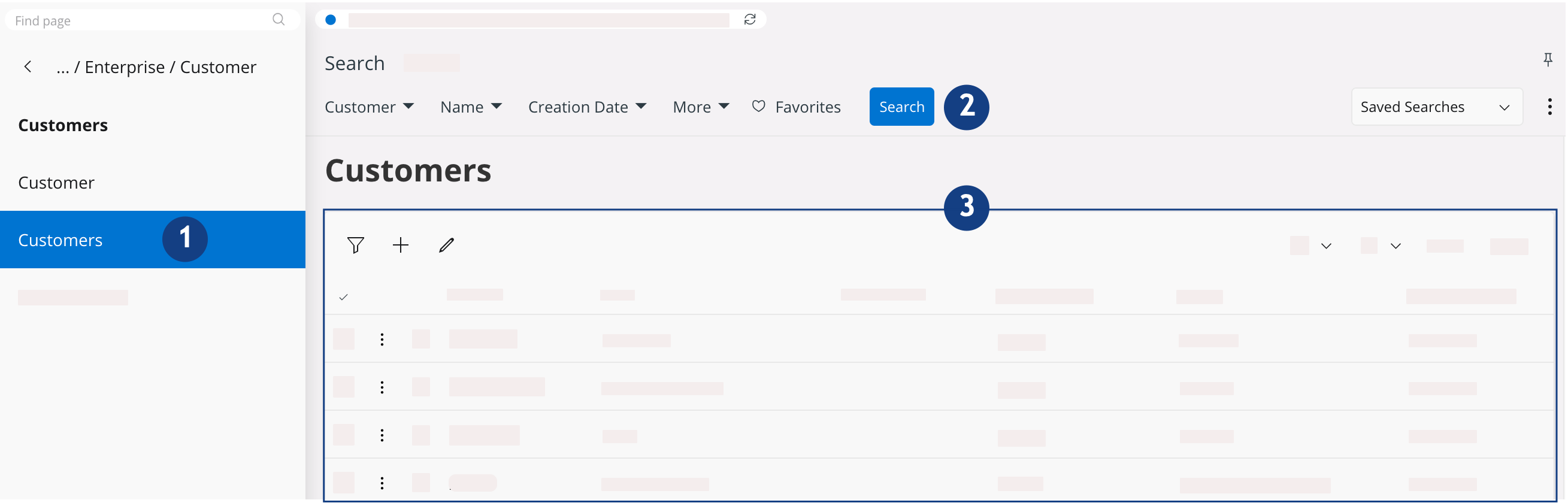
-
Go to a new page
 .
Note:To display your records in a list format, select the pages whose title ends with an “s”. Example here: Customers.
.
Note:To display your records in a list format, select the pages whose title ends with an “s”. Example here: Customers. -
If your records are not displayed:
-
Click the Search
button
 .
It displays your records in a table underneath.
.
It displays your records in a table underneath.
-
Click the Search
button
Displaying Records in a Detailed Record View
The Detailed Record
View
is a more precise view of all the data contained in each line of record.
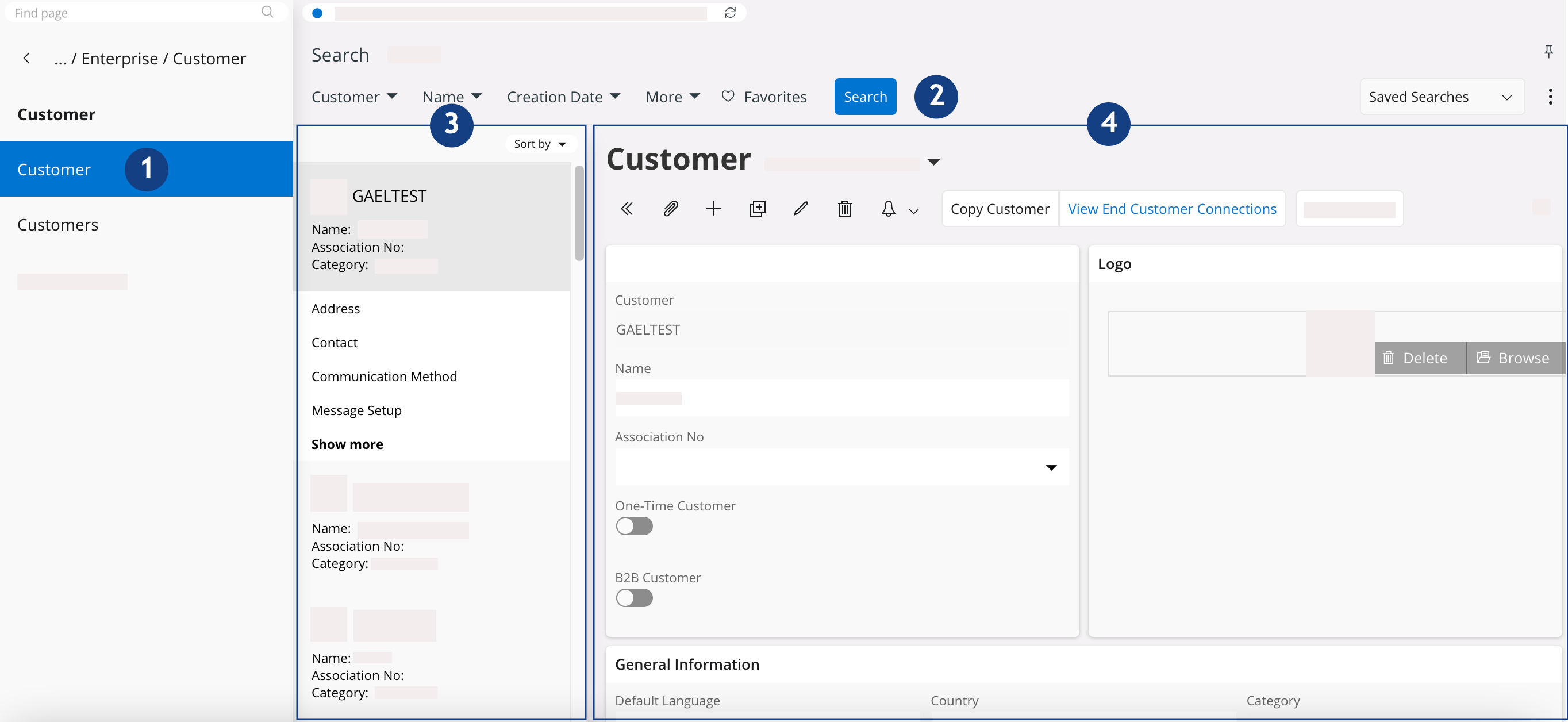
-
Go to a new page .
Note:To display your records in a detailed format, select the pages whose title does not end with an “s”. Example here: Customer.
-
If your records are not displayed:
-
Click the Search
button .
It displays your records in a table underneath.
-
Click the Search
button
-
Choose the record to develop in the list of all the
records
 .
Note:The customer selected here is Gael Test and you can see all his data
.
Note:The customer selected here is Gael Test and you can see all his data .On the right, you can see the data of
the record selected among the list .
.On the right, you can see the data of
the record selected among the list .