Scrapping a Fixed Asset from a Company
Remove a fixed asset from the active list of the company by scrapping it, for reasons such as the object being broken, obsolete,…
Note:
This process impacts both your fixed assets and values
in accounting.
- Go to .
-
Click the three dots
 on the line of the item you want to scrap, and
click .
on the line of the item you want to scrap, and
click .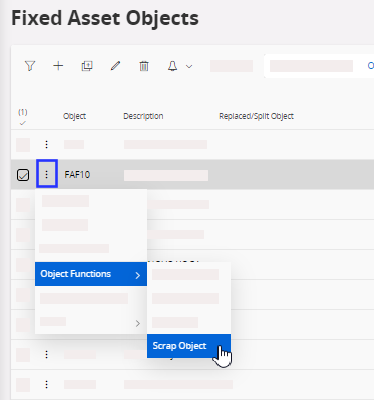
-
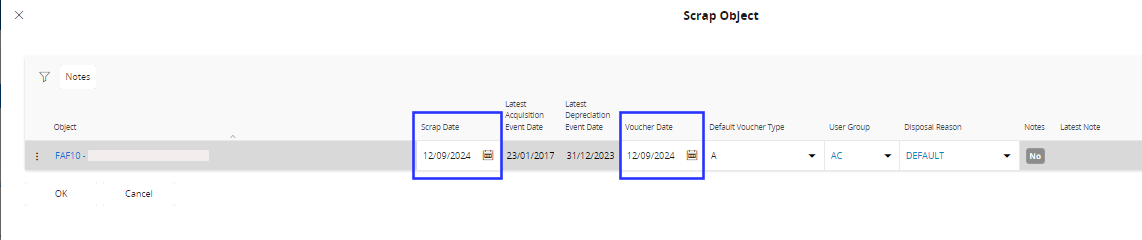
In the Scrap Object dialog,
enter the scrap date and confirm the voucher date. Click OK.