
Creating a Fixed Asset
You need to create a fixed asset as an object.
- Go to .
-
Click New + to create a new
object.
Important:Do not fill the field Object, it follows automatic Naming Conventions.
-
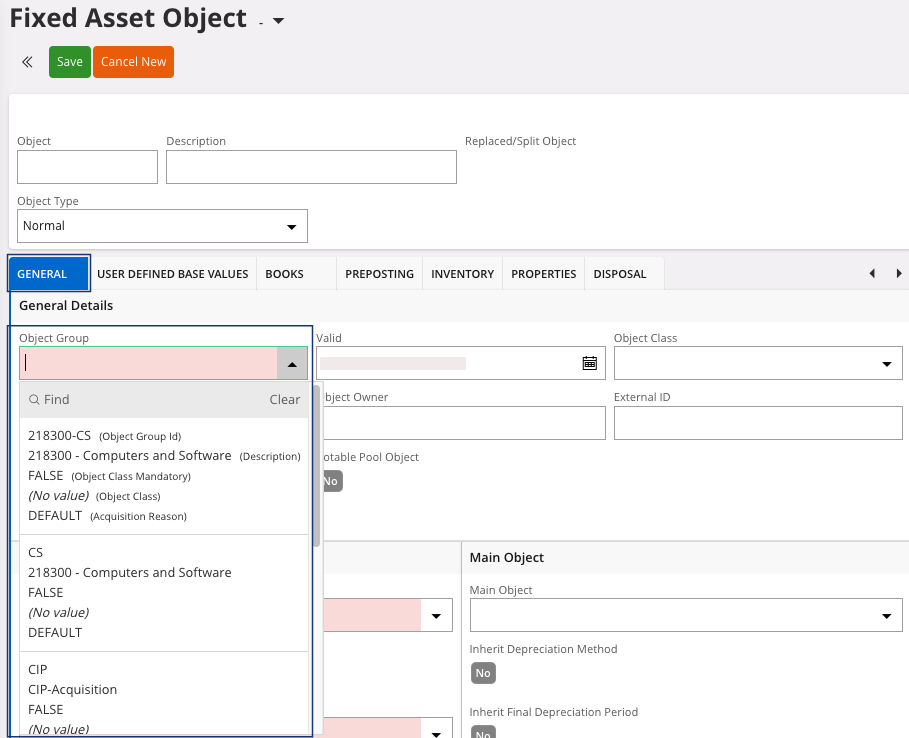
In the tab General, you need to
fill the field Object Group. An
object group is a type of fixed asset, so make sure that it corresponds to the
type of fixed asset you are creating.
-
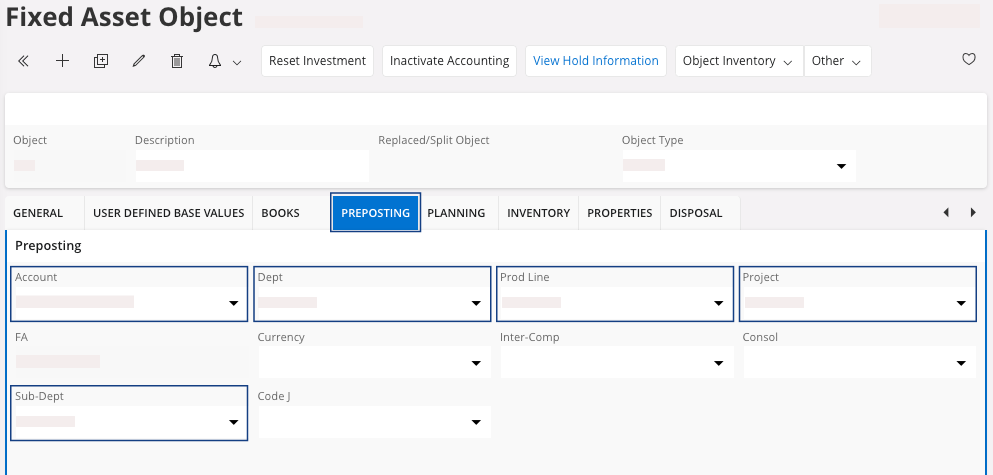
In the Pre-Posting tab, you need
to:
- Check if the Account is correctly filled.
- Link the fixed asset to a Dept, a Project, a Prod Line and a Sub-Dept.
-
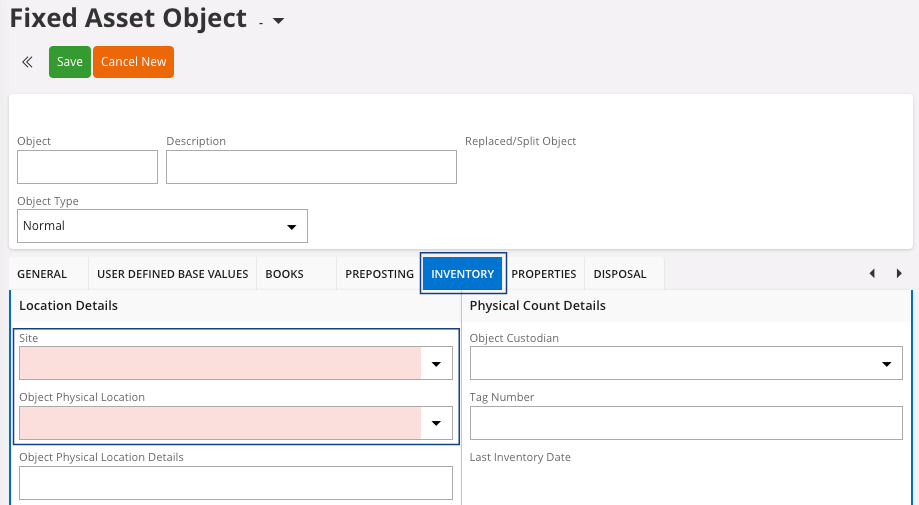
In the Inventory tab, you need
to define:
- The Site.
- The Object Physical Location.
-
Click Save.
The Object and the Description fields are automatically filled.
-
In the header, click Investment.

The Object status moves to Investment. -
In the tab Books:
- Check and adjust the information if necessary.
- Adjust the Estimated Life to match with the life duration/depreciation of the asset and fit with legal requirements in your country.
Important:If you do not know the duration that you have to enter, contact your accountant responsible, or external accountant support, or Airmar accounting team, depending on your situation.