
Acquiring a Fixed Asset with the Manual Supplier Invoice
Create a fixed asset after a purchase order and from an invoice received from a supplier.
- Once you have an invoice, register it via the standard process, perform Adding the External Purchase Invoice.
- Once you created your invoice, in the header, click Posting Proposal.
-
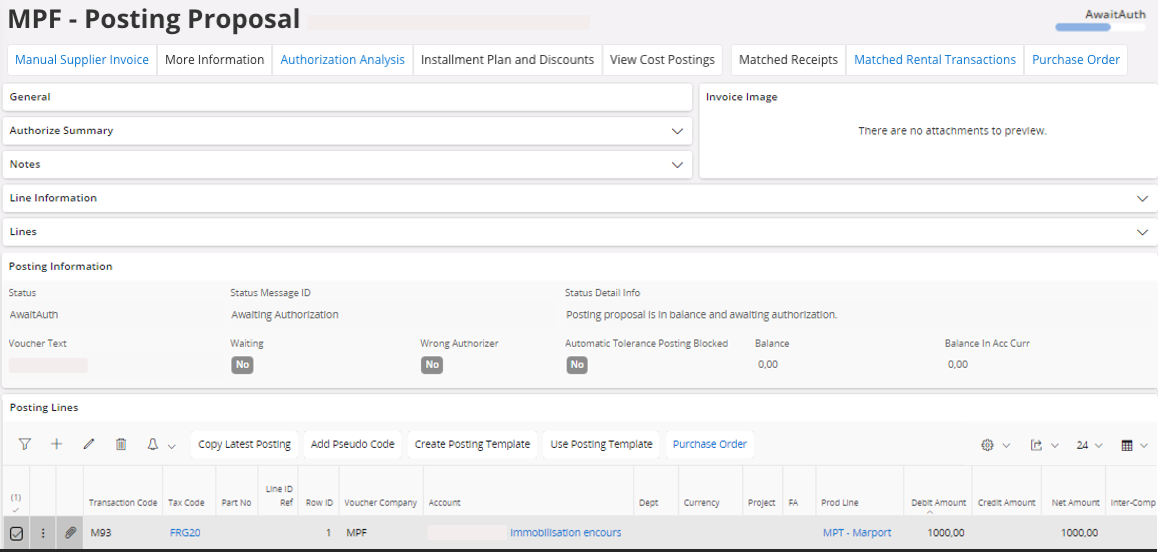
Check your line information. Automatically via the PO match receipt process, you get the
Construction in
Progress
account.
If your invoice status is Authorized, your invoice has been authorized automatically and you cannot modify your lines.To modify your lines: in the area Authorize Summary, click Cancel. It removes your invoice authorization and you can modify your lines.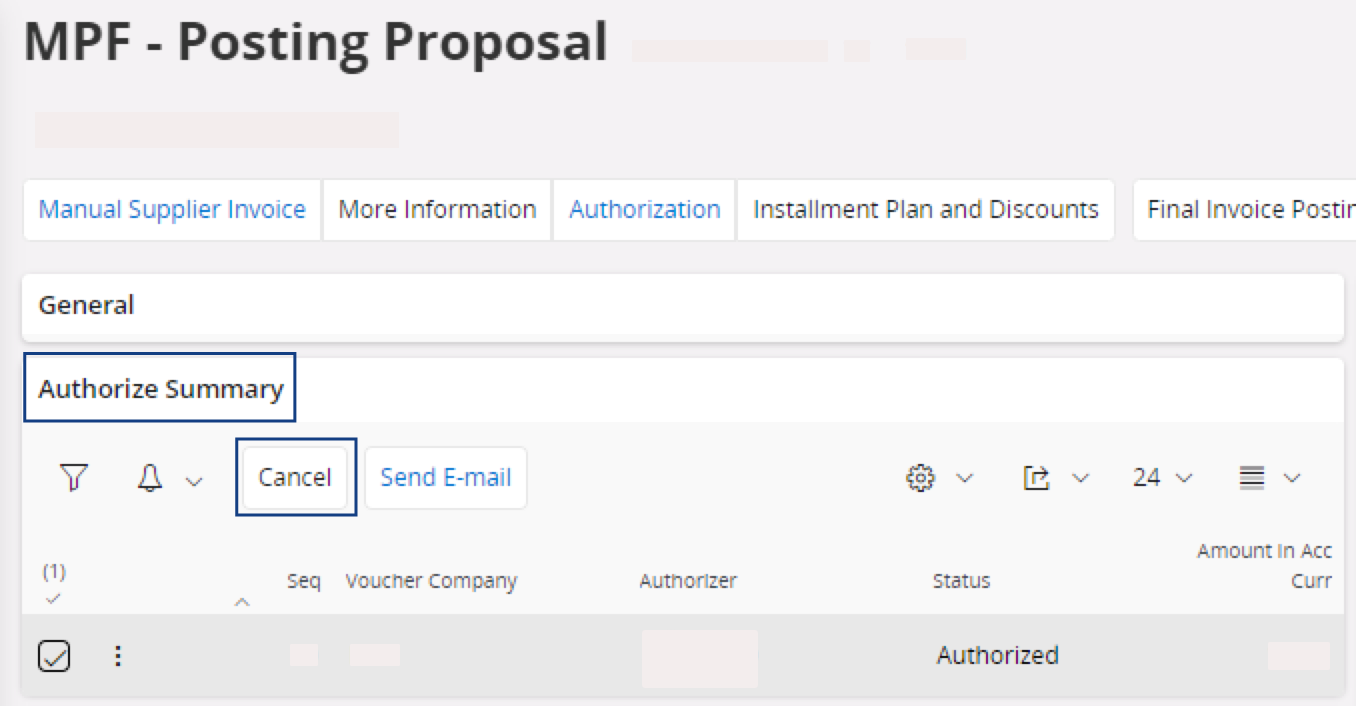
-
In the Posting
Proposal page,
you have to:
-
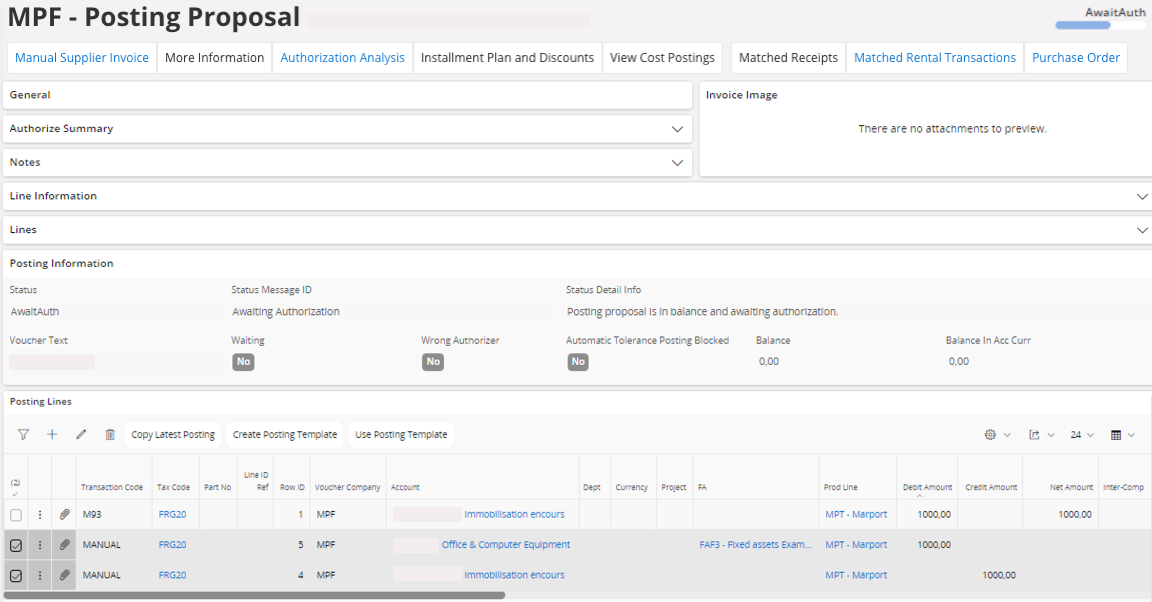
Add another line about the fixed asset that you need. Fill at least the
fields: Account,
FA, Tax Code and Debit Amount.
-
Add another line about the fixed asset that you need. Fill at least the
fields: Account,
FA, Tax Code and Debit Amount.