
Customer Sales Information
You can see and update the customer's sales settings from this page.
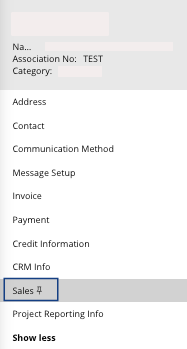
Click Sales in the menu below the
customer name.
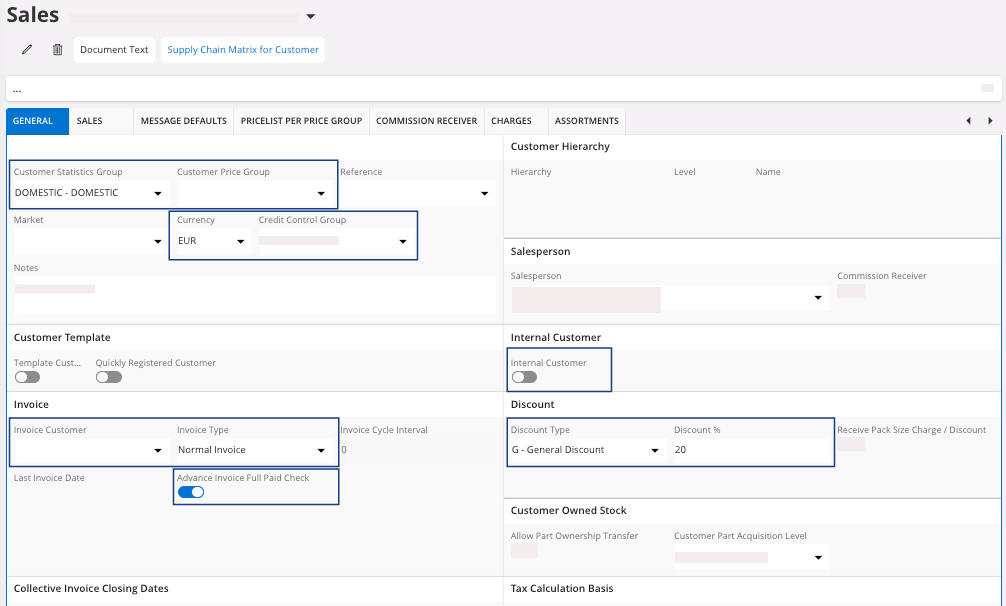
| Field | Description | Mandatory | Example |
|---|---|---|---|
| Customer Statistics Group | Grouping of customers for analysis. | Yes | DOMESTIC |
| Invoice Customer | To invoice another customer. | No | Existing customer code |
| Customer Price Group | Give the possibility to regroup pricing policies for a group of customers. | No | MPA_DISC10% |
| Credit Control Group | Rules to apply for credit control. | Yes | MPUK |
| Currency | Currency for the order. | Yes | EUR |
| Invoice Type | The invoice is generated based on the order, batch invoicing or both. | Yes | Normal Invoice |
| Advance Invoice Full Paid Check | Checkbox that blocks the customer order after the creation of an advance invoice at the release step. | Yes | Yes/No |
| Internal Customer | For ICO relation. | Yes | Yes/No |
| Discount Type | If any discount is applied, you must define its type in this field. | No | General Discount |
| Discount % | If any discount is applied, then you have to define a value in this field. | No | 15 |
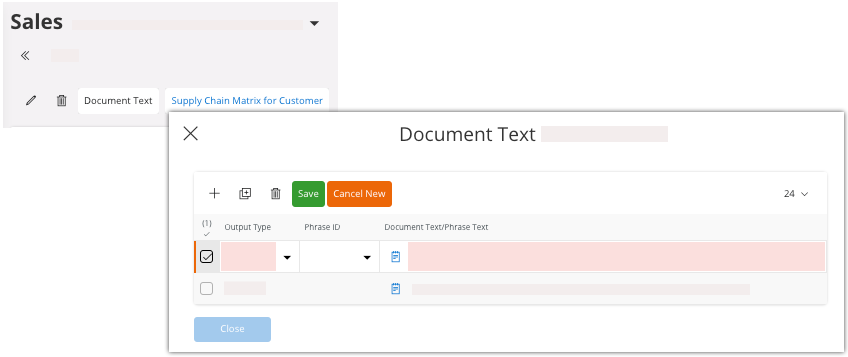
- Click Document Text in the
toolbar to add a specific text for the customer. This text will be printed on
the report you need. You can add a new text or select a text already created.
- Sales tab:
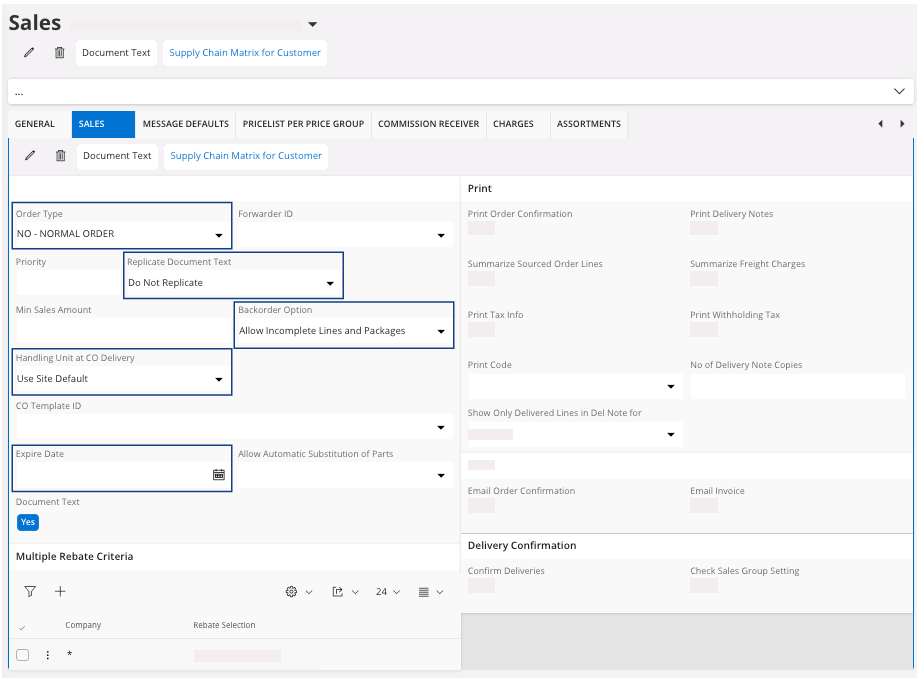
Field Description Mandatory Example Order Type The order type is used to define flows related to order management. It can be configured directly on the order and is not set by default on the customer. No MPU Replicate Document Text Yes Do Not Replicate Backorder Option To define how the system manages orders during reservation, delivery note creation or during the confirmation of picking. Yes Allow Incomplete Lines and Packages Handling Unit at CO Delivery Yes Use Site Default Expire Date The end date for customer transactions. No 01/01/2022 - Charges tab allows you to
attribute charges to a customer, such as border taxes, administrative fees,
packaging, etc. These charges will be automatically applied on an order or sales
quotation when created, and can be modified or deleted manually.
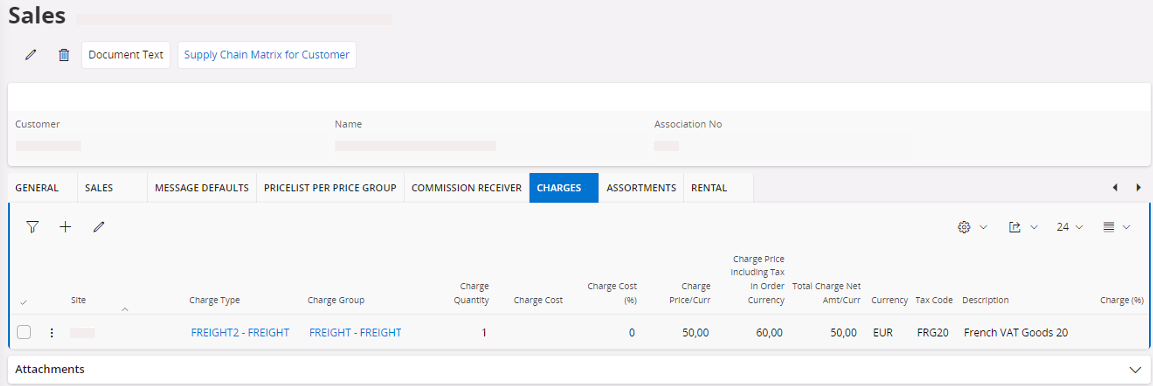 Note:The types of charges must be first configured in a separate list. The amount can be adjusted at the customer level.