
Creating a Package Part
Create a package part: a group of items identified internally and sold as a pack.
- Go to .
- Click New +.
-
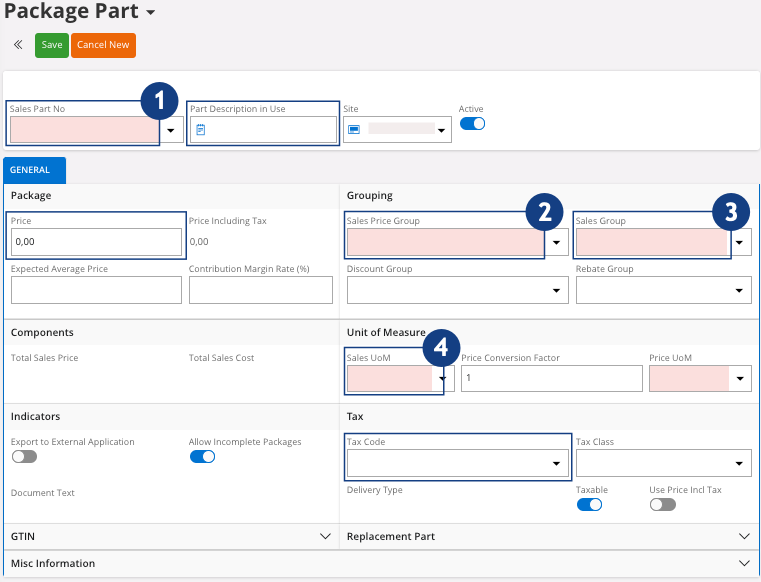
You need to fill the fields:
-
Sales Part No: must start
with PP-
 .
Important:When you create a package part, the name needs to start with PP-.
.
Important:When you create a package part, the name needs to start with PP-. -
Sales Price
Group: sales
price group of the company
 .
.
-
Sales Group: if you do
not know which one to choose, contact your administrator
 .
.
-
Sales UoM: select the
sales unit of measure
 .
.
-
Sales Part No: must start
with PP-
- Click Save.
-
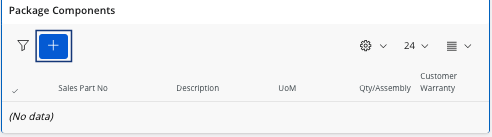
Scroll down to the Package
Components area and click
New + to add the
parts.
-
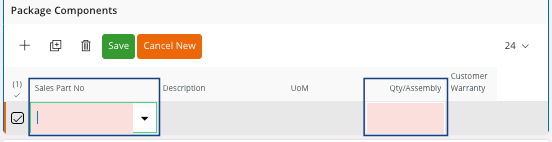
Enter the Sales Part No and the
Qty/Assembly.
- Click Save.