
Updating a Non-Inventory Sales Part
You can edit non-inventory sales part information and deactivate it if no longer used.
- Go to the Non-Inventory Sales Part page and select the part from the list on the left side.
-
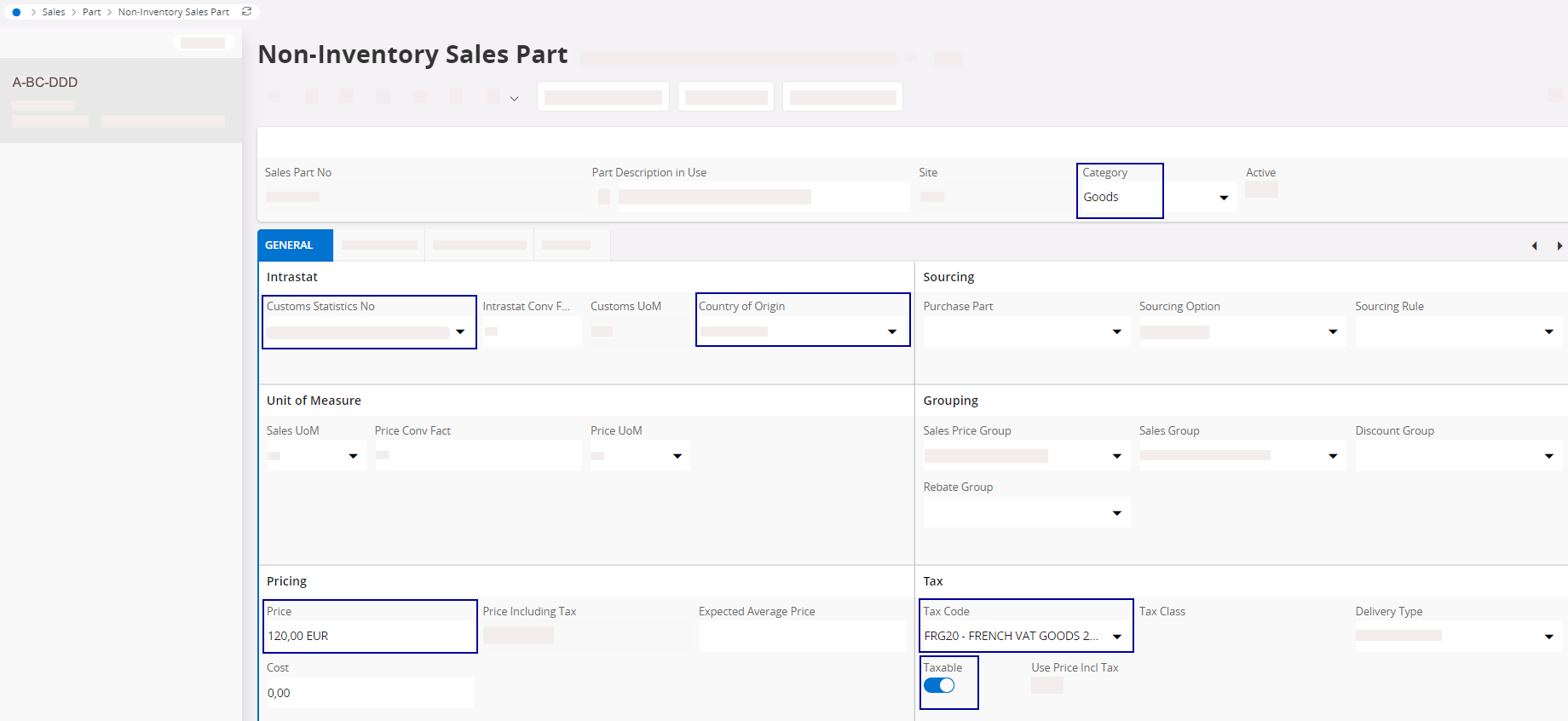
You can check and modify information such as:
- Category: Goods or Services
- Customs Statistics No: if categorized as Goods.
- Country of Origin
- Price
- Taxable: turn on the toggle to apply a tax.
- Tax Code
-
If you do not want to use a non-inventory sales part anymore, you need to
deactivate it: turn off the Active toggle.
