
Managing Records - Create, Delete, Duplicate...
You can use the different filter options available to modify your records.
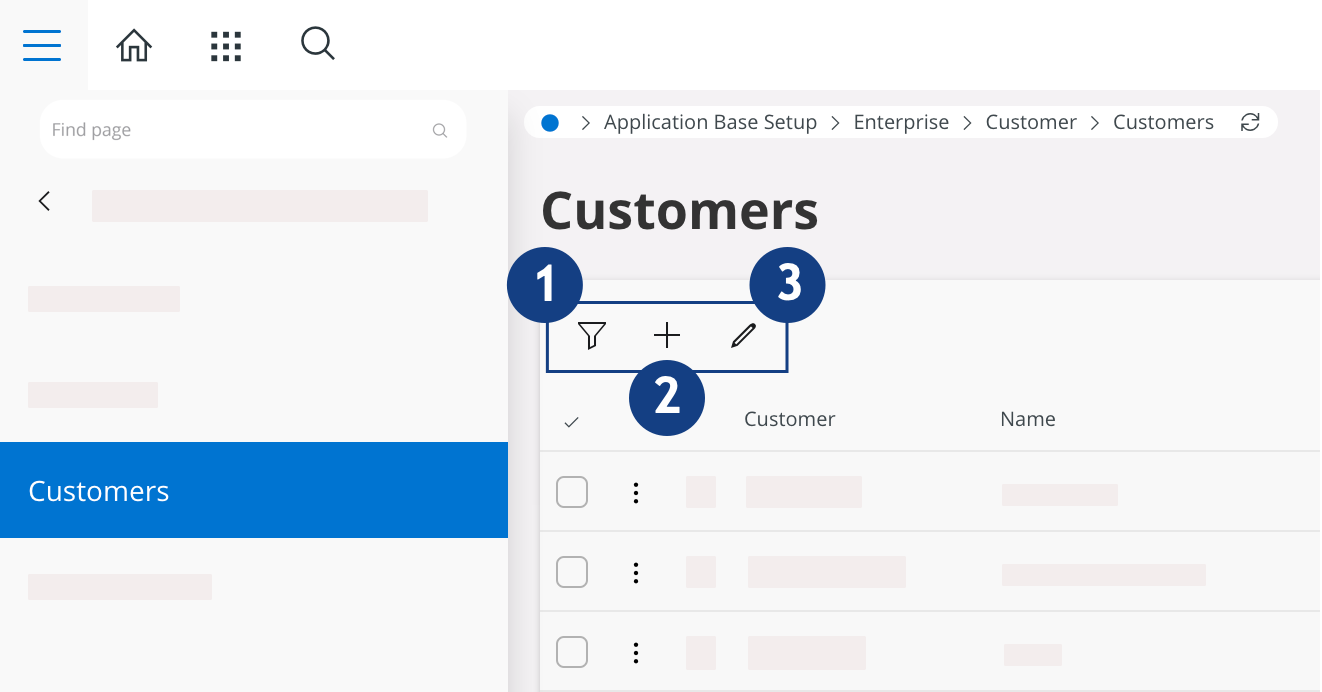
 Filter: you can filter your
records, for example here according to the Customer, his Name, the Country, the Association No, the Creation Date of your record...
Filter: you can filter your
records, for example here according to the Customer, his Name, the Country, the Association No, the Creation Date of your record... New: add a new record.
  Edit: modify the data of the
record.
Edit: modify the data of the
record.
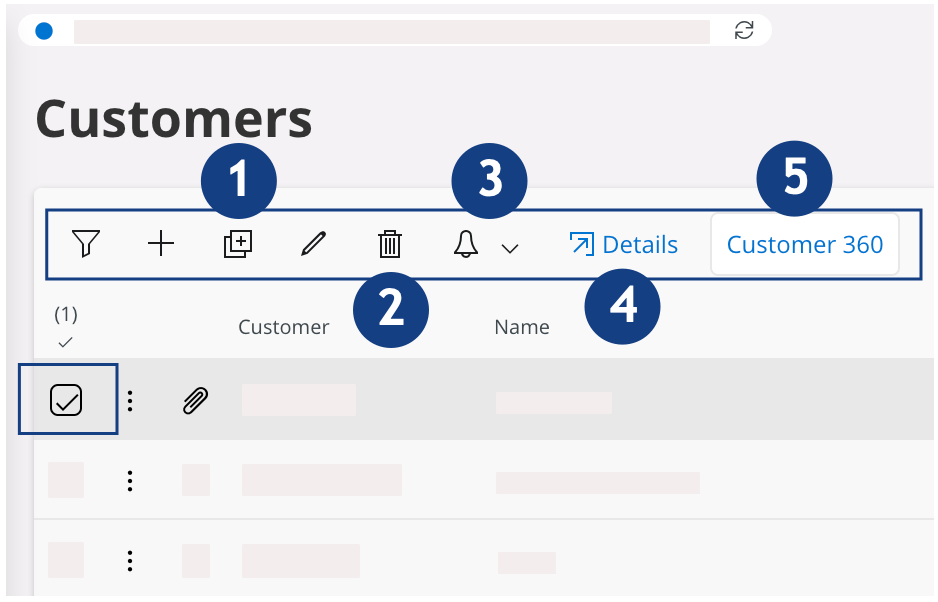
When you select a checkbox for a line of a record, new actions are available.
The actions can be different according to the page open. For example, in this page:
-
Duplicate the record.
-
Delete selected
record(s).
-
Notification
options, you can
configure the setting to be notified when someone perform an action on different
options: Create Task, View Tasks, Subscribe.
 Details: open Detailed Record
View.
Details: open Detailed Record
View. Customer 360: see an overview of
the data.
Customer 360: see an overview of
the data.