Saving Records as Favorites
Add and visualize your favorite records.
Note:
For example in your client list, we recommend you
to put the intercompany customers into Favorites.
-
To add a favorite:
- Select the line.
-
Click the three dots
 and
click Add to
Favorites.
and
click Add to
Favorites.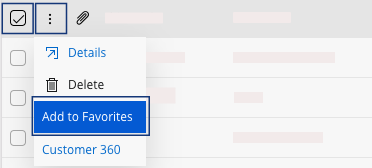
-
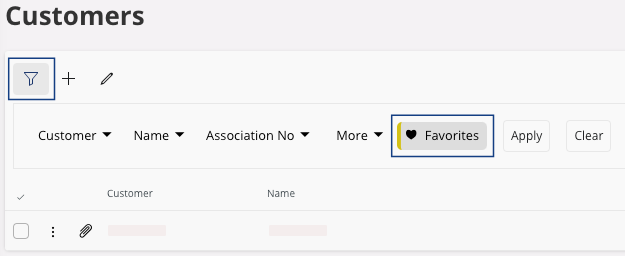
To display your saved Favorites:
- Click the Filter icon.
-
Click Favorites.