
Adding the External Purchase Invoice
You need to add to the order the details of the invoice received from the external supplier.
Note:
Ensure that your Company information are correctly filled.
It helps to complete the fields automatically.
-
Go to .
Tip:Add this page to your bookmarks to access it easily.
You need to complete the Header
Information:
- Select your Company.
-
If you want to invoice one purchase order, select the PO Reference. This field makes the link
with your purchase order and fills the invoice header with default values.
Note:If you want to invoice several purchase orders, do not fill the field PO Reference and fill the other fields manually.
-
If you do not want to authorize the automatic payment for your invoice, change
the field Automatic Payment
Authorization and
select the value No.
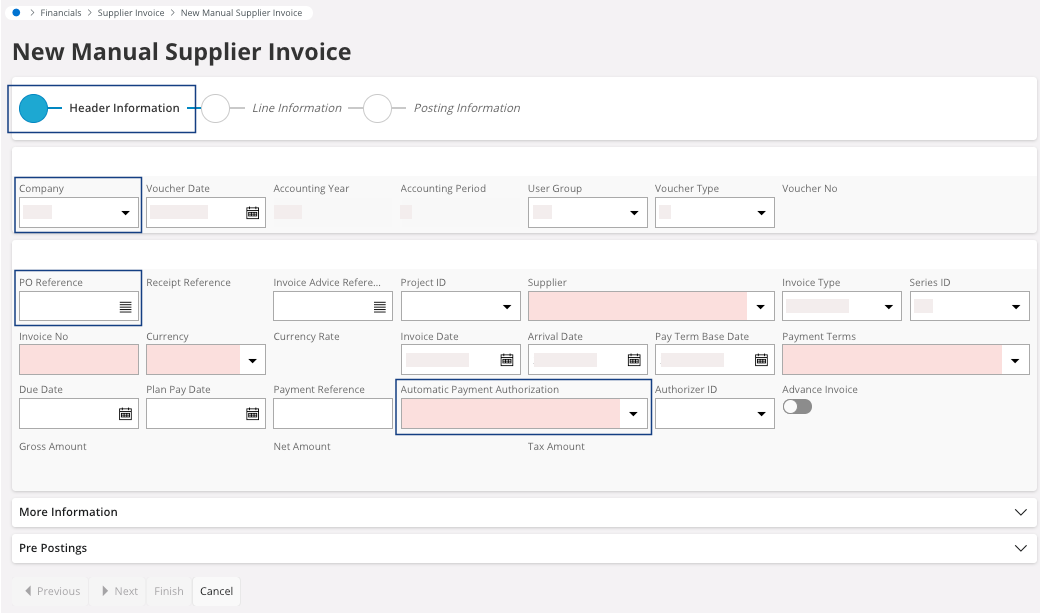
Once you selected your PO Reference, most of the fields automatically fill and you get one in red: the Invoice No. -
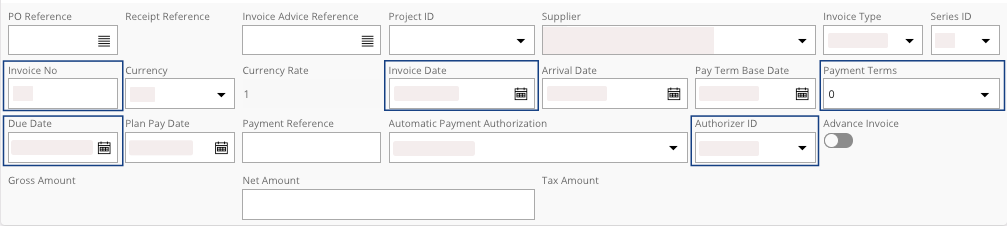
Check and fill the various information
linked to the supplier: Invoice No, Invoice Date, Payment Terms, Due Date, Authorizer ID, etc.
-
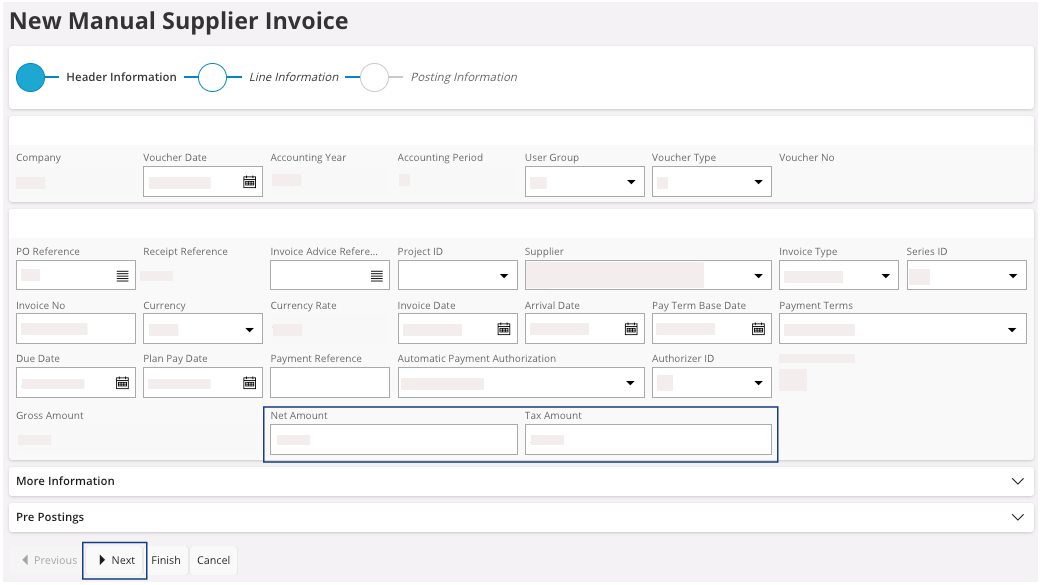
Insert the Net Amount: the amount of the
invoice without the tax amount. If the Tax Code has been correctly
completed in the
supplier,
the Tax Amount appears
automatically. Otherwise, enter its value or correct it.
-
Once you have filled and checked all the fields, click
Next.
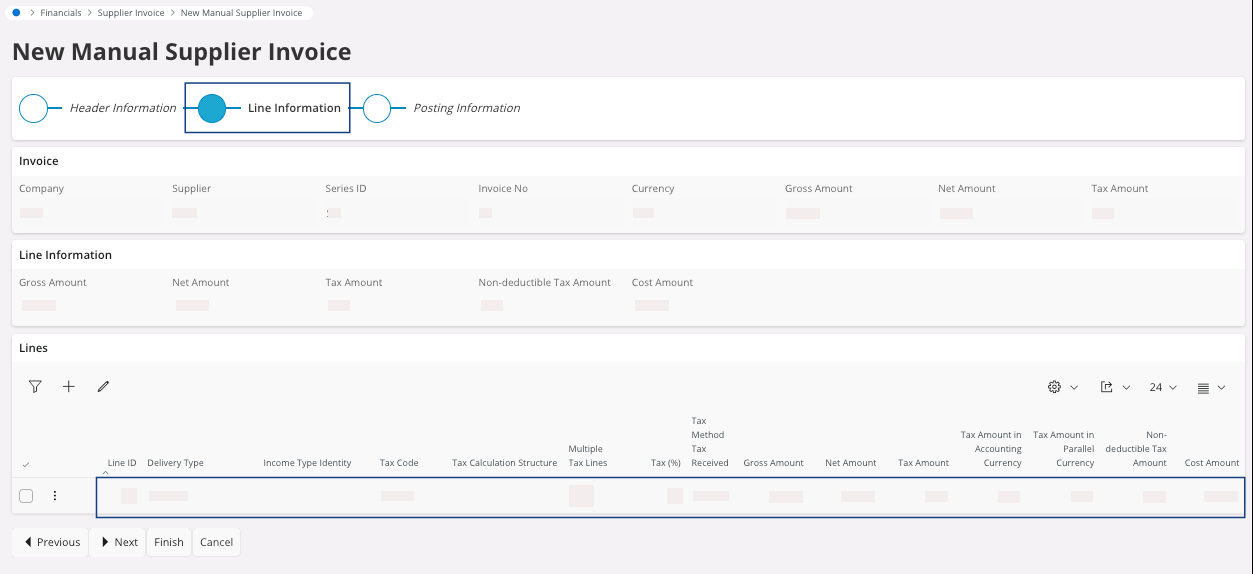
You move to the Line Information section.
-
Check the information displayed on your line(s) like the
value of the Tax Code and the
various amounts. Complete or change information if they are not
correct.
-
If you have different tax amounts on your invoice, add as many lines as tax
code you have:
- Click New +.
- Enter your Tax Code and enter the Net Amount link to it.
-
Click Next.
You move to the Posting Information section.
You do not have to fill this section because you will match the invoice
with your purchase order lines.
- Click Finish.