Saving a Filter
Once you have applied a filter, you can save it to easily find it back for a future search.
-
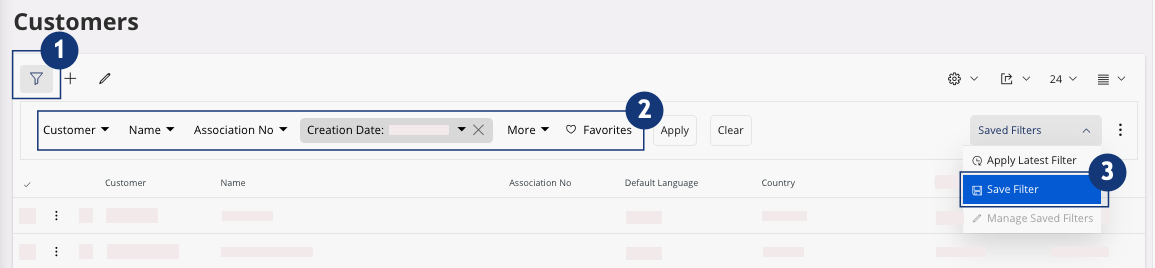
Check in the toolbar that the filter you want to save is applied (
 and
and  ).
).
-
Click (
 ).
).
-
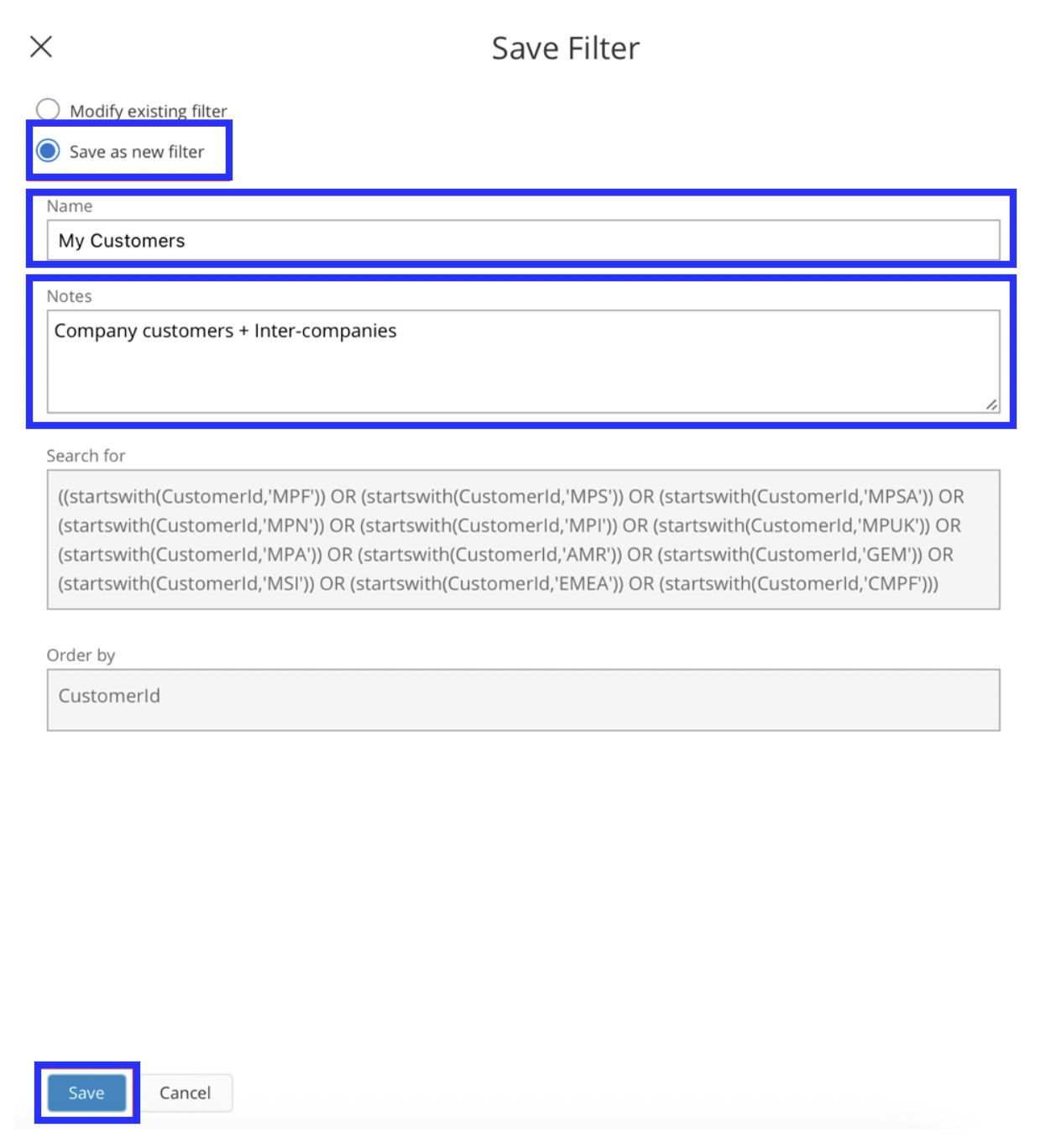
From the Save Filter pane, select
Save as new filter, then enter a name and add a
note.
-
Click Save.
The filter is applied to the list.
-
If you want to remove the filter click Clear.

-
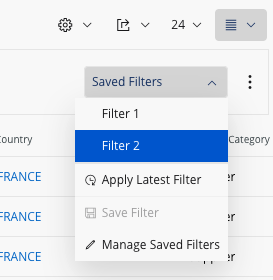
To apply a saved filter, click the menu on the right side of the filter bar and
click the name of the filter.