
Managing Currency Revaluation
Over a specific period, convert foreign currency transactions into the company's base currency. Due to exchange rate fluctuations, this revaluation enables the adjustment of outstanding amounts.
- Your currency rates need to be updated on the Currency Rates page.
- The accounting period for which you want to perform the revaluation must be closed.
- Go to .
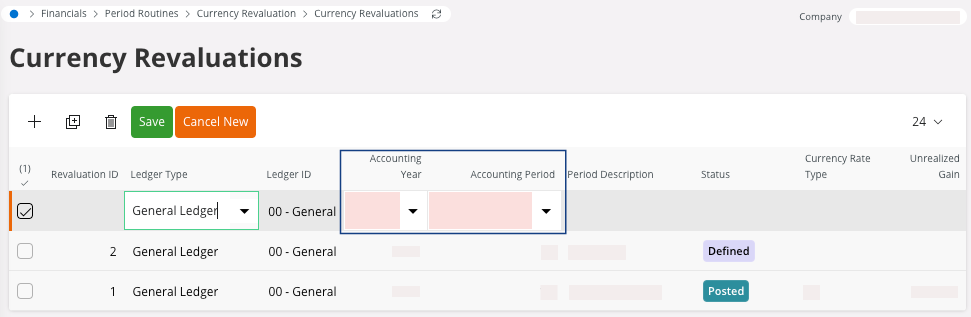
- Click New +.
-
Enter the Accounting
Year and
the Accounting
Period, then click
Save.
-
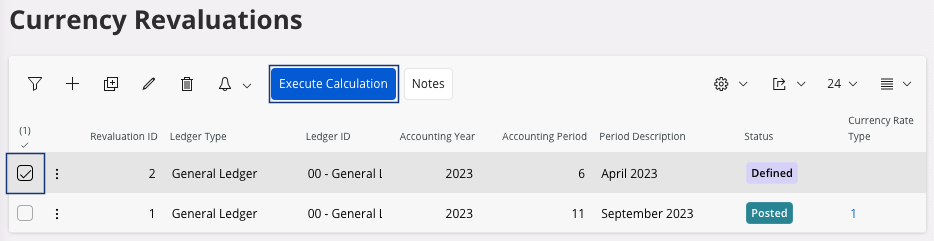
Select your line and click Execute
Calculation.
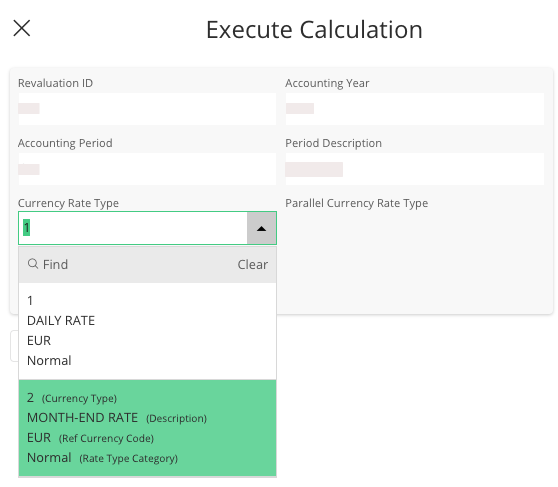
The Execute Calculation pane appears. -
In the Currency Rate
Type field,
select 2, because it involves a recalculation at the end of a period, and
then click OK.
-
If you want to analyze the revaluation: select your line and click View Revaluation
Amount.
The Currency Revaluation Analysis page appears, you can analyze the revaluation.
-
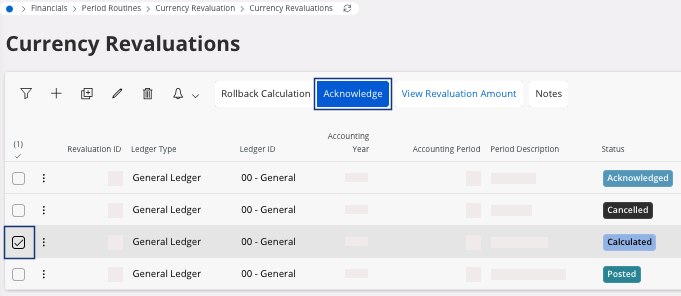
Go back in the Currency
Revaluations page, click
Acknowledge.
-
Click Create Voucher.
The Create Voucher appears.
- Click OK.
-
To analyze the voucher information, click View Revaluation
Voucher.
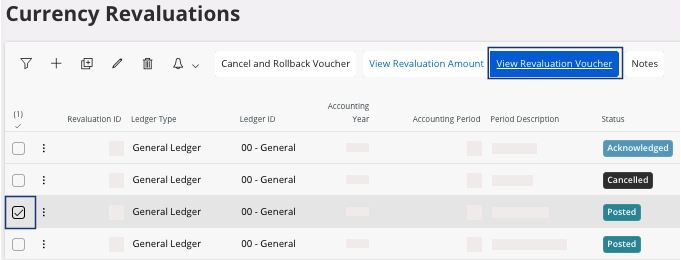
Note:If you need to cancel the revaluation, click Cancel and Rollback Voucher.