Closing an Accounting Year
The year-end closing process involves several steps to move the closing balances of balance sheet accounts from one year to the opening balances of the next year.
Then, once the accounting records have been reviewed and validated by an auditor, you can do the final transfer.
Doing the Preliminary Transfer of Balances
Note:
You can transfer a preliminary opening balance to the
next accounting year as many times as needed. This action does not create an
actual transaction in your accounting records.
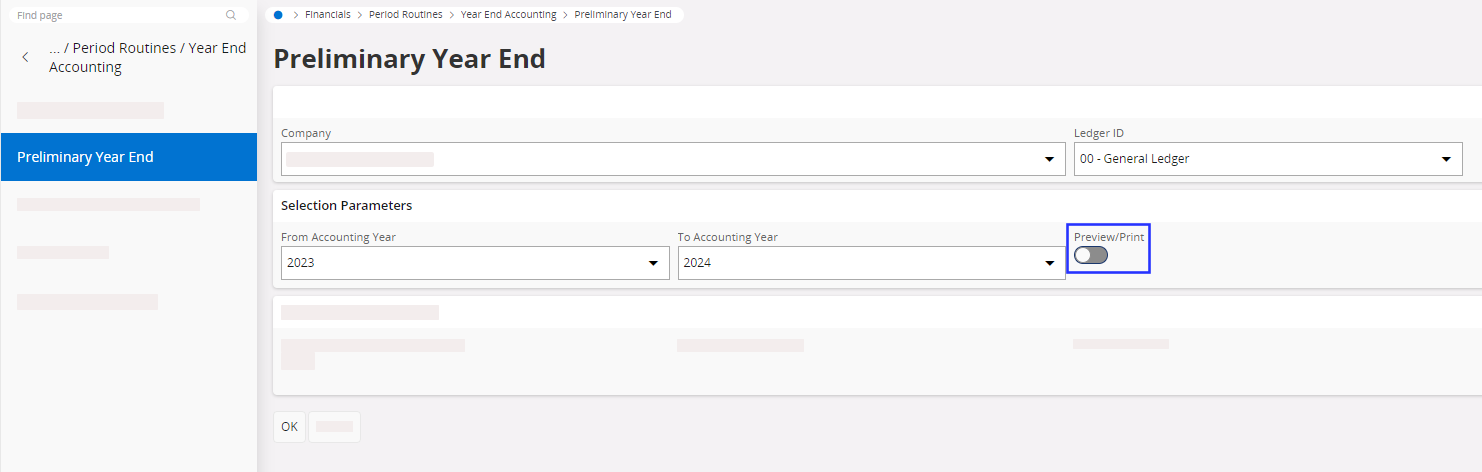
- Go to the Preliminary Year End page.
-
Fill in the following fields:
- Company
- Ledger ID: select 00 - General Ledger
- Accounting year period
- Turn on the Preview/Print toggle to have a PDF report summarizing the preliminary transfer once you validated the page.
-
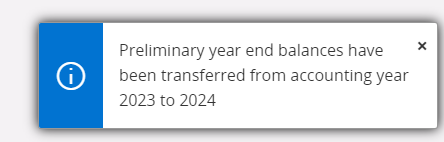
Click OK. The following
message should appear:
-
Check the result of the preliminary transfer:
- Go to the GL Balance Analysis page.
- Search for the Period 0 of your new year (see Consulting the General Ledger Balance for guidelines).
Doing the Final Transfer of Balances
Important:
Do this procedure only once the
accounting year is over, with no further changes to the financial records. This
process is definitive and must be done after the auditors' approval.
Transfer the final balances from one accounting year to the new accounting
year:
- as balances only,
- or, as one voucher for the closing balance and one voucher for the opening balance.
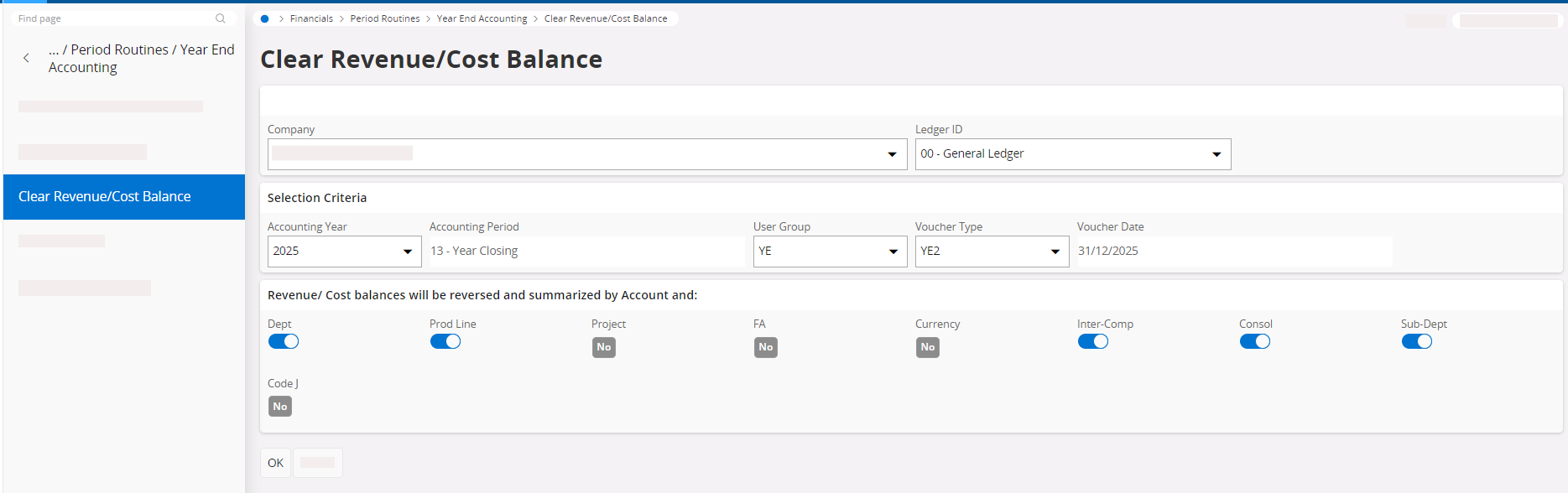
- Go to the Clear Revenue/Cost Balances page.
-
Fill in the following fields and click OK:
- Company
- Ledger ID: select 00 - General Ledger
- Accounting Year
- User Group: select YE
- Voucher Type: select YE2
- Select all code parts used in the company
You now need to update the general ledger to update the voucher. This
will balance both the balance sheet and the profit and loss
statement.
- Close all the periods of the accounting year on the Accounting Periods page: see Opening and Closing Accounting Periods.
-
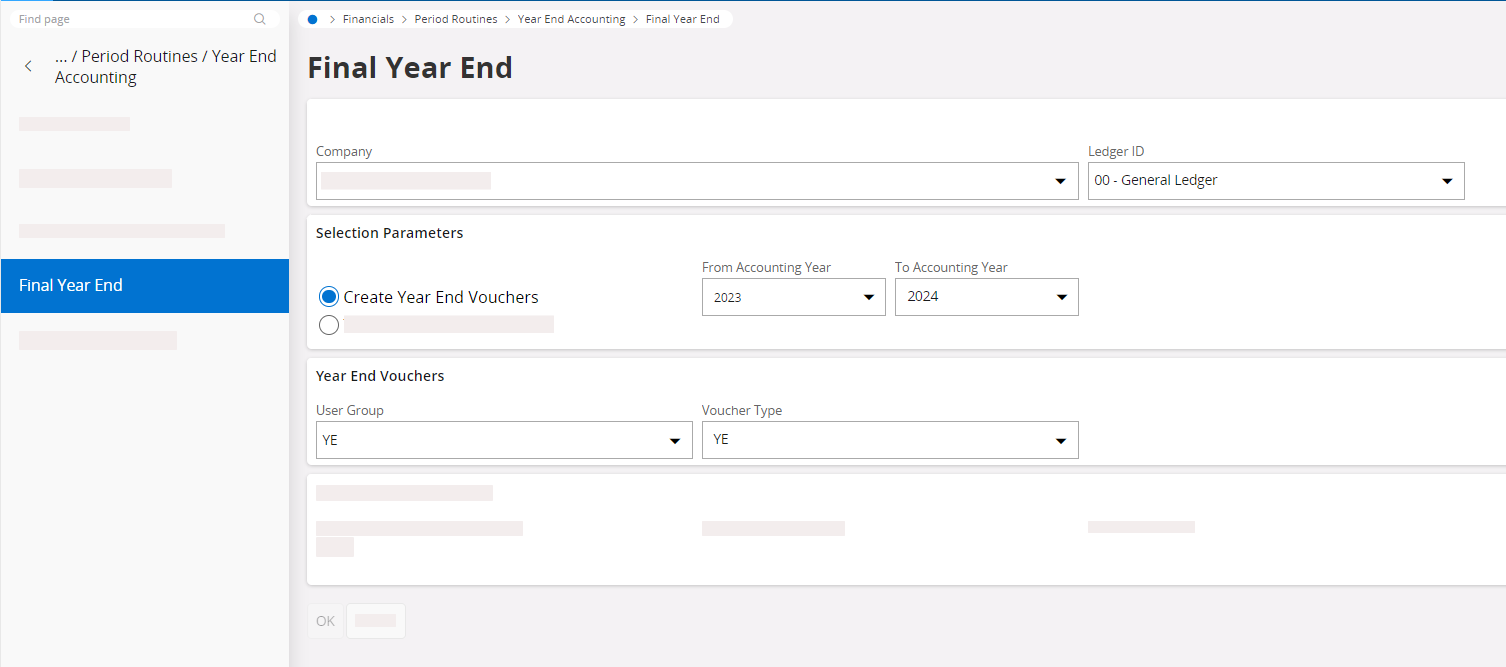
Transfer the opening balances from one accounting year to the next
accounting year:
-
Fill in the following fields:
- Company
- Ledger ID: select 00 - General Ledger
- Select Create Year End Vouchers
- Accounting year period
- User Group: select YE
- Voucher Type: select YE
-
Fill in the following fields:
Note:
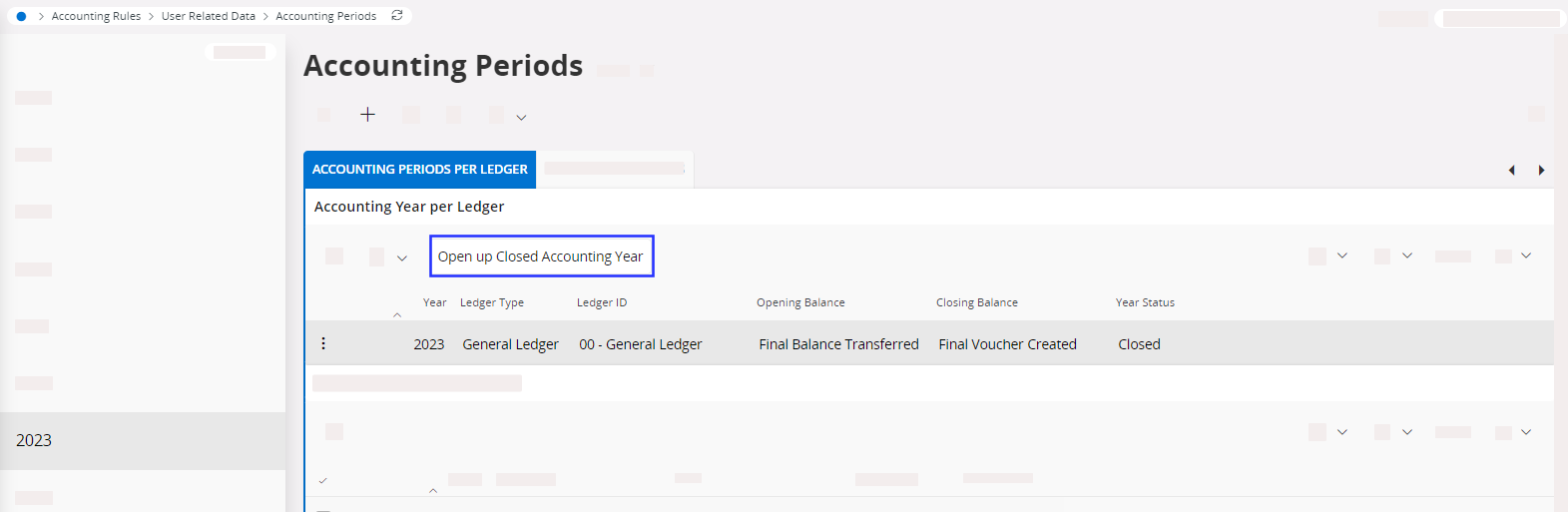
IFS Cloud gives the possibility to
reopen a closed accounting year from the Accounting
Periods page, by clicking
Open Up Closed Accounting
Year.
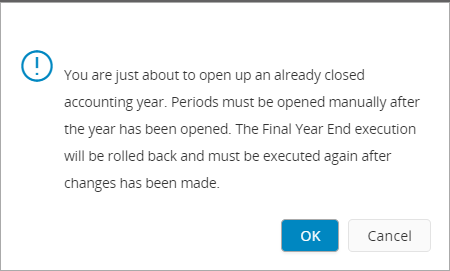
However, this will erase the final transfer of balance. You will need to do the
final transfer again.