
Opening and Closing Accounting Periods
During the month-end closing process, the company's accountant need to block or open periods.
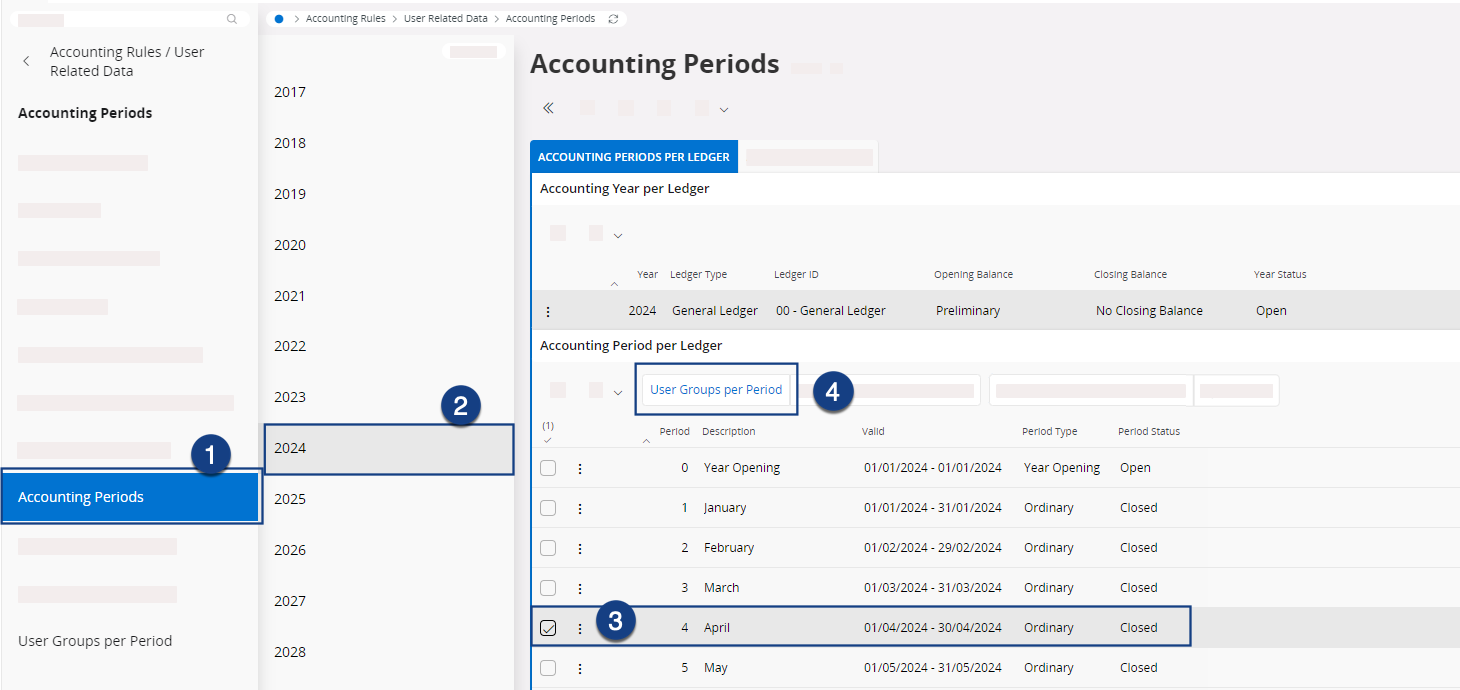
- Go to the Accounting Periods page.
-
Click your fiscal year in the panel showing a list of years, then select the
period in the Accounting periods per
ledger list and click User Groups per
Period.
-
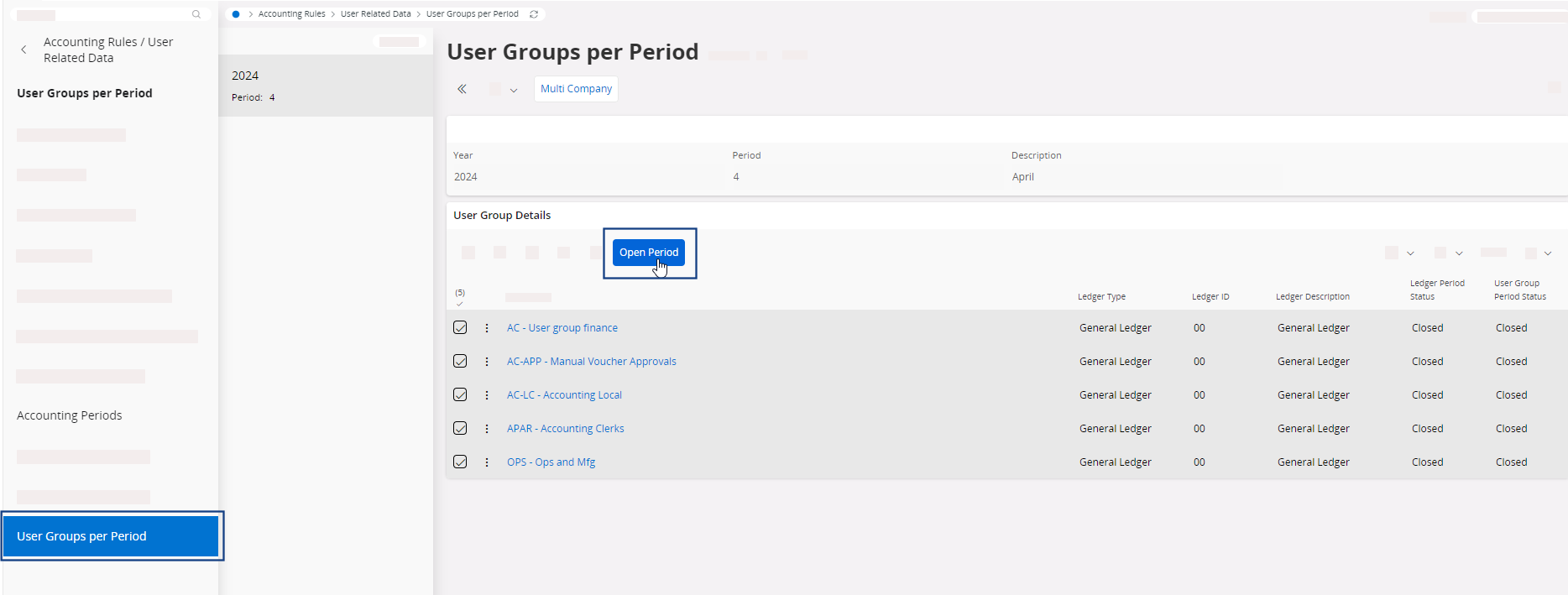
In User Groups per
Period page:
- If you are making changes at your company level only, select the user
group(s) and click Open Period or Close Period in the
toolbar.
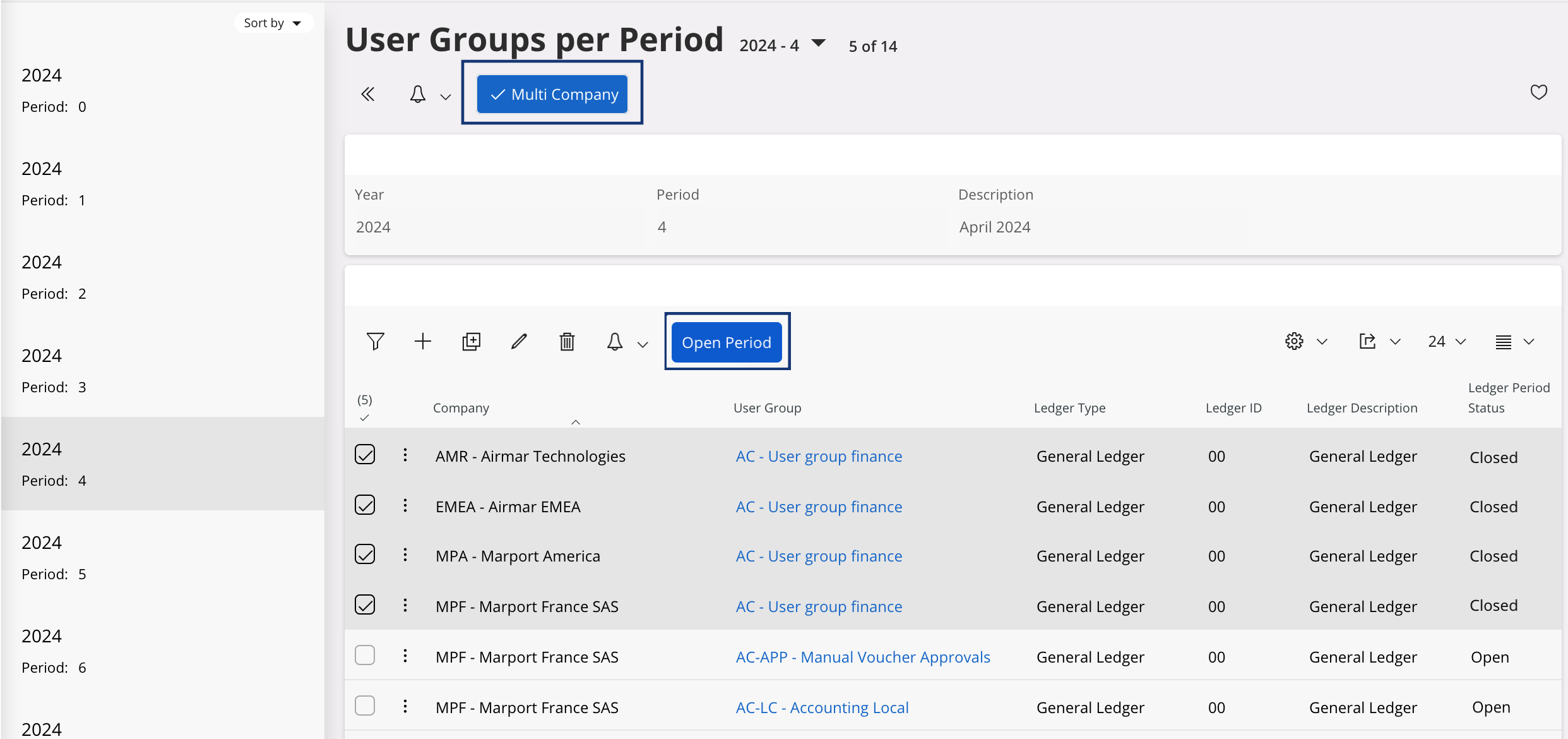
- If you are making changes on several companies at the same time, click
Multi
Company in
the toolbar to display the user groups of all the companies. Then, select
the user group(s) and click Open Period or Close Period.
- If you are making changes at your company level only, select the user
group(s) and click Open Period or Close Period in the
toolbar.
-
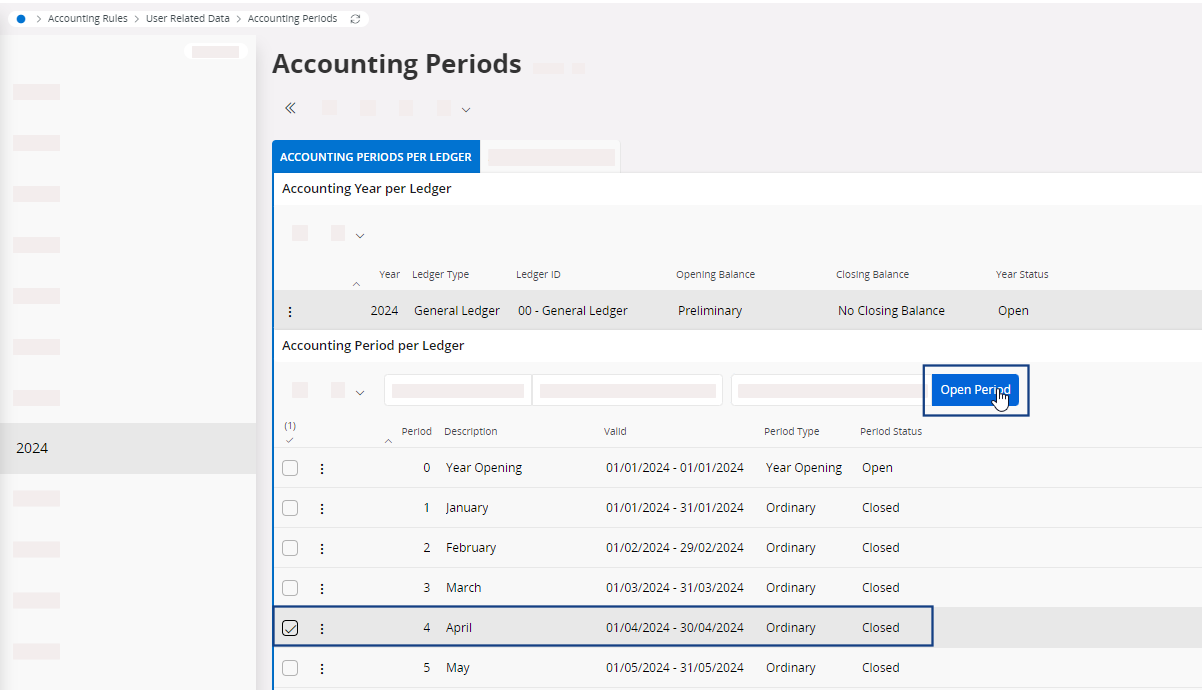
To close or open a period for all user groups, come back to Accounting
Periods page, then select the
fiscal year and period and click Open Period or Close Period.
A validation list opens. All items must be tagged as No, in green. If not, correct the errors.