Running Search Settings
Configure your Search Settings to use them by default for your future search.
-
To display the Search Options, click
the magnifying glass
 at the top left corner or use the shortcut
MAJ + /.
at the top left corner or use the shortcut
MAJ + /.
-
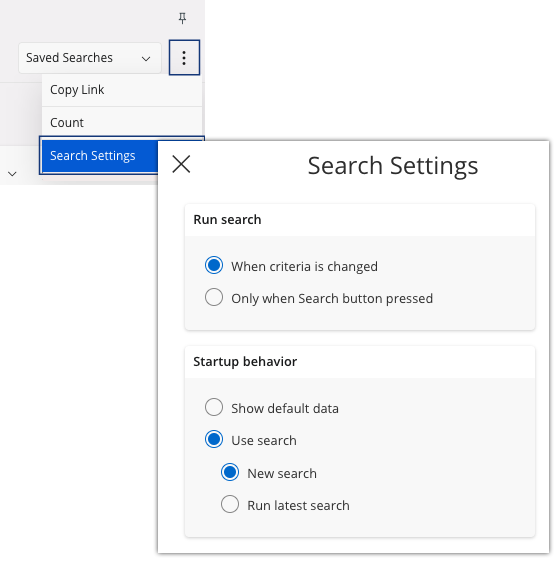
Click the three dots
 , then click Search
Settings.
, then click Search
Settings.
-
In the box Run Search, you can
set to display the filter that you choose:
- When criteria is changed, you do not have to click the Search button after the change of a filter.
- Only when Search button pressed.
-
In the box Startup
behavior, you
can set the data behavior when you go to a new page.
- Select Show default data to display all the records of the page.
- Select to display only the records that you want with your setuped filters.
- Select when you want to display your record(s) with your latest search.
Note:The Search Settings configuration below is set up to:- Display the records directly after the application of filter(s).
- When you go to a new page, records are not displayed, you can set a filter and click the Search button to display the record(s) wanted.