
Managing Credit Control
You need to check if the system is correctly configured for credit control.
-
Go to .
-
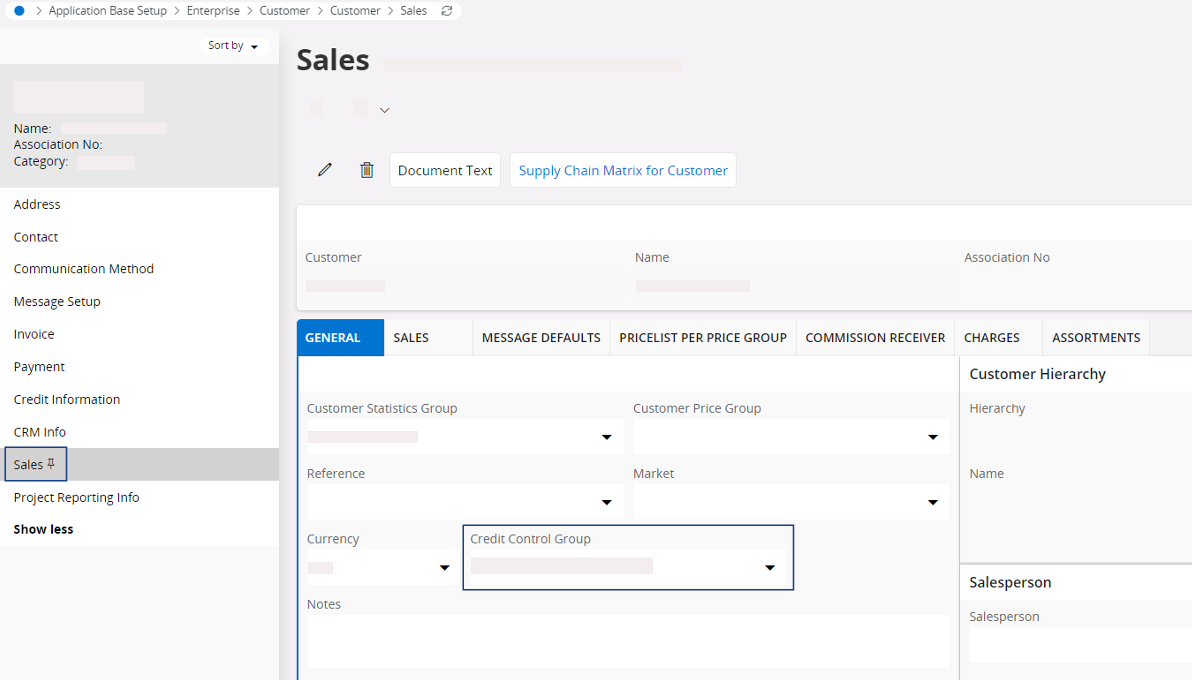
Select the tab Sales and on the
tab General, fill the field
Credit Control
Group.
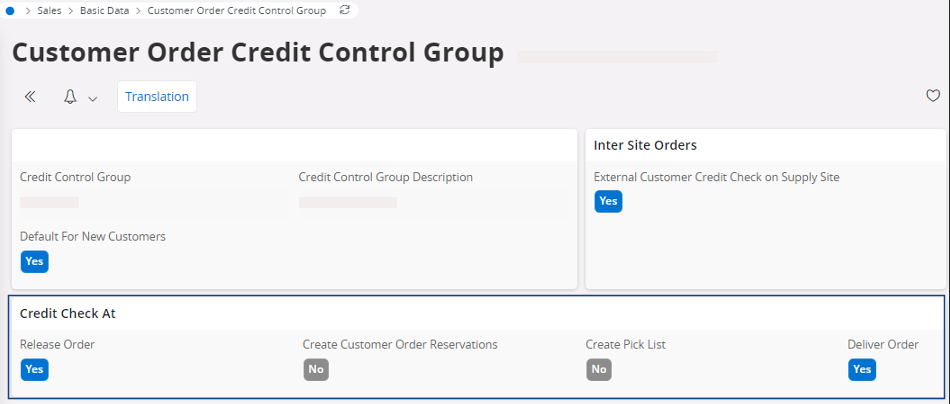
Note:This field is linked to the configuration in the page Customer Order Credit Control Group that defines when the automatic check is performed.This process impacts the customer order flow but not the sales quotation flow.
-
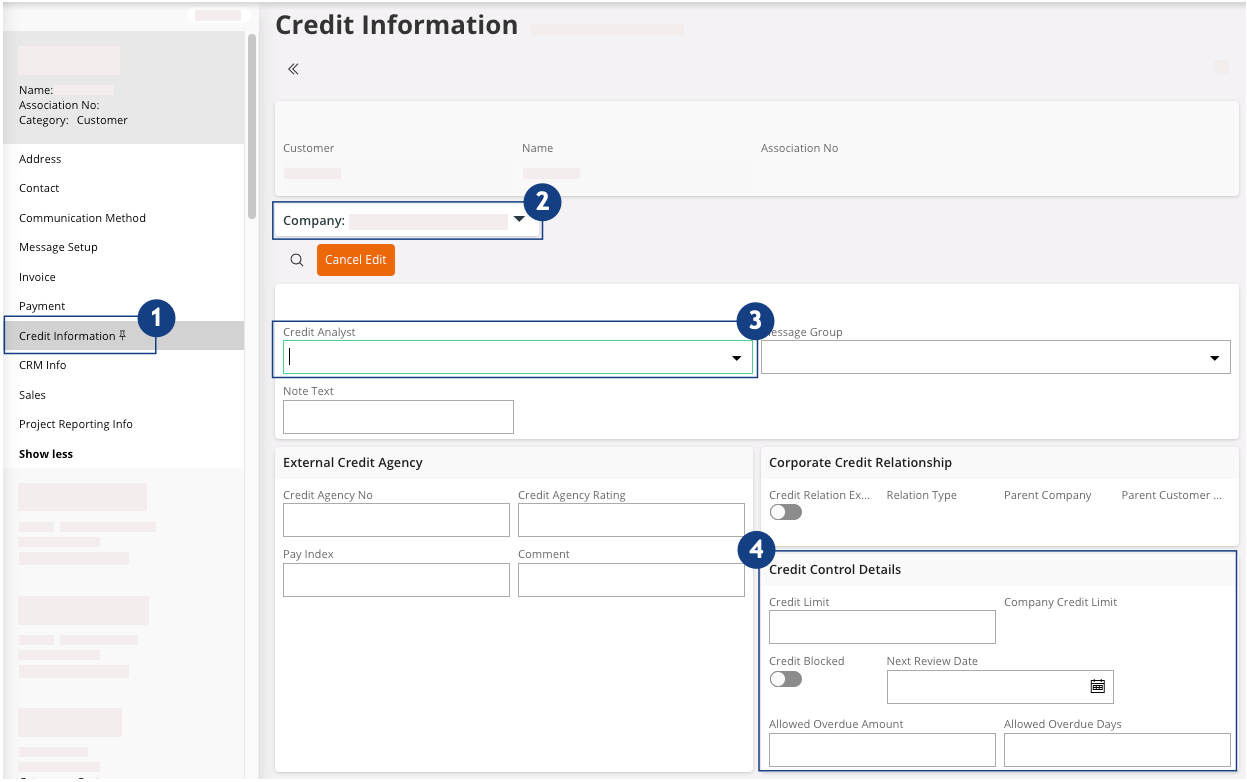
Select the tab Credit
Information at the left side of the page
 :
:
-
Check that the Company
is correctly selected
 .
.
-
Click Edit
 .
.
-
Fill the field Credit Analyst
 .
Note:This field is linked to the configuration in the page Credit Management Basic Data. The Position is defined in the tab Credit Analyst and the users in charge are defined in the tab Credit Analyst User.
.
Note:This field is linked to the configuration in the page Credit Management Basic Data. The Position is defined in the tab Credit Analyst and the users in charge are defined in the tab Credit Analyst User.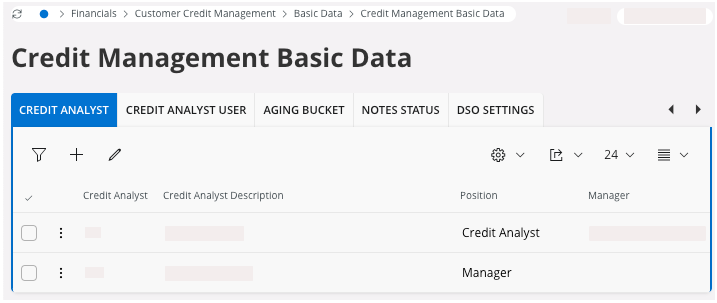
-
Fill the fields linked to the Credit Control
Details area
 .
.
Note:If you want to have more information about the credit check configuration, contact your IT team. -
Check that the Company
is correctly selected