
Consulting Customer Transaction List
You can see reports with specific details about the historic of customer transactions.
- Go to Quick Reports page.
-
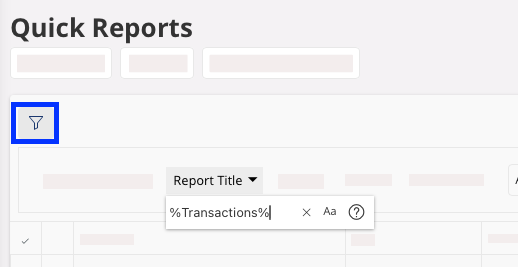
Click the Filter icon in the
top toolbar, then click Report Title and enter
%Transactions%.
-
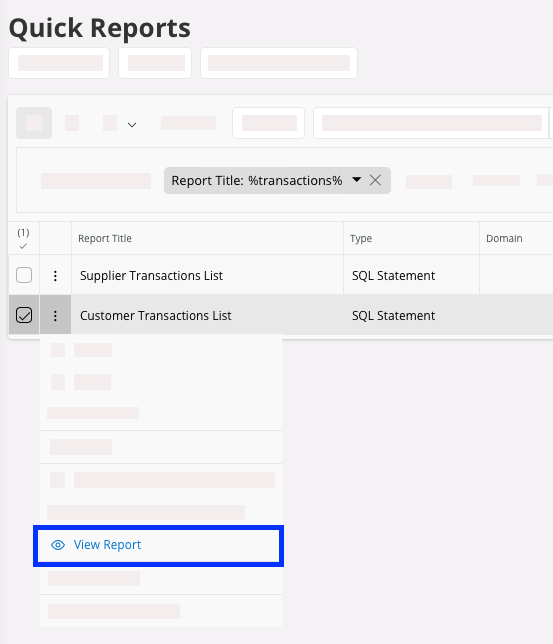
Click the three dots in front of the report named Customer Transactions
List, then click
View Report.
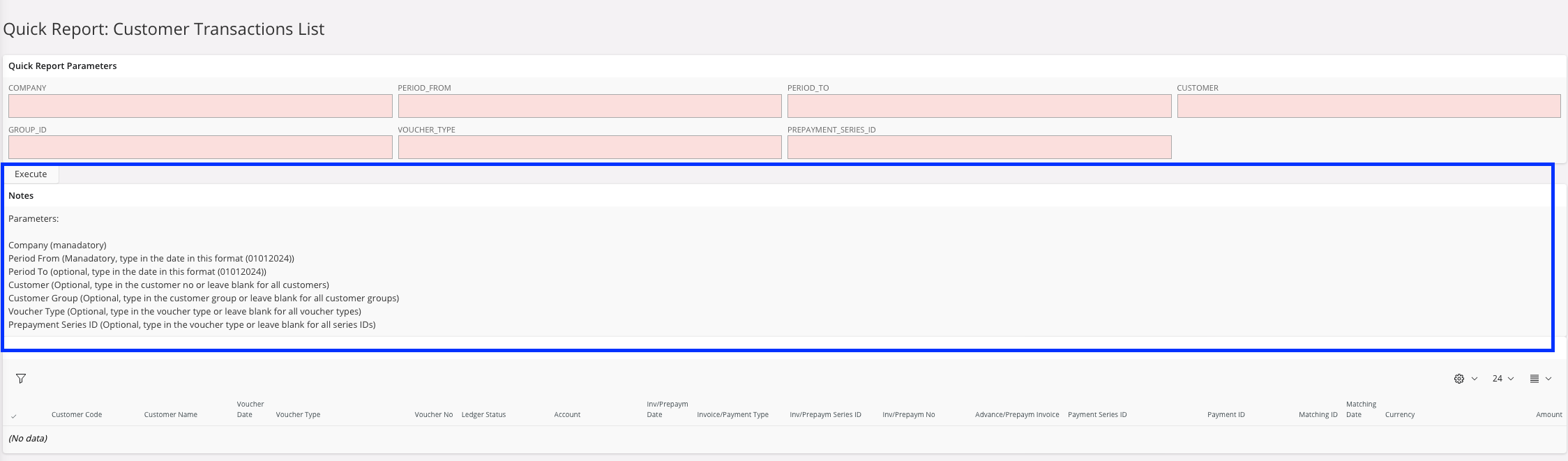
Quick report parameter page opens. -
Fill in the Quick Report
Parameters
fields.
Tip:Check the Notes panel below the parameters for more information you need to complete them.
- Click Execute.
- The Customer Transactions List is displayed. Use Column Chooser tool to add additional information.