
Consulting a Customer Analysis
- Go to .
-
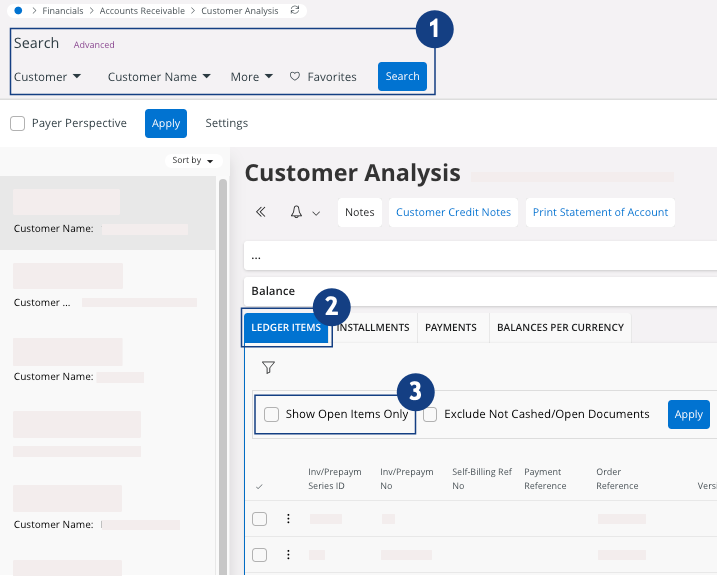
Use the search bar to filter your customer
 .
.
-
In the tab Ledger Items
 , you can see the transactions made by your
customer:
, you can see the transactions made by your
customer:
-
Select the checkbox Show Open Items
Only to see open
transactions
 .
.
- Do not select any checkbox if you want to see all the transactions.
Remember:You can export this report in an Excel file. On your lines area, click > Export All Rows and
choose if you want to see data from the columns displayed only
or from all the columns.
> Export All Rows and
choose if you want to see data from the columns displayed only
or from all the columns.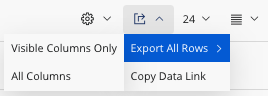
-
Select the checkbox Show Open Items
Only to see open
transactions