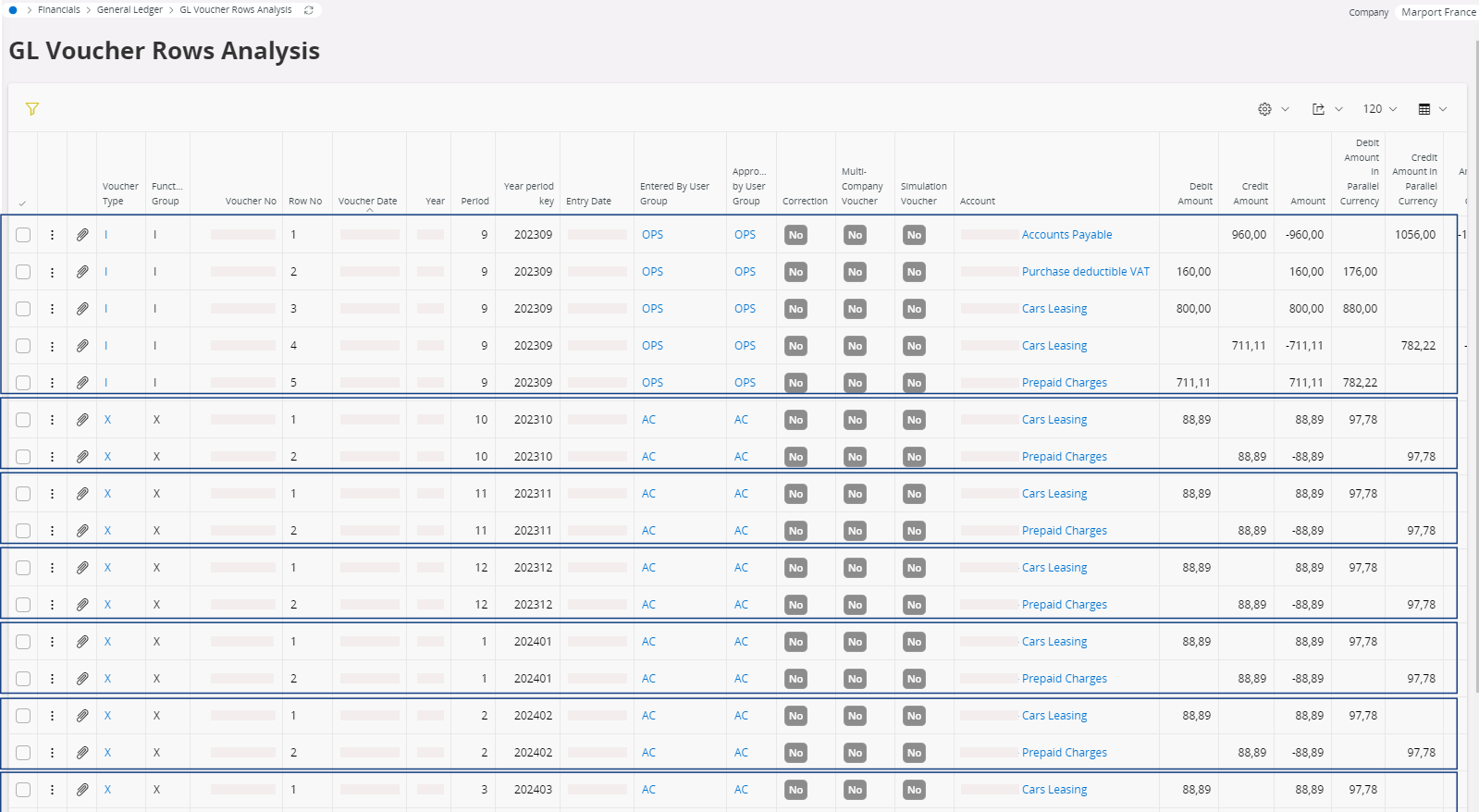
Allocating an Invoice to Several Periods
If your invoice covers a service that do not concern only one period of a month, you can allocate the charge on several periods.
Important:
Do not perform this process for a fixed
asset invoice.
-
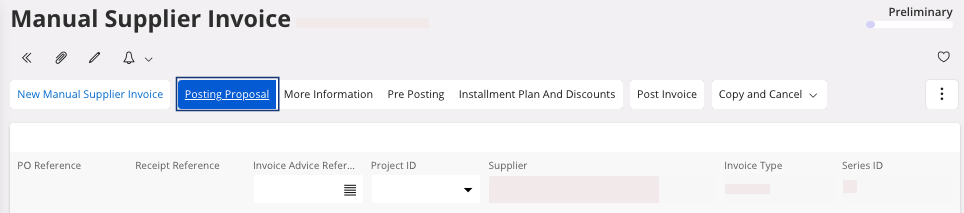
Go to your Manual Supplier
Invoice and click Posting
Proposal.
-
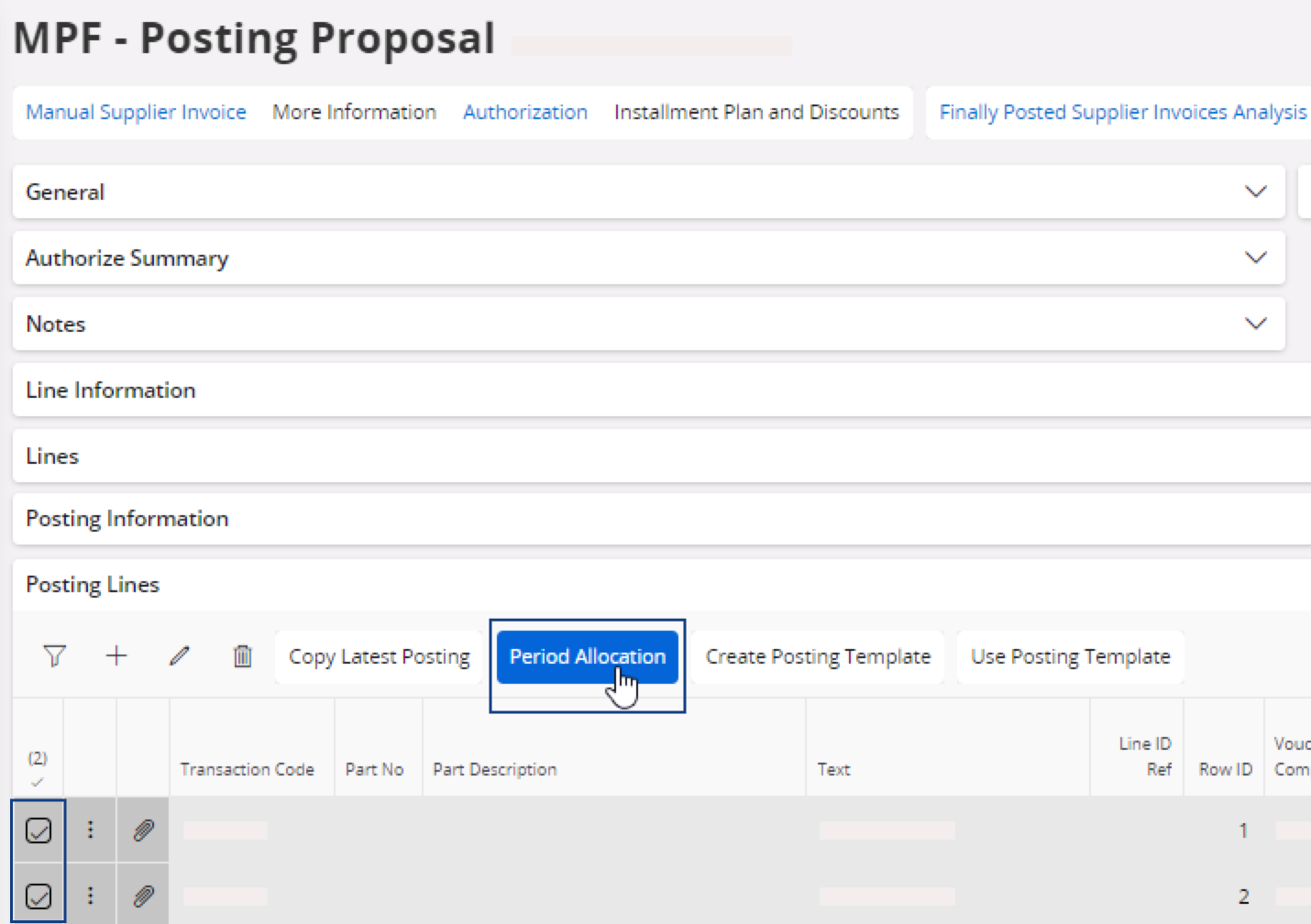
Scroll down to access the Posting Lines area:
- Select one or several line(s).
-
Click Period
Allocation.
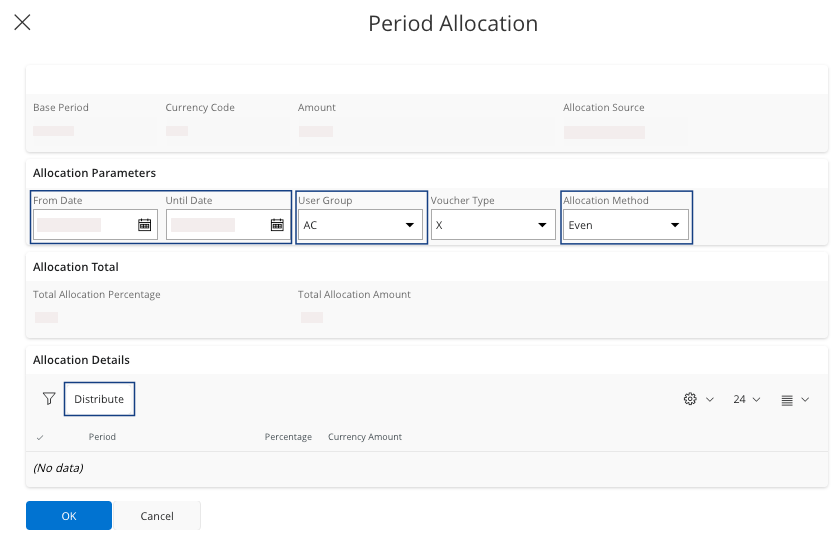
The Period Allocation pane appears. -
You need to choose in the area Allocation
Parameters:
- The period of allocation: From Date and Until Date.
- The User Group.
- The Allocation Method: choose between Even, Proportional and Mixed.
-
Once you have defined your parameters, in the Allocation
Details area, click
Distribute.
It calculates the amount to pay per period based on the Allocation Method.Note:You can also adjust the percentage or amount per period manually: in the area Allocation Details, click Edit and adjust the field Percentage or Currency
Amount.
and adjust the field Percentage or Currency
Amount. - Once you have entered all the information, click OK.
Note:
When the invoice will be
posted, you will get more GL entries to manage the
allocation on several periods.