
Registering a Financial Credit Note
If your supplier make an error in the financial invoice, he needs to send you a credit note. You need to register this credit note as a new invoice.
Note:
Ensure that information about your Company and your Supplier are correctly filled. It helps to
complete the fields automatically.
- Go to .
You need to complete the Header
Information:
-
Select your Company and the Supplier of the invoice.
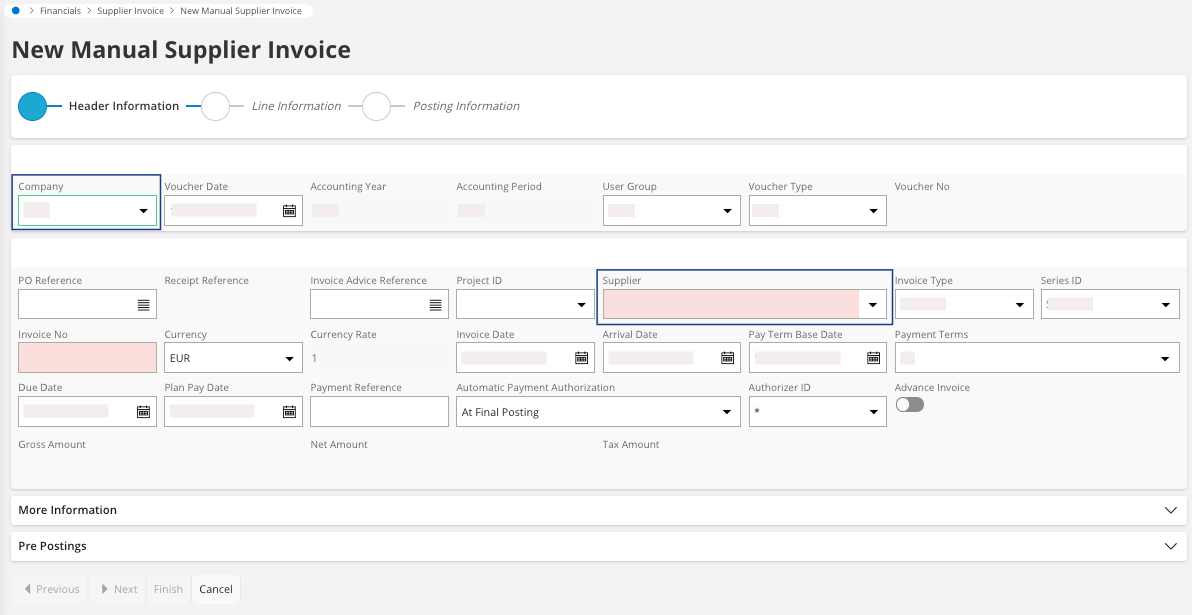
If they have been correctly configured, the fields linked to the company and the supplier appear automatically. -
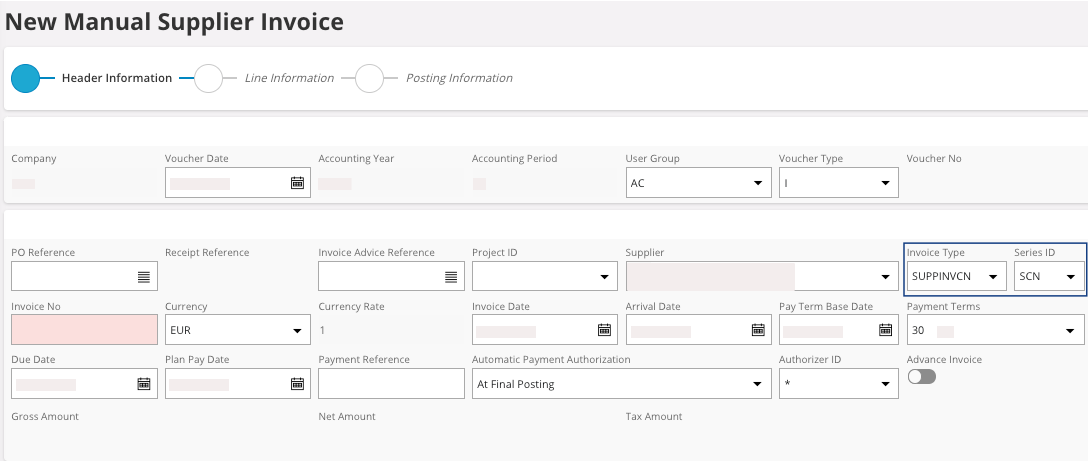
You need to fill the fields:
- Invoice Type with the value SUPPINVCN.
-
Series ID should fill
automatically with SCN.
Otherwise, select it.
-
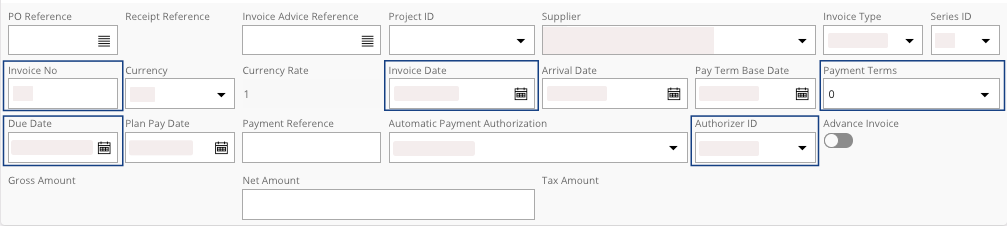
You need to check and fill the information linked to the credit note from the
supplier: Invoice No, Invoice Date, Payment Terms, Due Date, Authorizer ID, etc.
-
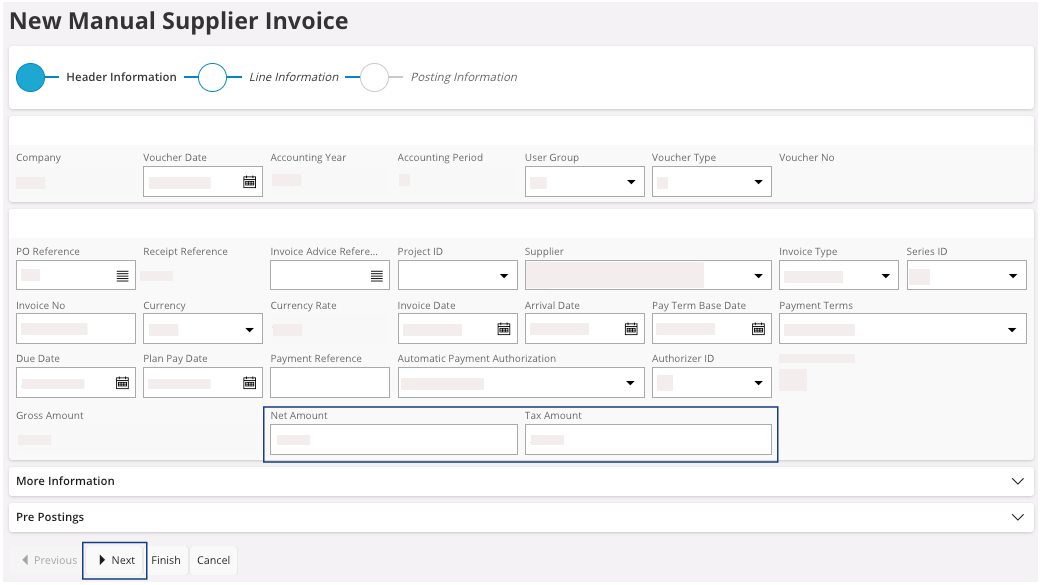
Enter the Net Amount: it must be
negative and correct the error of the supplier.
If the Tax Code has been correctly completed in the supplier, the Tax Amount appears automatically. Otherwise, enter its value or correct it.
-
Once you have filled and checked all the fields, click
Next.
You move to the Line Information section.
- Use the same process as the financial invoice to complete the process, see Financial Invoice.