
Rolling Back a Supplier Payment
Follow this process in case you need to return to a previous state of a supplier payment proposal or a mixed payment and/or analyze what you paid.
- Go to the Supplier Payment Rollback page.
-
Select your payment, click the three dots
 and click
Rollback Partial
Payment or
Rollback Complete
Payment
according to your needs.
and click
Rollback Partial
Payment or
Rollback Complete
Payment
according to your needs.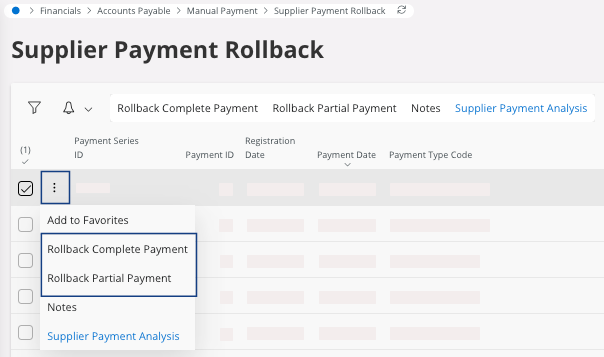
If the Voucher Type is N and the Rollback Status is Not Cancelled you cannot perform the rollback.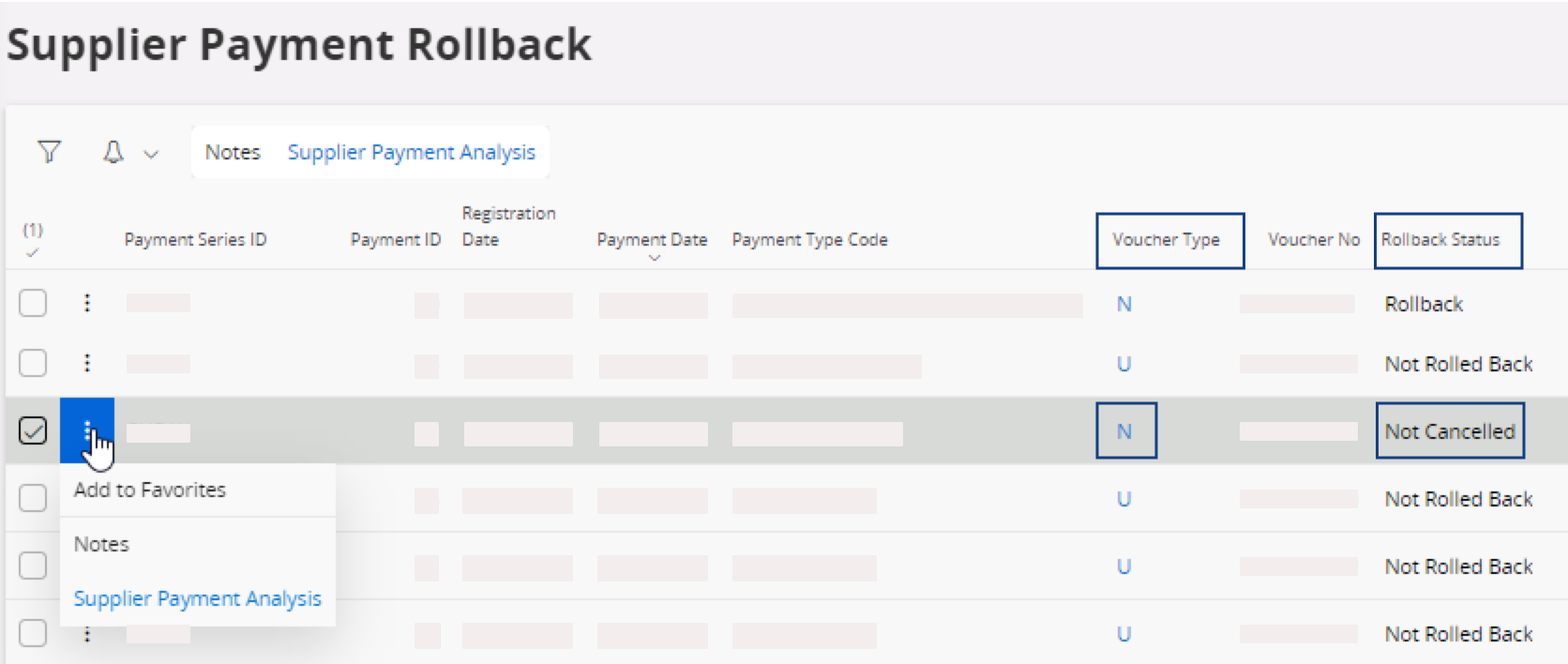 To rollback your supplier payment: go back to the Mixed Payment page, find your mixed payment and click Cancel. This action automatically complete the rollback.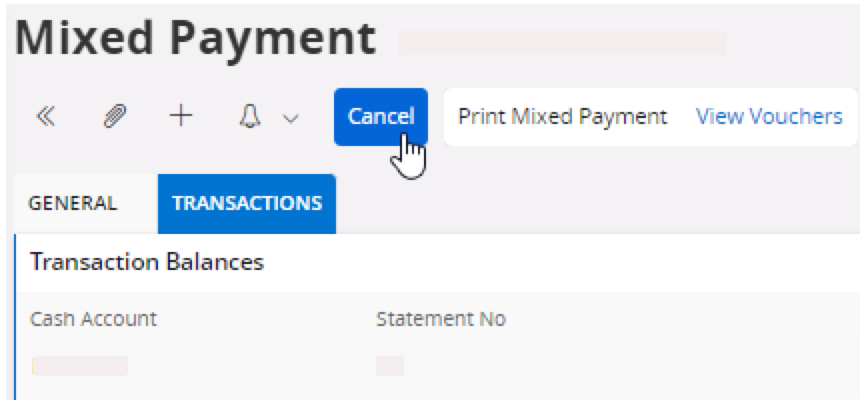
Important:
Contact your accountant responsible, or external accountant
support, or Airmar US Finance team to manage this payment.