
Managing an Order Proposal
Once you have configured your parts, you can use the Create Order Proposal menu to help the customer to define when the parts need to be reordered.
Creating an Order Proposal
-
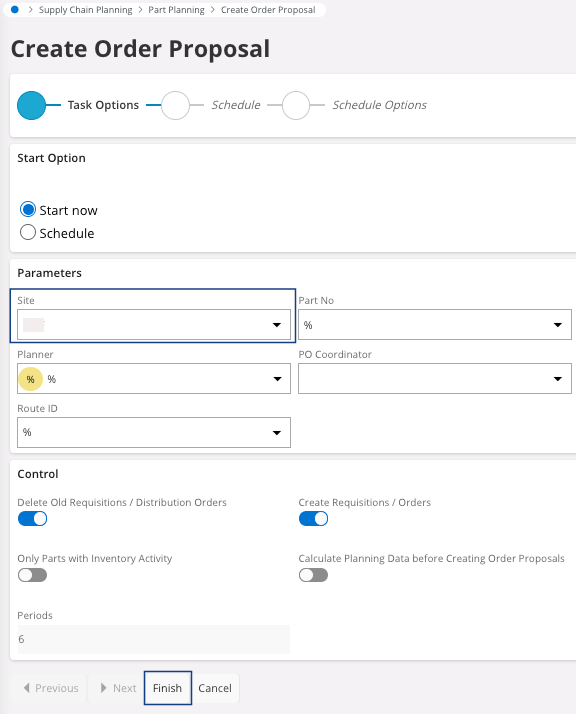
Go to the page Create Order
Proposal.
Note:This order proposal take into account quantity in Stock, Reserved, Open Customer Order, Open Purchase Order and their Due Date, Ship Planned Date and Received Planned Date. Details for a part is available on Inventory Part Availability Planning.
- Select your Site for this calculation, all others fields can stay by default if you are not expecting a specific calculation.
-
Click Finish.
Your order proposal has been created.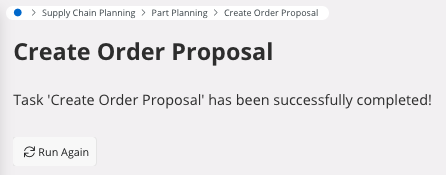
Changing a Proposal into an Order
- Go to Purchase Requisition Lines, you can find your proposal with the status Planned.
-
You can release the lines that you want to transform in an order: select
your lines and click Release.
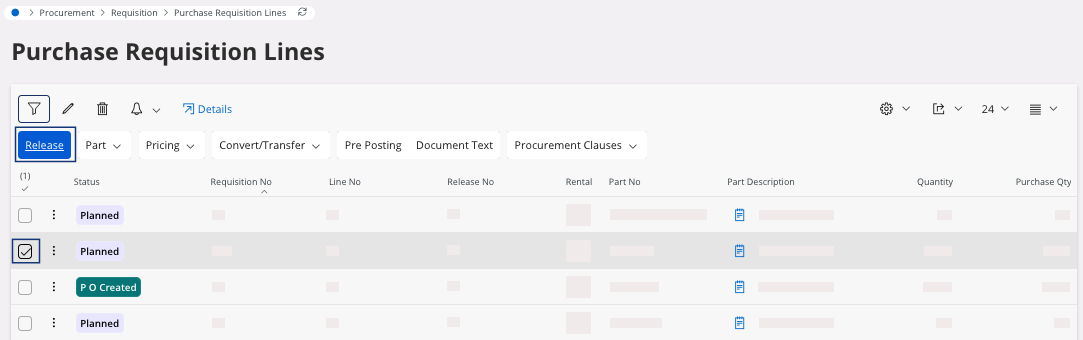
The status changes to Released. -
You can convert the requisition to order:
A pane appears.
-
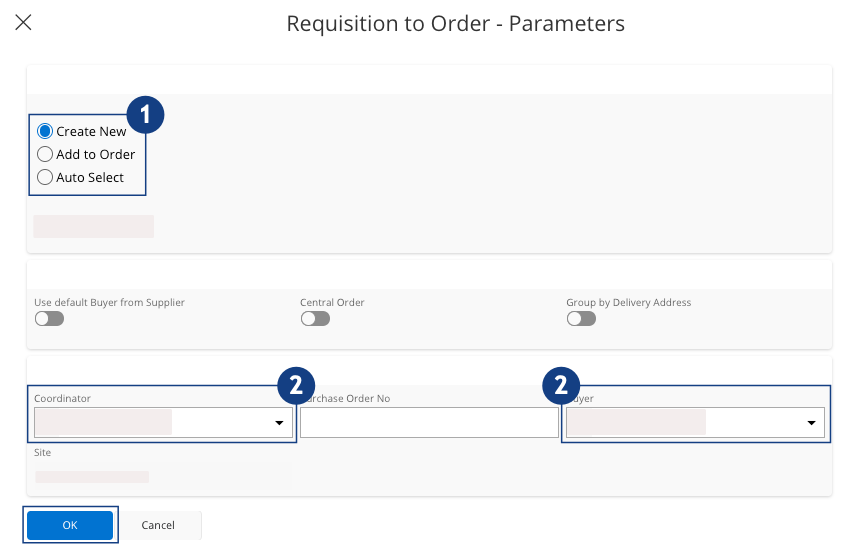
In this pane:
-
You can create a new order, select Create New or add your
proposal to an order, select Add to Order and select an
order that exists
 .
.
-
To ensure that only one Order is created: select the same
Coordinator and
Buyer. If they
are different, several purchase orders will be created
 .
Tip:We advise you to put your user account in Coordinator and Buyer fields when you perform this step.
.
Tip:We advise you to put your user account in Coordinator and Buyer fields when you perform this step. -
Click OK.
A dialog appears, you can access your purchase order.In this purchase order, you can change Quantity, Lines, Planned Delivery Date.
-
You can create a new order, select Create New or add your
proposal to an order, select Add to Order and select an
order that exists