
Configuring Items
You must assign the correct planning method to each item to realize the correct reorder calculation.
-
To access the page Inventory Part Planning
Data:
-
Or you can access this page through the page Inventory Part, then click .
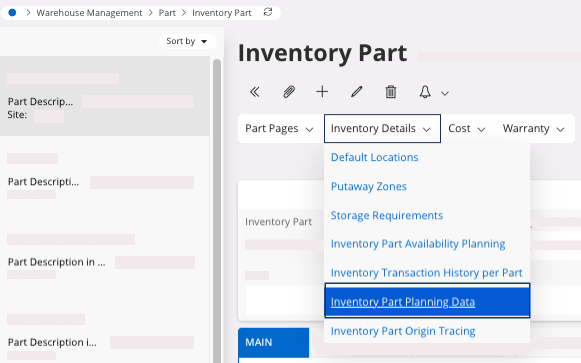
-
Or you can access this page through the page Inventory Part, then click .
By default, Planning Method
is set to A and so the part is not taken into account for reorder
calculation.
-
To change the Planning Method,
you need to fill the fields:
-
Click Save.
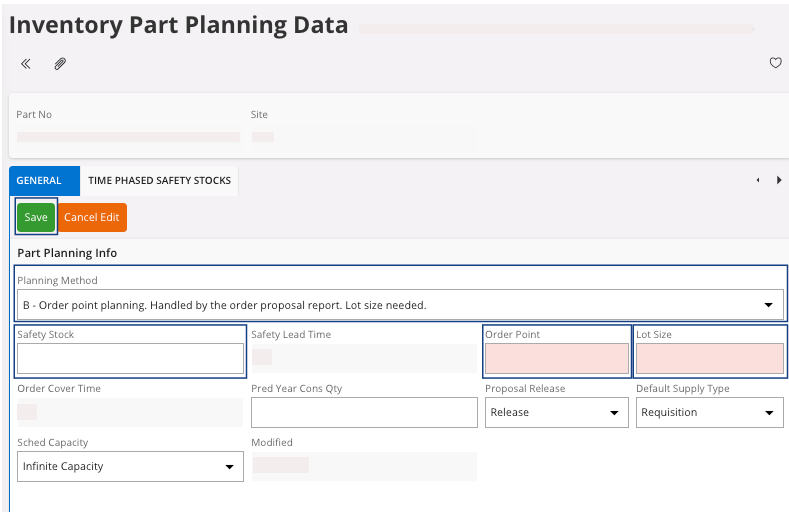
-
Click Save.
-
You need to assign a supplier to your part:
-
In the tab General,
click the pane Indicators, turn on the toggle Primary Supplier -
Purchase.
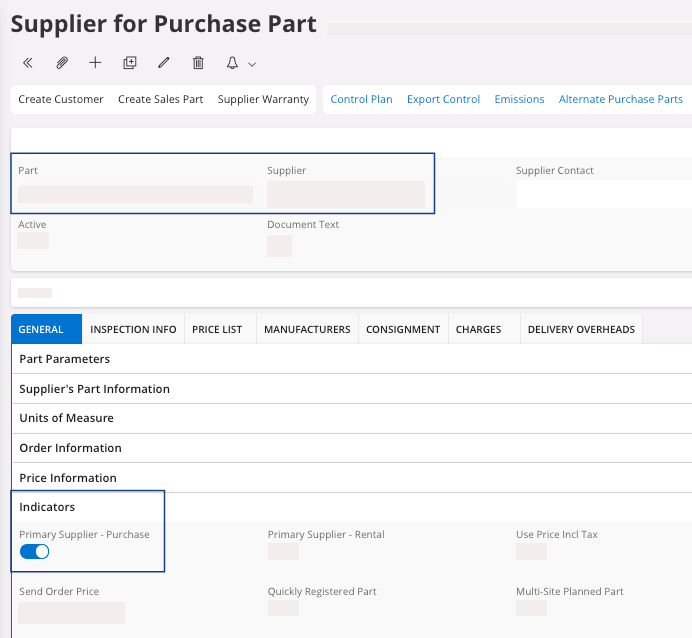
Note:On the page Inventory Part, you can add a lead time to consider the time that will be spent between the order proposal and the planned delivery of the purchase order.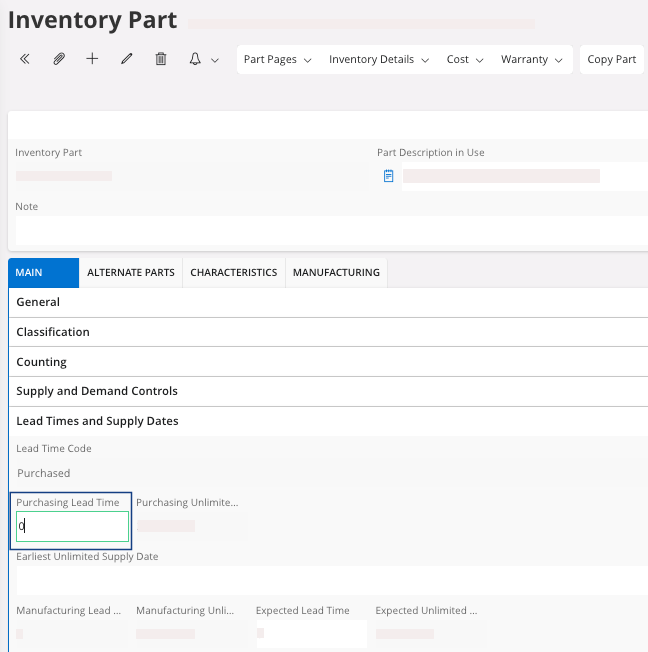
-
In the tab General,
click the pane Indicators, turn on the toggle Primary Supplier -
Purchase.