
Creating an Advance Invoice
You can create an advance invoice from your Customer Order.
- Go to and choose your Customer Order or create a new customer order through the process Creating a Customer Order.
-
In the header, click .
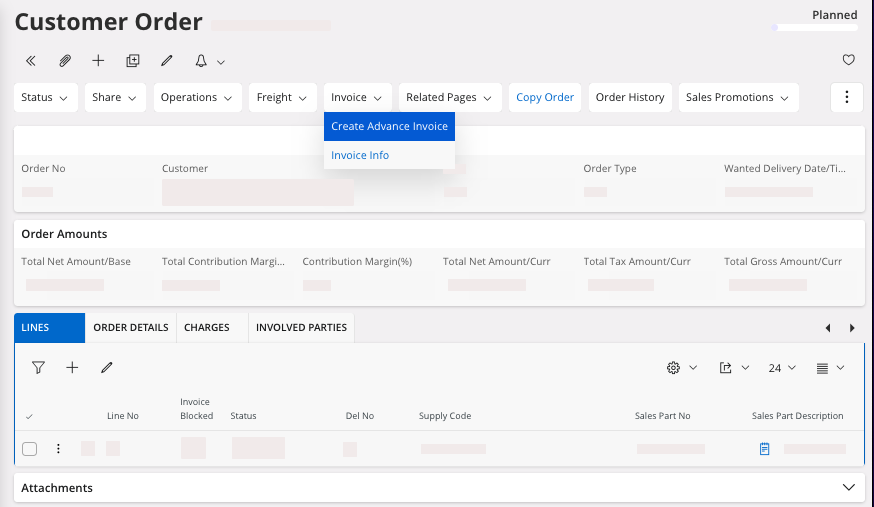
A pane appears. -
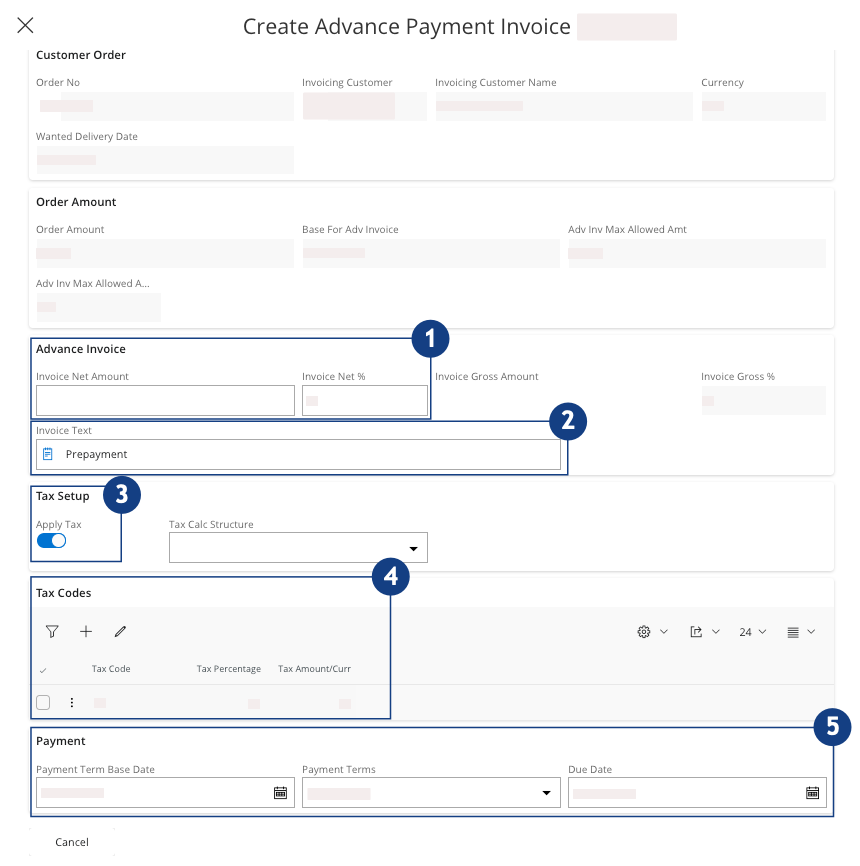
In this pane, you need to enter:
-
The amount of your advance invoice, in the area Advance
Invoice, choose to fill
the field Invoice Net
Amount or the field Invoice Net
%. According to
your choice, the other field should fill automatically
 .
.
-
The descriptive text to add on the advance invoice. It can be
structured on several lines in the field Invoice Text
 .
.
-
In the box Tax Setup, to
specify if a tax must be applied, turn on or turn off the Apply Tax toggle
 .
.
- If you turn on the Apply Tax toggle,
specify which tax code is applied, to take into account your
local legislation
 .
.
- If you turn on the Apply Tax toggle,
specify which tax code is applied, to take into account your
local legislation
-
The payment conditions: Payment Term Base
Data, Payment Terms and Due Date
 .
.
-
The amount of your advance invoice, in the area Advance
Invoice, choose to fill
the field Invoice Net
Amount or the field Invoice Net
%. According to
your choice, the other field should fill automatically
-
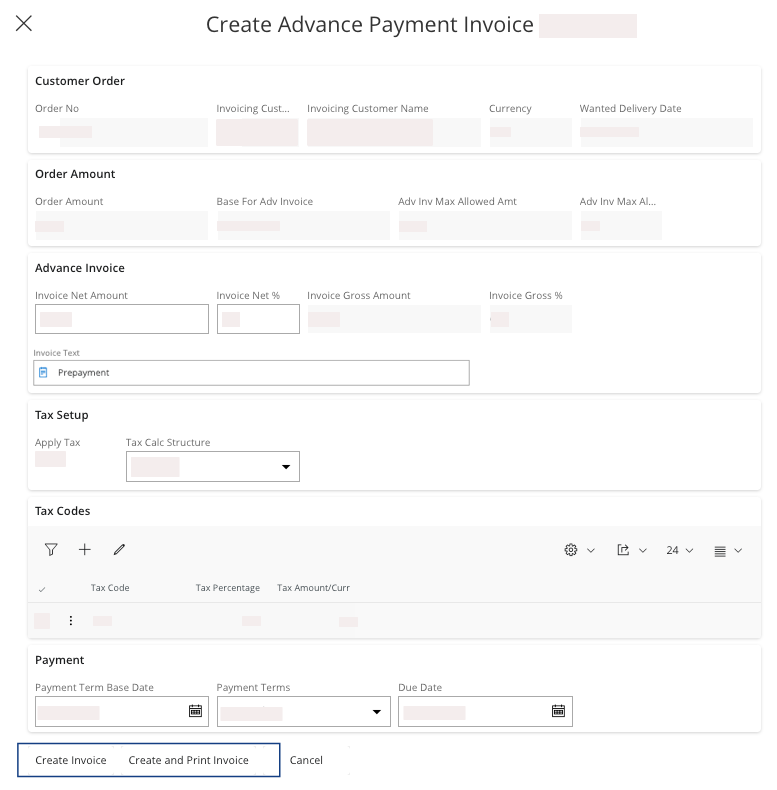
Then you can either:
-
Create and Print
Invoice:
the invoice is directly in status Posted Auth, you
will be able to reprint it but not preview it before the final
posting.
Your invoice is created. -
Create and Print
Invoice:
the invoice is directly in status Posted Auth, you
will be able to reprint it but not preview it before the final
posting.
-
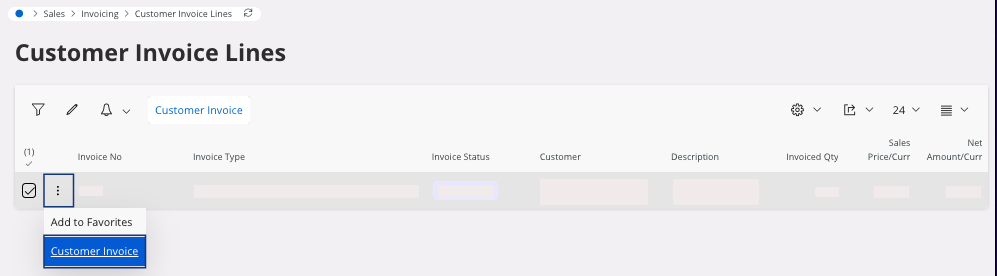
To see your invoice information from your customer order, click .
The page Customer Invoice Lines opens.
-
From the Customer Invoice
Lines
page you can see your Customer
Invoice: select your line,
click the three dots
 and click Customer
Invoice.
and click Customer
Invoice.
Note:Once your customer has paid for the advance invoice, it has the status PaidPosted. This advance invoice will be taken into account for future invoices for this Customer Order, with a specific mention of this prepayment.When an invoice will has the Posted Auth status, then it will update the remaining amount to pay.