
Extracting Tax Transactions for the DAS2 Declaration (FR Specific)
Once a year, French offices need to extract the tax transactions reported during the accounting year.
- Go to .
-
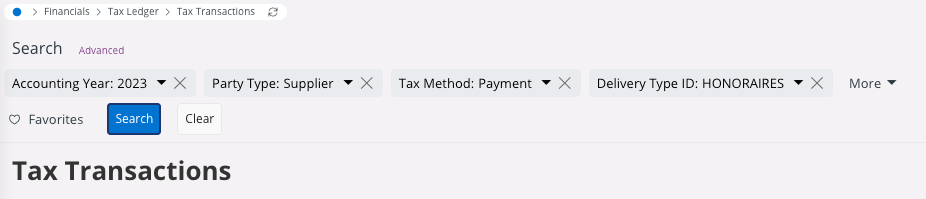
You need to filter the page by:
- The Accounting Year.
- The Party Type: select Supplier.
- The Tax Method: select Payment.
- The Delivery Type ID: you must select HONORAIRES.
- You can extract your tax transactions lines. This extraction will help to identify transactions to integrate in the DAS2 declaration. IFS Cloud do not generate an official report.