
Canceling a Sales Quotation
You need to cancel your sales quotation if your customer rejected your sales quotation.
- Go to the Sales Quotation or Sales Quotations page.
- Select the Sales Quotation you want to cancel.
-
In the header, click .
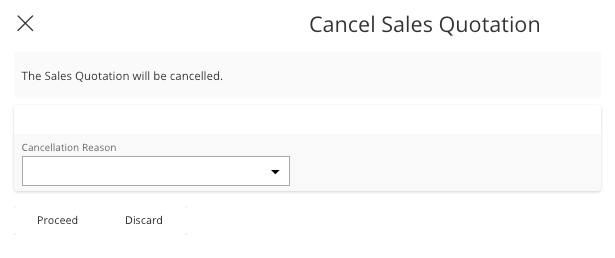
The Cancel Sales Quotation pane appears.
-
You can add a Cancellation
Reason.
-
Click Proceed.
Your Sales Quotation is cancelled and its status changed to Cancelled.