Copying a Sales Quotation
You want to create a sales quotation similar to another, because of their sales part or customer, you can copy this quotation and change some information.
-
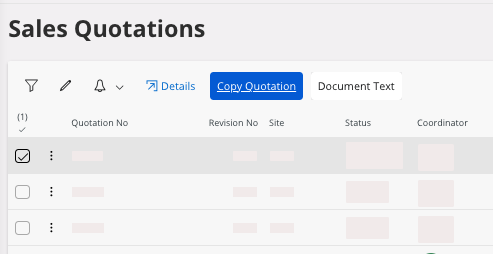
Select the Sales
Quotation you
want to copy and click Copy Quotation in the header.
-
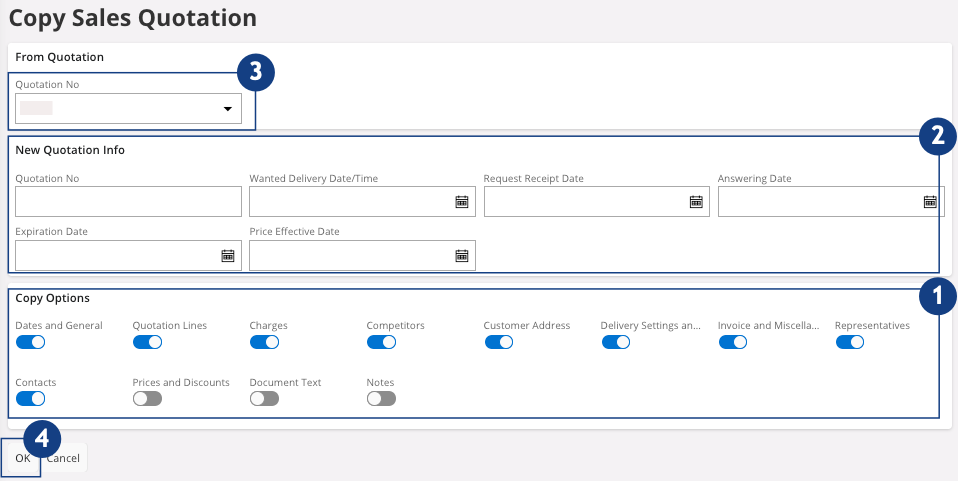
You access a new page, Copy Sales
Quotation:
- In the area Copy Options,
select the information that you want to copy
 .
. - In the area New Quotation
Info, add the
information for the new copy
 .
.
- In the area Copy Options,
select the information that you want to copy
-
You can choose a new Quotation No or it will be created automatically
 .
.
-
When you have checked your information, click OK
 .
.