Creating a Shop Order for Repair
Create and manage manually a shop order for repair.
To create a shop order for repairing a product, the product
need to have an existing repair type of product
structure.
- Go to Product Structure page.
-
Click New to
create a new Product Structure, and
set the Structure
Type to Repair.

-
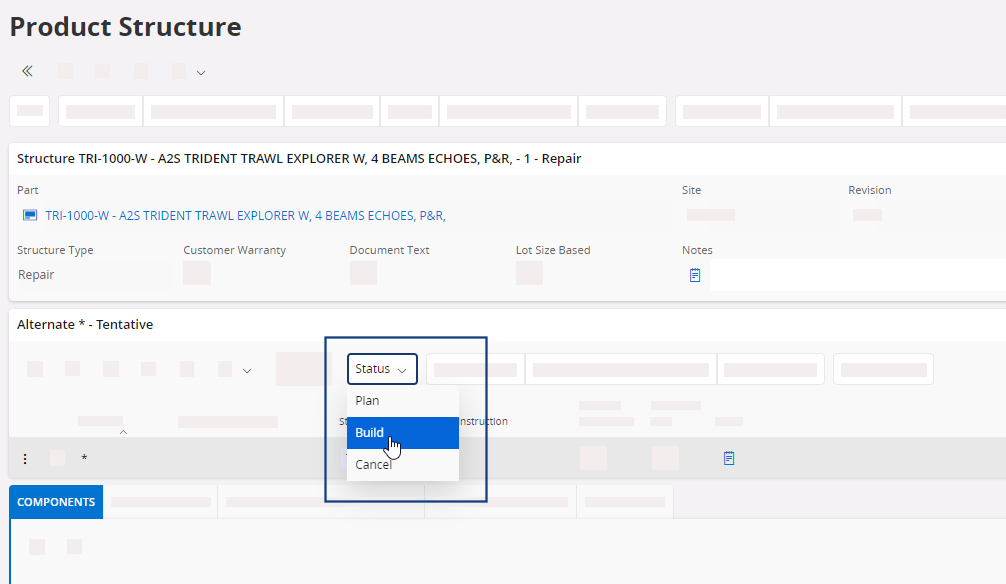
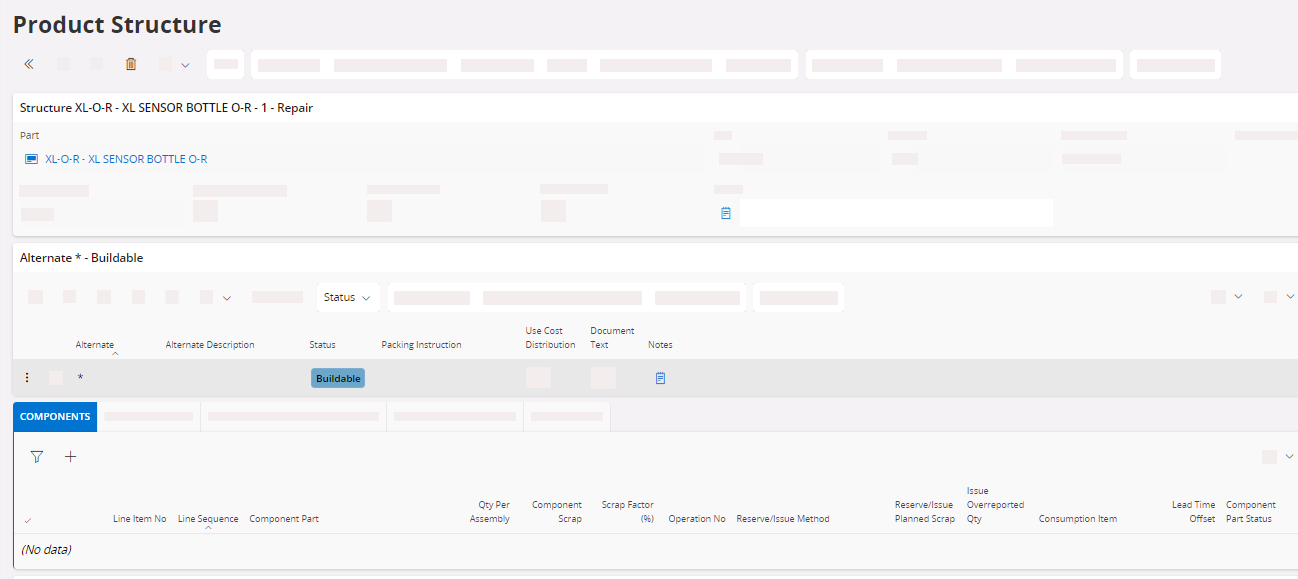
Once the product structure is created, set the Status to
Buildable. Do not add lines to the Components
tab.
You can now create a shop order for repair.
- Go to .
- Click New + to create a new shop order.
-
Fill the information in the header:
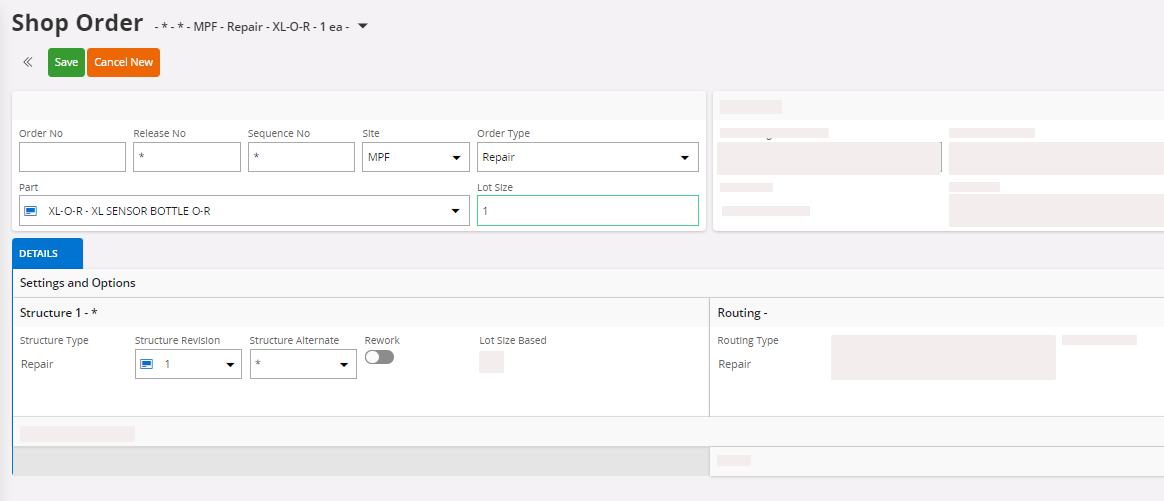
- Part: select the part that you want to build.
- Lot Size: enter the quantity of parts that you want to build.
- Structure Type: enter Repair.
- Click Save.
A dialog appears, click OK.
-
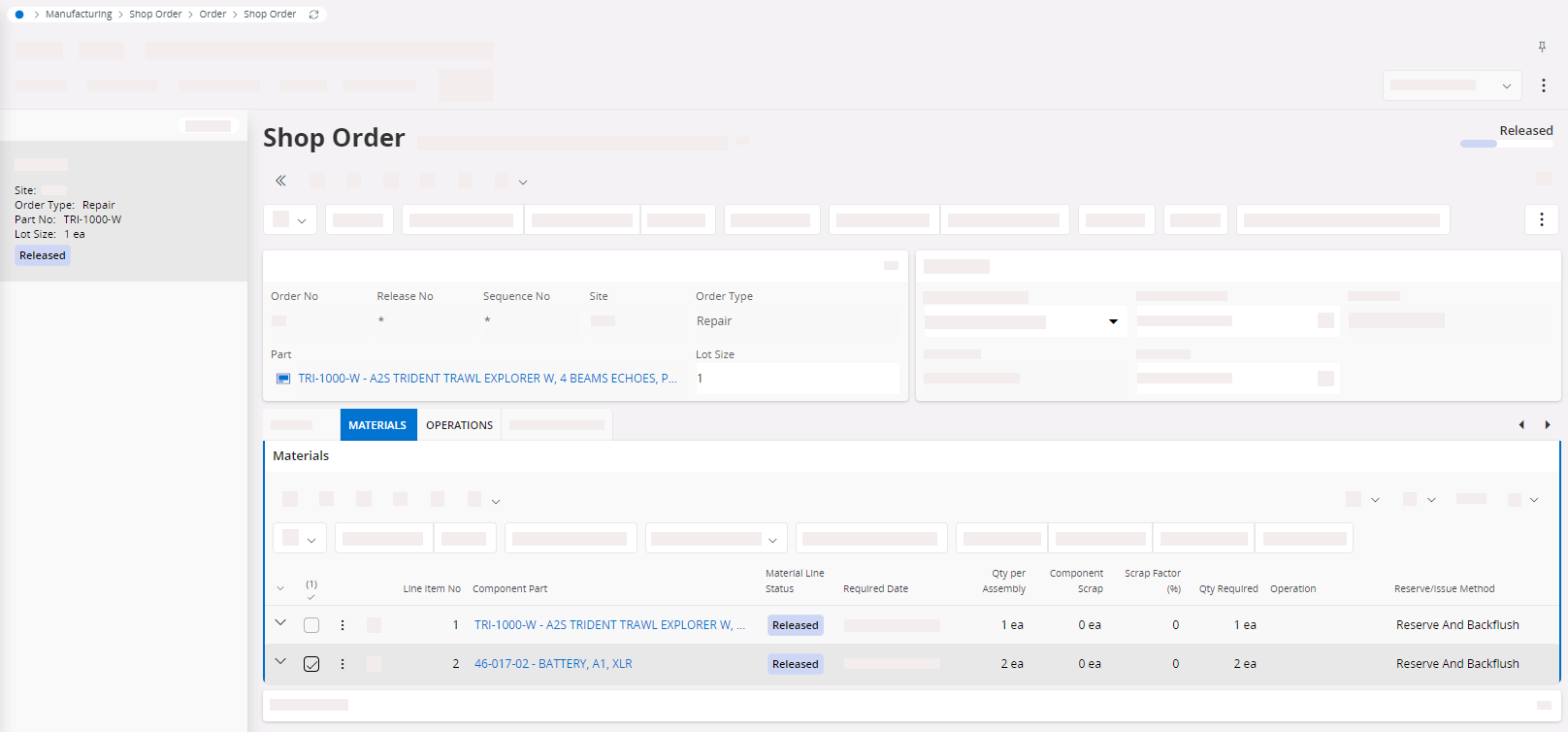
The tabs Materials and
Operations show
the product that has to be repaired. Under Materials, add
the list of components that are needed for the repair.