
Changing Shop Order Settings
The shop order is created from the part structure by default. You can adjust the components before the building of the shop order.
- Go to .
- Choose your shop order in Released status.
-
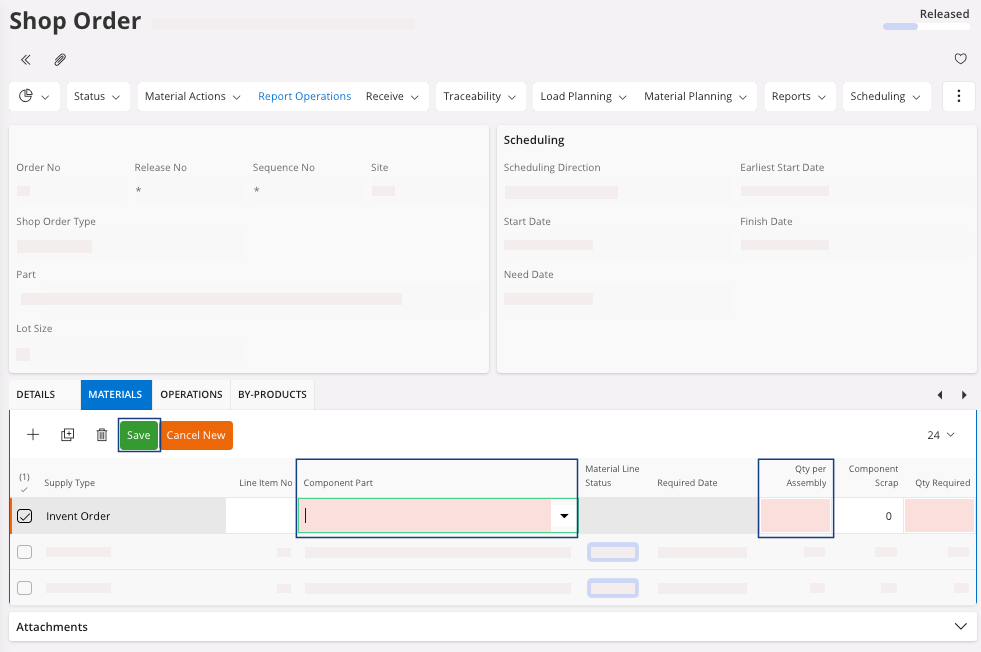
In the tab Materials:
-
You can add a new component: click New + and fill the fields
Component Part and
Qty per
Assembly.
-
You can modify the component information, like the Qty Required: click Edit
 and adjust the information.
-
You can delete a line: select your line and click Delete
 .
.
-
You can add a new component: click New + and fill the fields
Component Part and
Qty per
Assembly.