
Using Petty Cash Funds
Whenever you take cash out of your bank, you need to record a petty cash transaction.
- Create a new mixed payment: see Creating a New Mixed Payment.
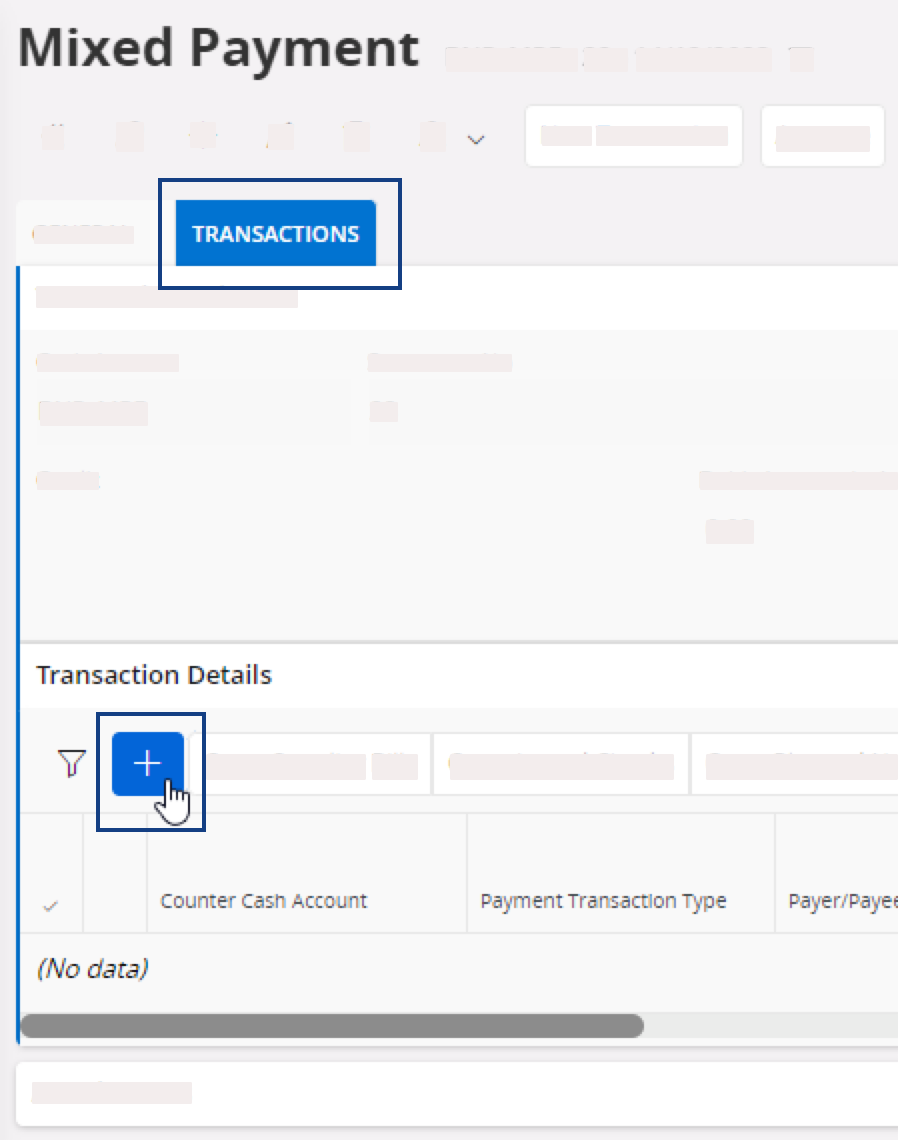
- In the Mixed Payment page, go to the tab Transactions.
-
Under Transaction
Details, click
New + to add a new
line.
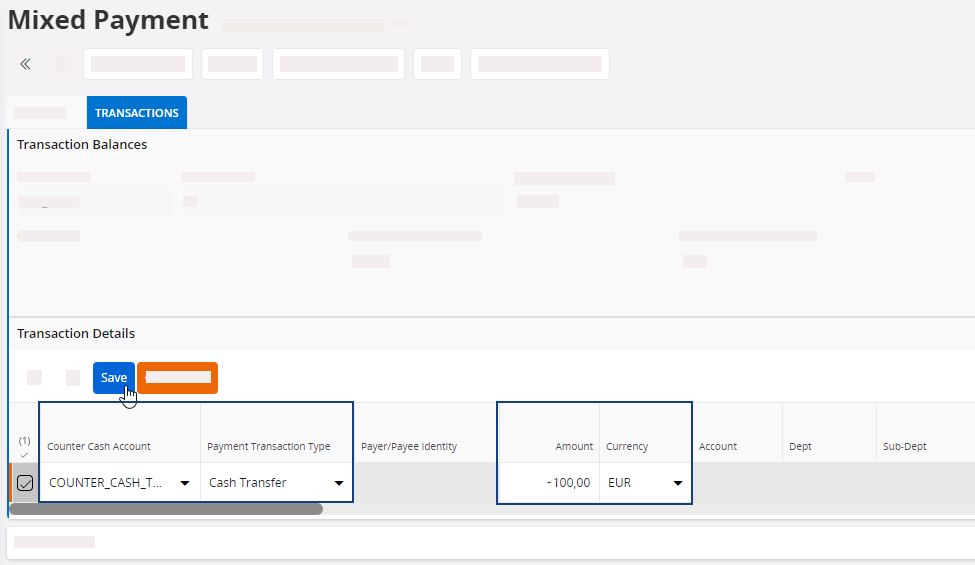
- From the field Payment Transaction Type, select Cash Transfer.
- In Counter Cash Account select the account where you want the cash to be registered in.
- Enter a negative amount and select the currency.
-
Click Save.
-
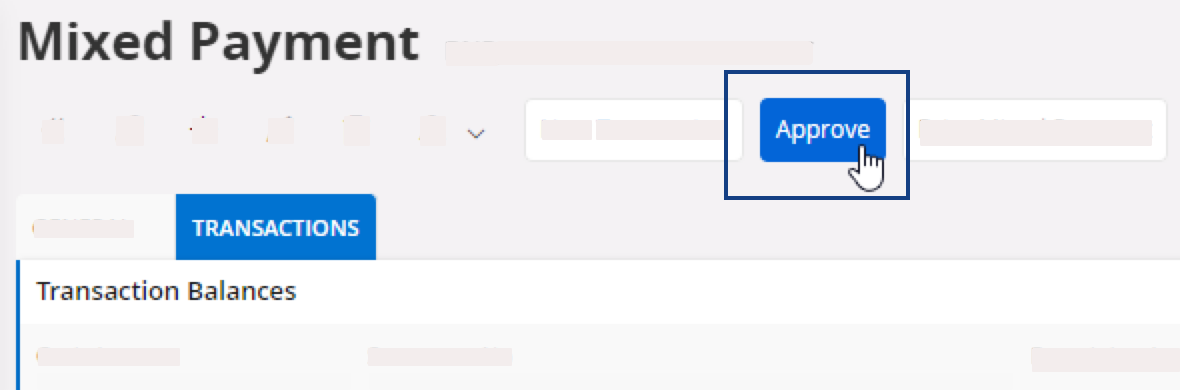
In the header, click Approve.
The Voucher Information page appears. -
Take note of the voucher information, then click OK.
The status of the mixed payment changes to Approved.