
Confirming a Supplier Payment Order
After the bank has validated the order, you need to acknowledge the accounting transactions linked to the payment.
-
Go to the page Acknowledge
Supplier Payment Orders.
Note:If you followed all the previous steps, the field Acknowledged is set up to Yes.
-
If your payment have been confirmed by your bank, then you need to confirm the
accounting transactions. On your line, click the three dots
 and click New Payment.
Note:You can perform this new payment step when you register your bank statement.
and click New Payment.
Note:You can perform this new payment step when you register your bank statement.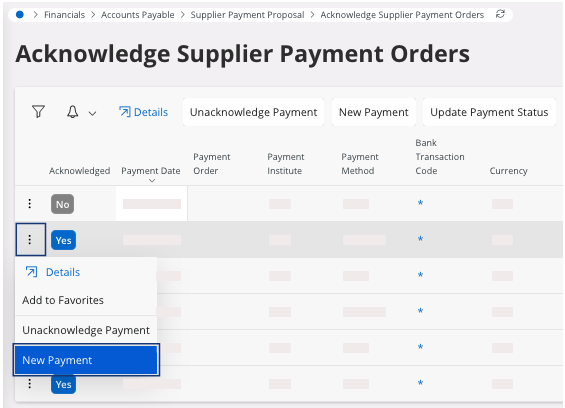
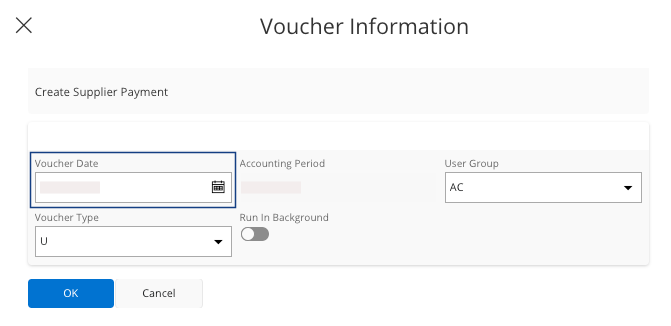
The Voucher Information pane appears. -
You can choose the Voucher Date
and click OK.
Your payment has been validated.