Consulting Customer or Supplier Ledger Age Analysis
Consult supplier or customer receivables on a specific period. It provides an overview of cash flow.
- Go to the Order Report page.
-
Filter the page with:
- The Report Name on Supplier Ledger Age Analysis or Customer Ledger Age Analysis according to your needs.
- The Category on Payment.
-
On your line, click the three dots
 and click
Order Report.
and click
Order Report.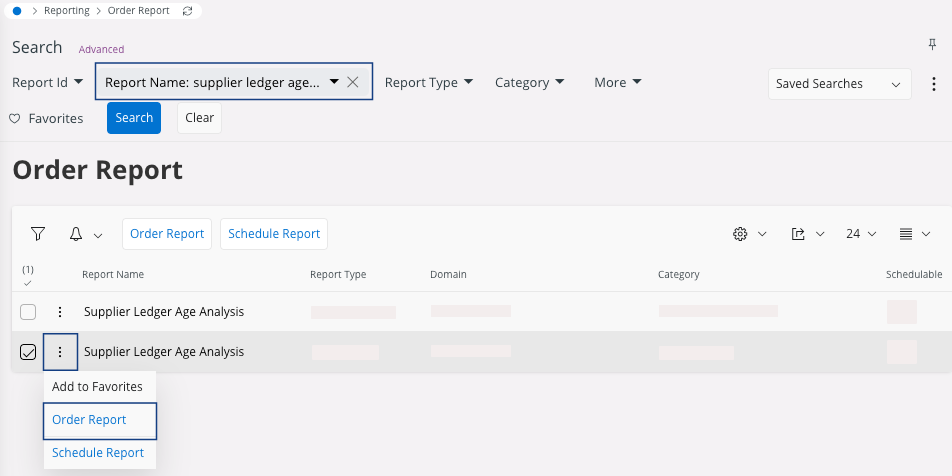
-
Configure specific parameters and distribution if needed, or click Finish.
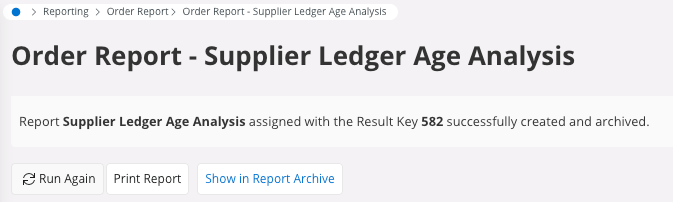
Your report is generated and linked to a key, keep this key if you want to see the quick report in IFS Cloud or you can print the report directly and download it in PDF.Note:If you want to view the quick report in the future, take note of the key, or repeat the process.
-
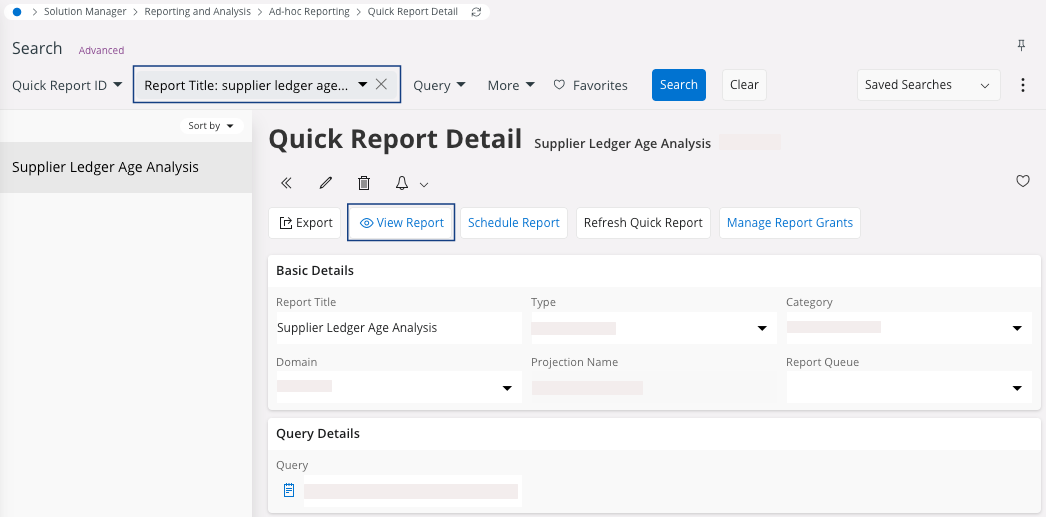
If you need to display or export the report: go to Quick Report
Detail:
- Filter the page with the Report Title on Supplier Ledger Age Analysis or Customer Ledger Age Analysis according to your needs.
- Click View Report.
-
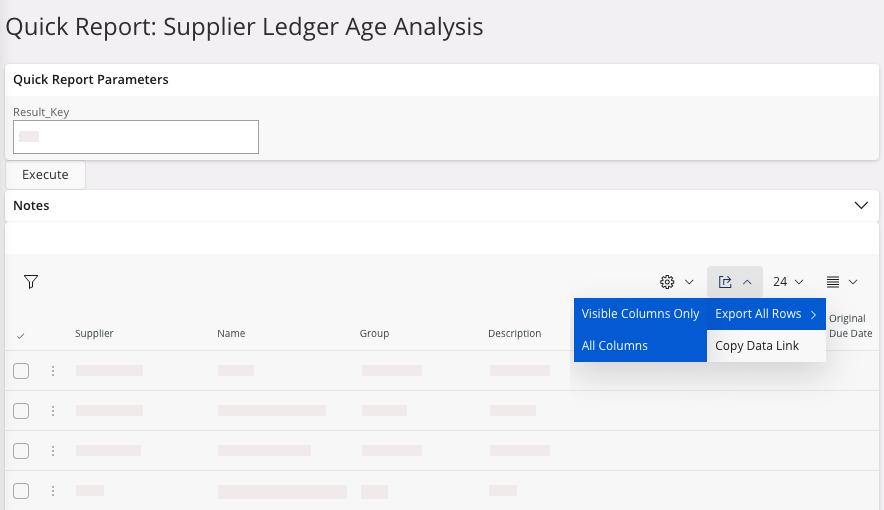
You need to enter the key and click Execute to access the quick
report.
You access your lines transactions.
-
You can export your report in an Excel file: click and choose between Visible Columns
Only or All Columns.