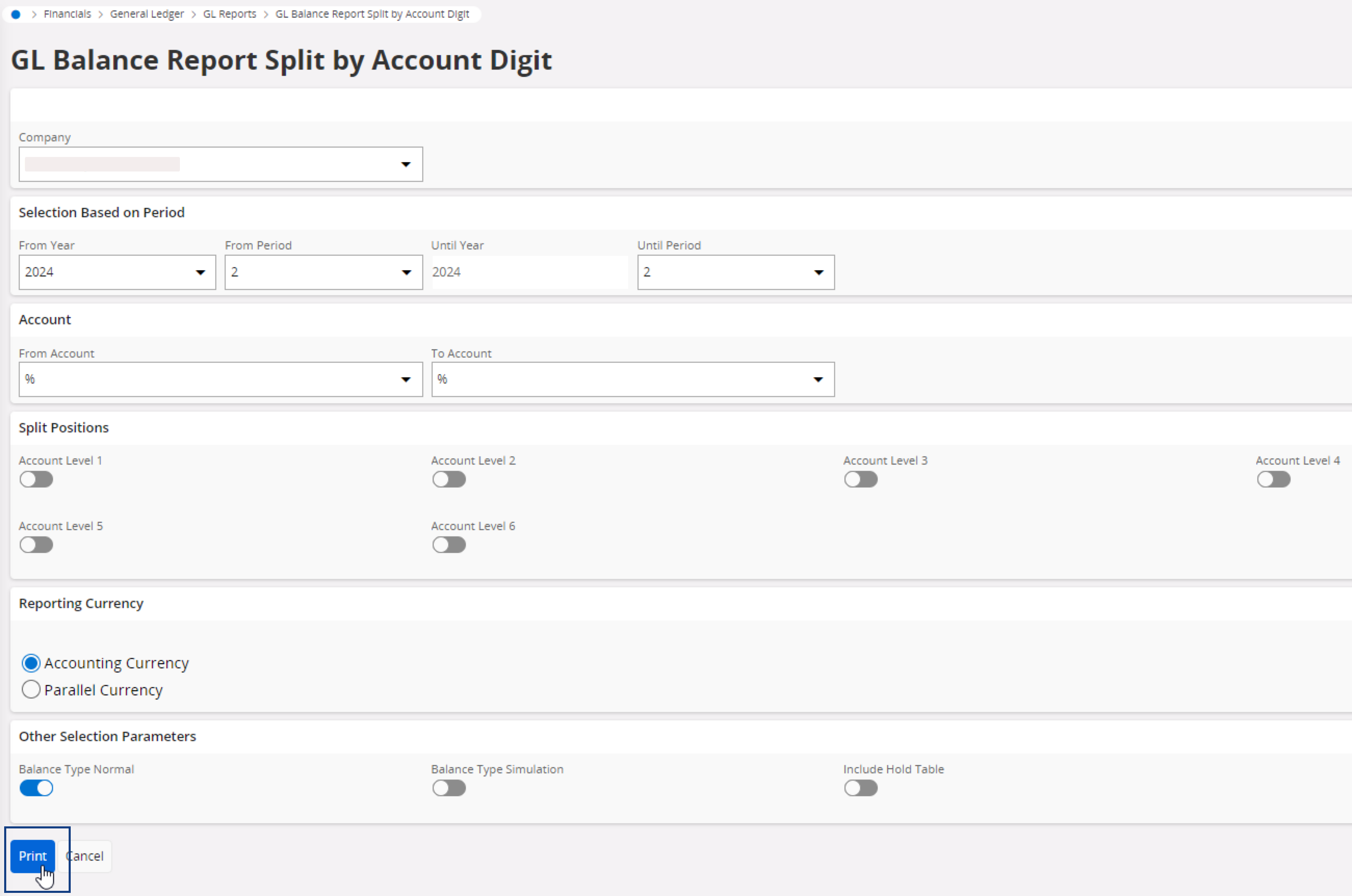
Consulting the General Ledger Balances Split by Account Digit
Create a PDF report listing the general ledger balances split according to the account digits.
- Go to the page Order Report.
- Open the filter or search bar, then enter GL Balance Report Split by Account Digit in the Report Name filter.
-
Click
 in the report line, then Order Report.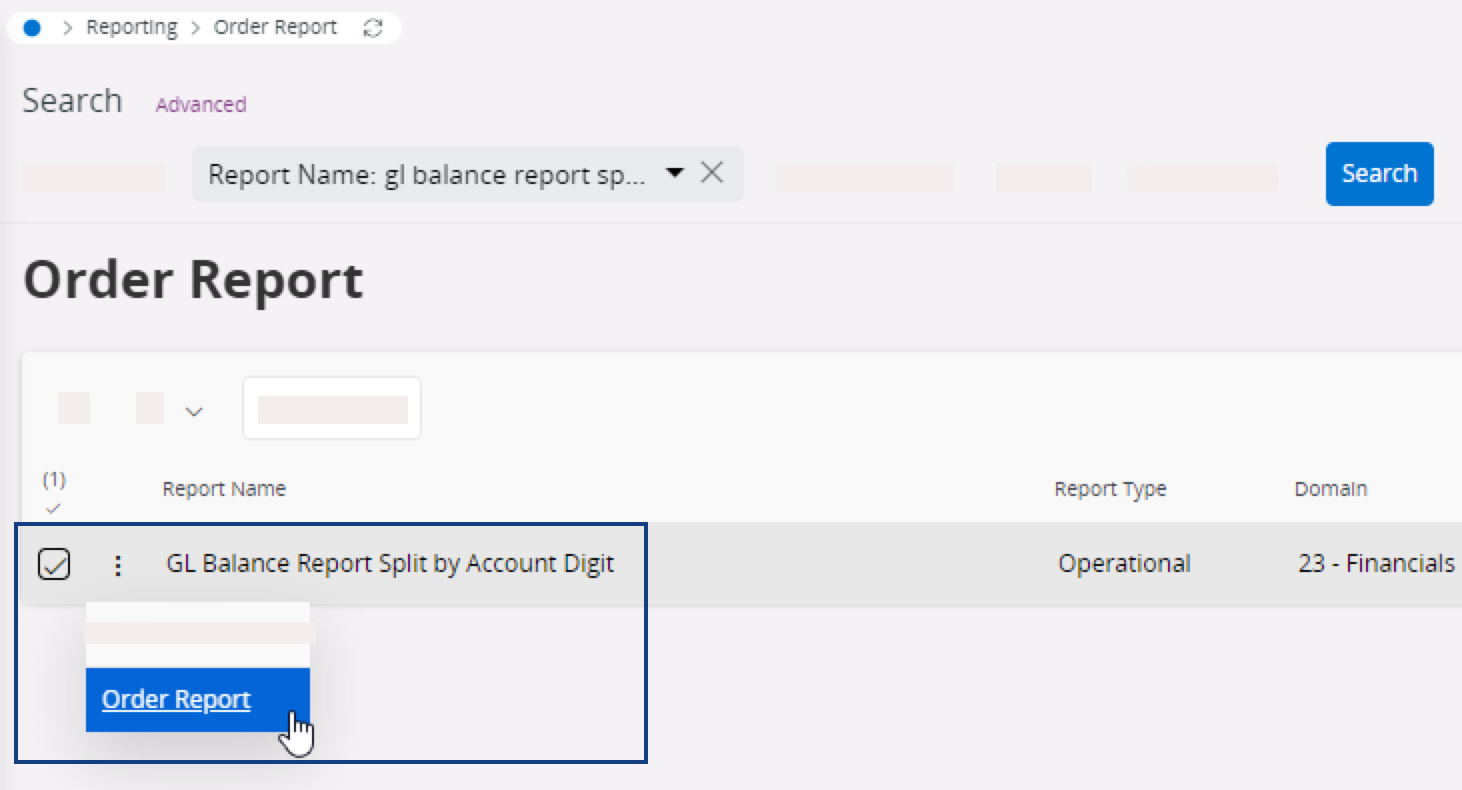
-
Change the parameters according to your needs, then click Print to download the PDF or print the
report.