
Managing the Tax Proposal
Creating an Automatic Tax Proposal
- Go to .
-
Click New Tax
Proposal.
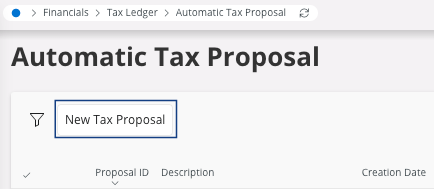
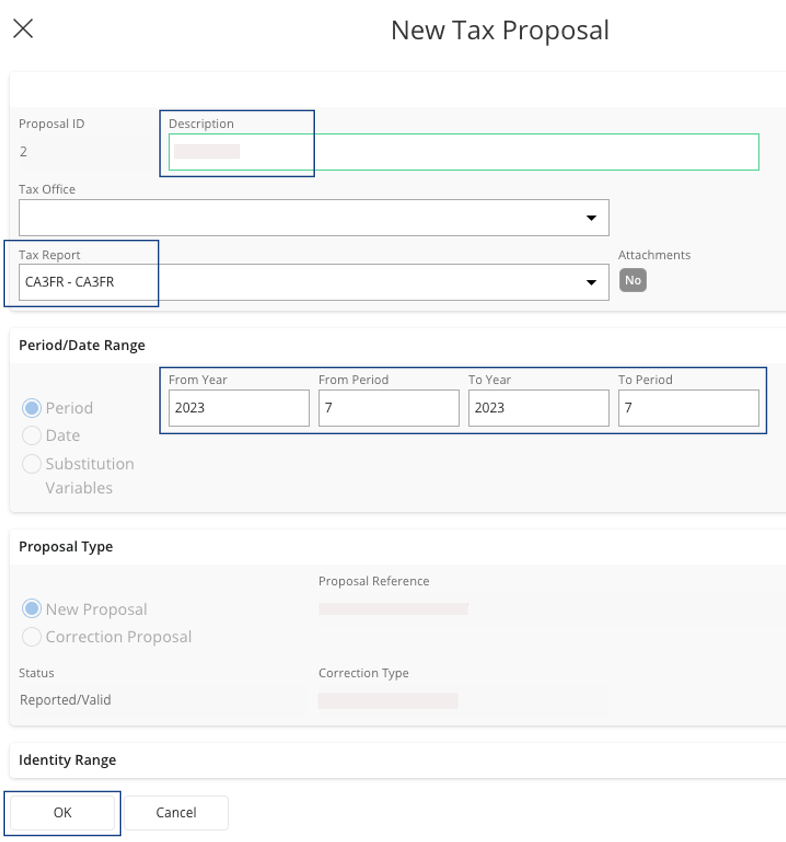
The New Tax Proposal pane appears. -
Fill the fields:
- Tax Report.
- Enter a Description.
- From Year, From Period, To Year and To Period.
-
Click OK.
You can see the tax proposal created in the page Automatic Tax Proposal.
-
When you click the three dots
 , you can
access different views:
, you can
access different views: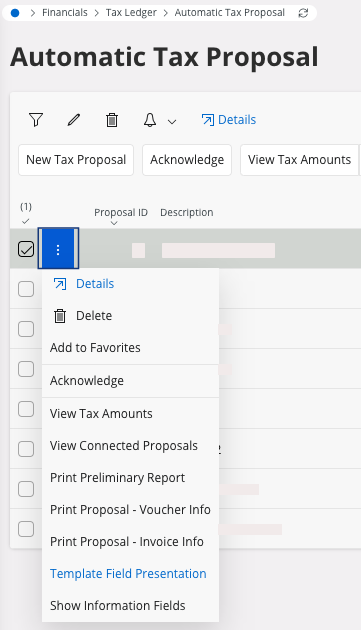
Acknowledging the Tax Proposal
Once you checked all the information, you can acknowledge the tax proposal.
- In the page Automatic Tax Proposal.
-
On your line, click the three dots and
click Acknowledge.
Your tax proposal status changes to Acknowledged.Note:This step can be canceled: click the three dots and click Unacknowledge.
Printing the Report
Important:
This step cannot be canceled in the
system. You must perform this action when you have controlled the whole
declaration and declared it to the administration.
- Go to the page Automatic Tax Proposal.
-
Click the three dots and click Print Definitive
Report.
The Report Format & Output pane appears.
-
You have several options:
- Preview button: to do before
printing. Click Preview: the
document appears on your screen. From here, you can check your information,
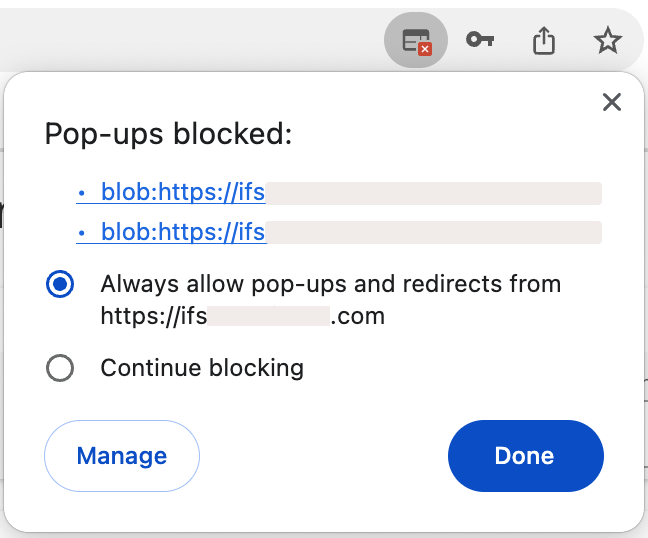
print your document or keep it on your computer in PDF.Trouble:If the preview is not displayed, your browser might block your pop-ups. Check your authorization in your browser settings.
- Print: if you want your document on paper, choose your printer, or if you want to keep it on your computer in PDF, choose IFS PDF Archiver.
- Email: fill in or check the email address and send it.
- Preview button: to do before
printing. Click Preview: the
document appears on your screen. From here, you can check your information,
print your document or keep it on your computer in PDF.
-
Click OK.
Your tax proposal status changed to Reported/Valid.