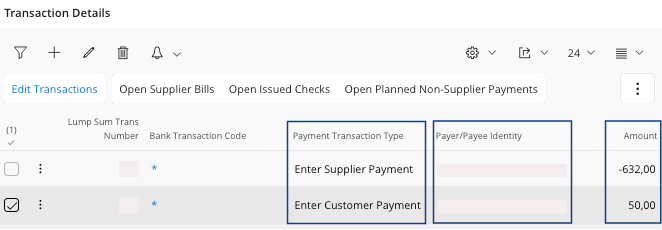
Filling Transactions Details for a Customer or a Supplier Mixed Payment

You need to have created a mixed payment header, Creating a New Mixed Payment.
You need to define the details of your transaction.
  1. Go to the tab Transactions.
  2. Click New + to add a line to decide which payment you want to report, it can be a payment from a customer or for a supplier.
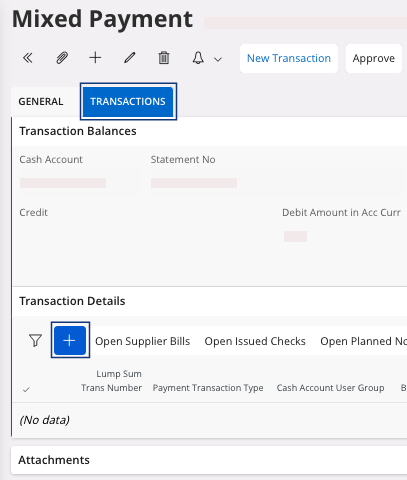
  3. You need to fill several fields:
    1. Payment Transaction Type:
      • For a customer payment, select Enter Customer Payment.
      • For a supplier payment, select Enter Supplier Payment.
    2. Payer/Payee Identity: enter your customer or your supplier.
    3. Amount, it should be a Gross Amount:
      • Positive if you are registering a customer payment.
      • Negative if you are registering a supplier payment.


If you want to match your payment lines directly with the open invoice(s): perform Settling Available Transactions in the Account.