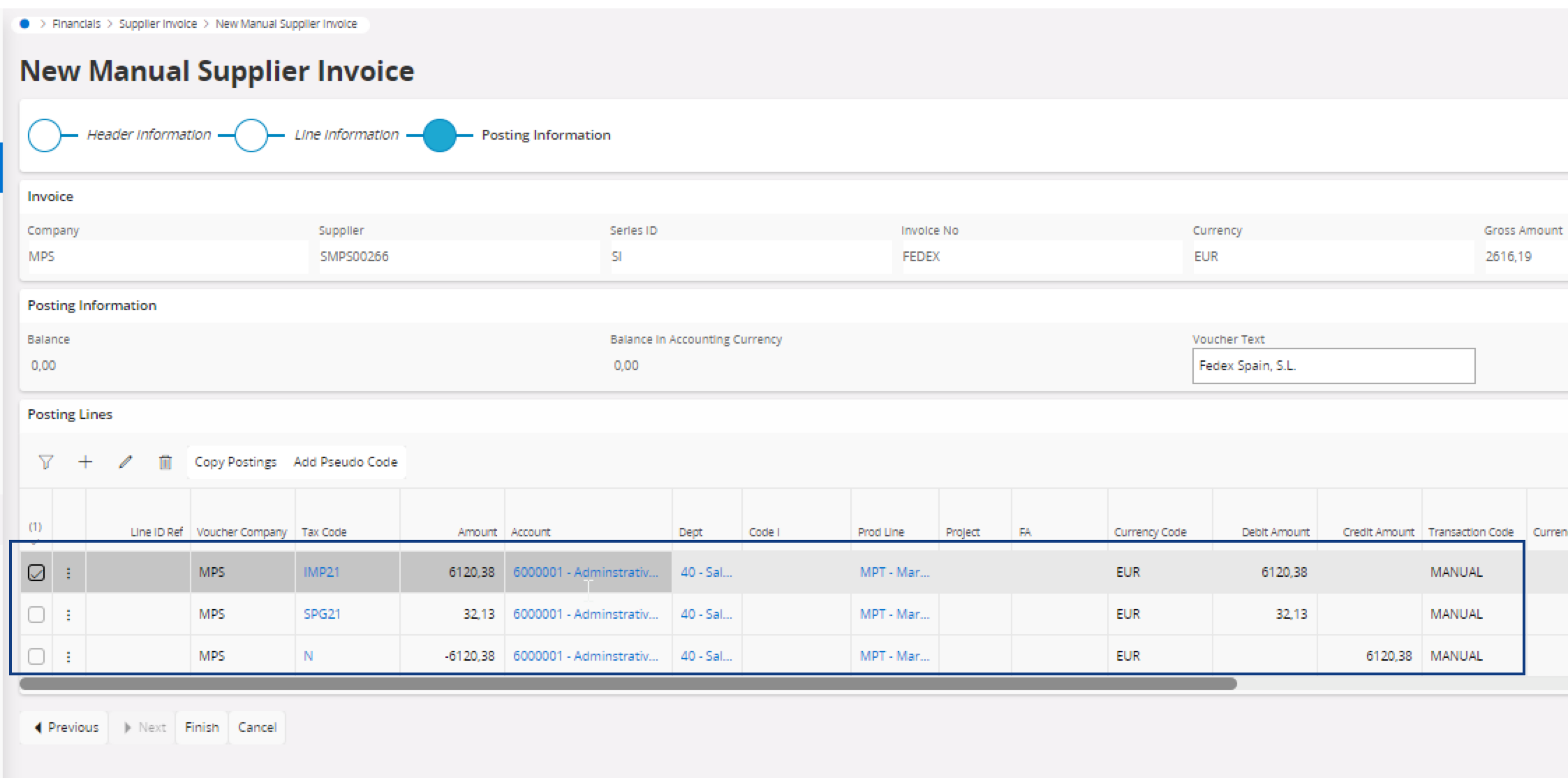
Including Cross-Border VAT in a Supplier Invoice
If the transporter paid a cross-border VAT, you need to include a line with a specific tax code in the manual supplier invoice.
Note:
The importation tax code is usually indicated in the
invoice from your transporter.
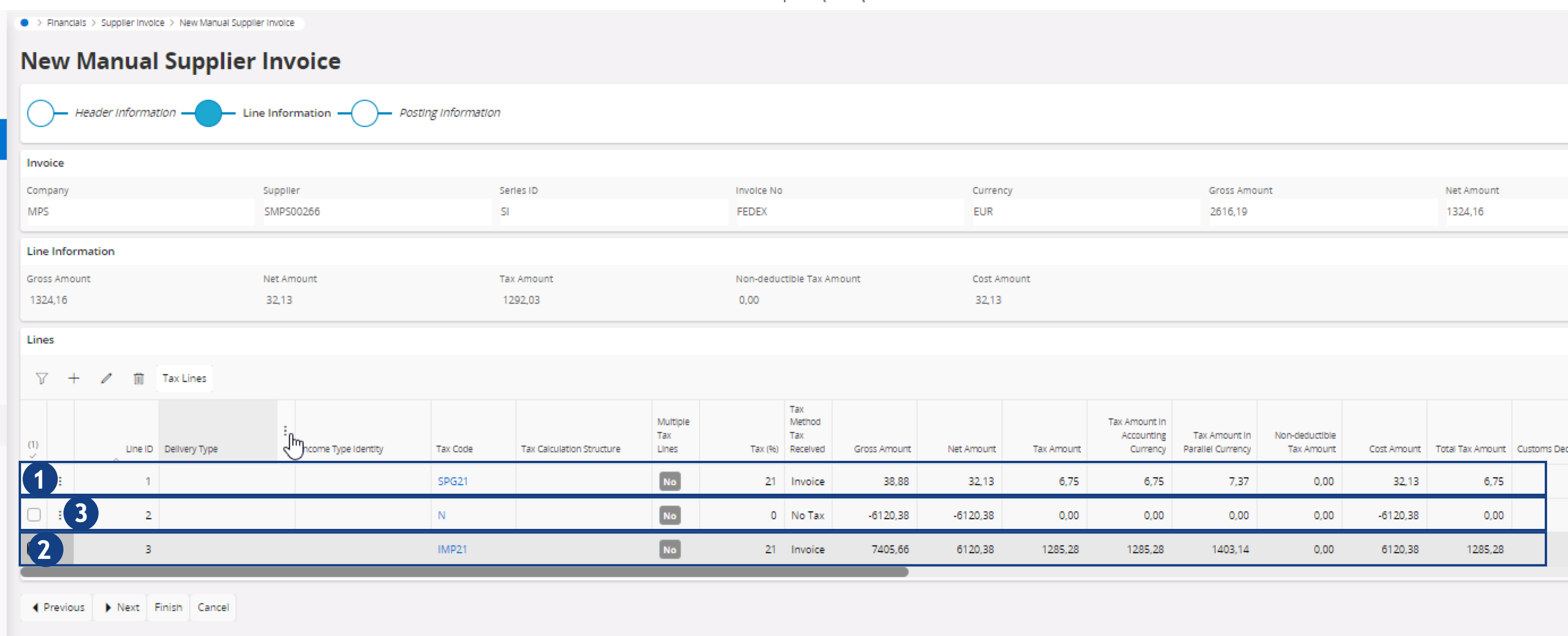
- When completing the manual supplier invoice, you should have a line with a Tax Code, corresponding to a type of tax and tax rate. In the example below, the tax code (1) SPG21 corresponds to the tax applied to the services invoiced by the transporter.
- If the transporter paid for you a VAT at the border, add another line with an importation Tax Code (2) (IMP21 in the example below), that corresponds to this transaction.
-
Add a third line, and select the Tax Code
N (3) to compensate the net amount related to the VAT paid by the
transporter.
-
Click Next.