
Connecting Customer Order Lines to the Shipment
Specify which lines of the customer order(s) need to be connected to a shipment.
-
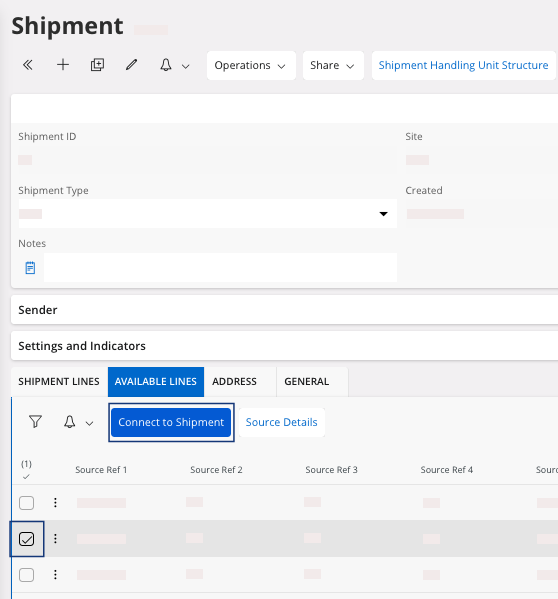
Click the tab Available
Lines to
see your customer order with its content.
Note:You see all the customer orders from your customer. Select only the one(s) that you want to deliver. You can see the number of the customer order(s) in the field Source Ref 1.
-
Select the line(s) and click Connect to
Shipment to link your customer
order to the shipment.
Your customer order has been added to your shipment. You can now find your line(s) in the tab Shipment Lines.