
Creating Handling Units for your Shipment
Define how many boxes, pallets, handling units, you need to use for the delivery.
-
On your page Shipment, click
Shipment Handling
Unit Structure.
A new page appears, Shipment Handling Unit Structure.
-
On this new page, click .
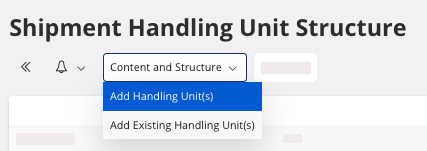
A pane appears. -
Click New + to add a handling
unit.
- Select one handling unit type in the list.
- Choose the number of units for each handling unit type.
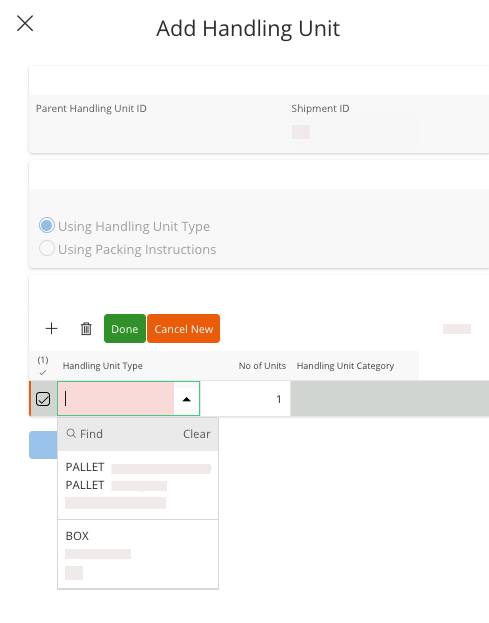
Note:Add as many handling unit you need by clicking New +. - Click Done to validate your handling unit type selection.
- Click OK to finalize the action and add the handling unit(s) you chose to your shipment.