
Doing a Full Delivery
Deliver all the quantities that are marked as Picked.
Attention:
Do not do a full delivery if you plan to
add additional lines to your customer order later on. Instead, you need to perform a
specific process: Doing a Full Delivery While Keeping the Customer Order Open.
- Go to .
-
On your lines, click the three dots
 and click
Deliver.
and click
Deliver.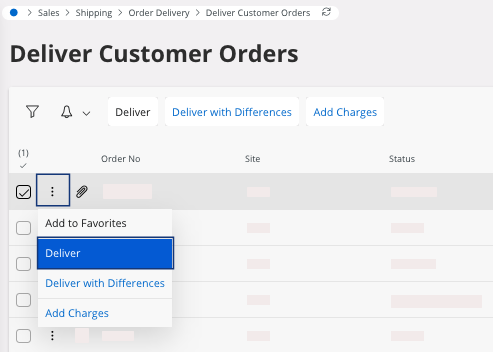
Note:
If you made a mistake or want to change data
after the delivery in IFS Cloud
but before the physical delivery, see Undoing a Customer Order Delivery.
Remember:
Click the Airmar button at the
top of the page to access the next process pages
directly.