Undoing a Customer Order Delivery
In case you realize that a mistake have been done in your customer order delivery, you can undo it.
- Go to .
-
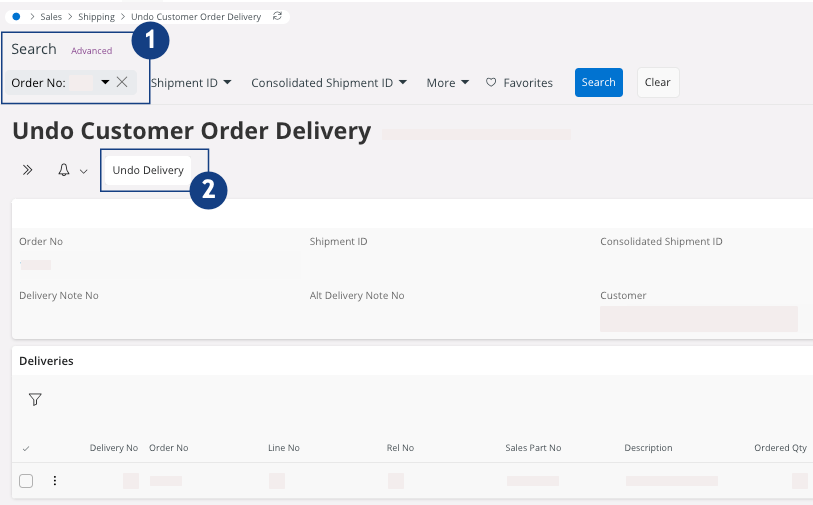
To find your customer order, use the search bar, enter your Order No
 .
.
-
In the header, click Undo Delivery
 .
.