
Consulting Supplier Trial Balance Report
Create a PDF report to get the trial balance for a supplier or a group of suppliers.
- Go to .
-
Choose your settings:
-
In the Selections
section.
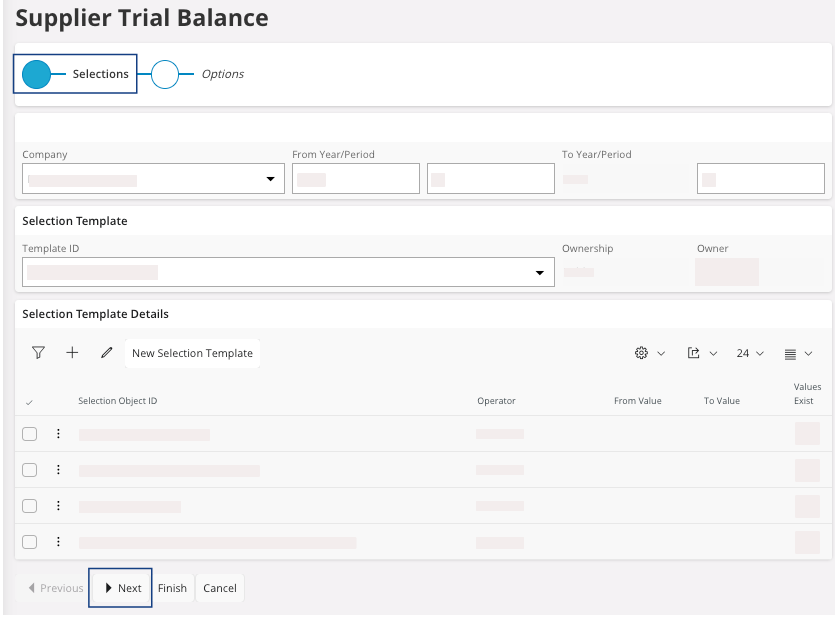
- Click Next.
-
In the Options
section.
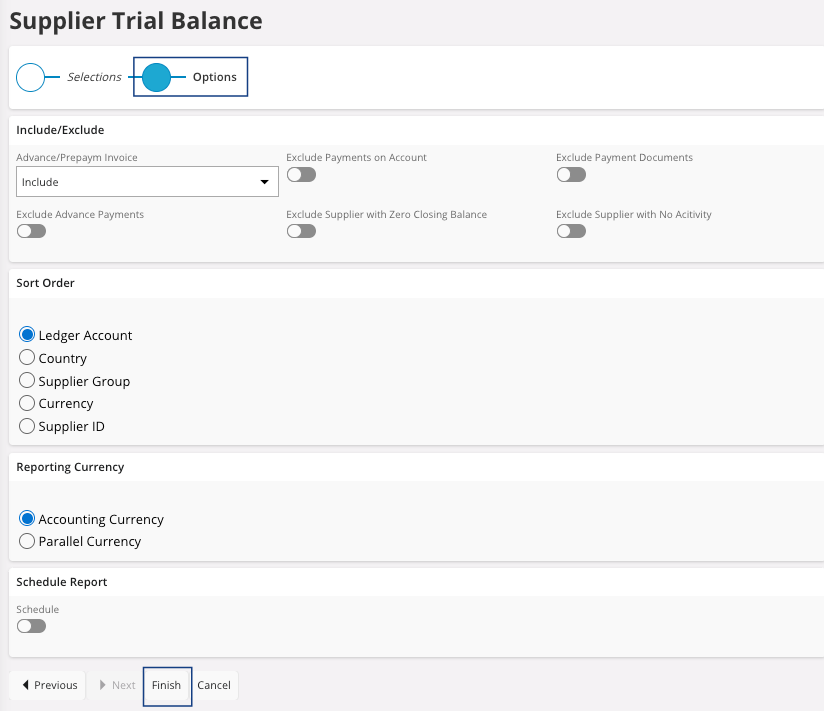
- Click Finish.
The Report Format & Output pane appears. -
In the Selections
section.
-
You have several options:
- Preview button: to do before
printing. Click Preview: the
document appears on your screen. From here, you can check your information,
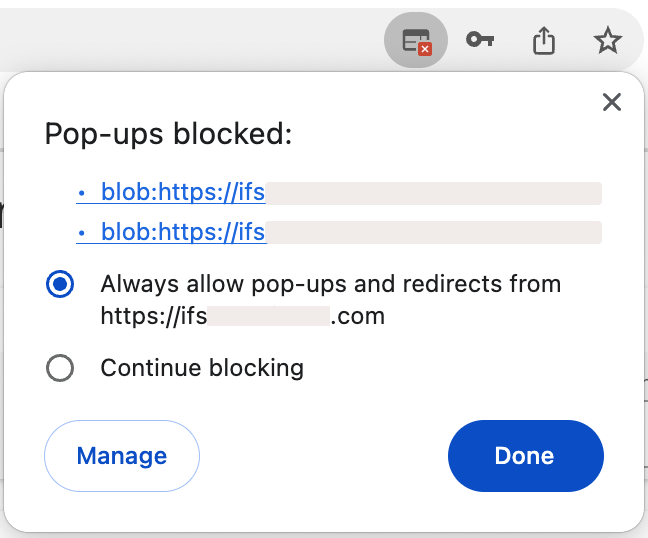
print your document or keep it on your computer in PDF.Trouble:If the preview is not displayed, your browser might block your pop-ups. Check your authorization in your browser settings.
- Print: if you want your document on paper, choose your printer, or if you want to keep it on your computer in PDF, choose IFS PDF Archiver.
- Email: fill in or check the email address and send it.
You get your Supplier Trial Balance report. - Preview button: to do before
printing. Click Preview: the
document appears on your screen. From here, you can check your information,
print your document or keep it on your computer in PDF.